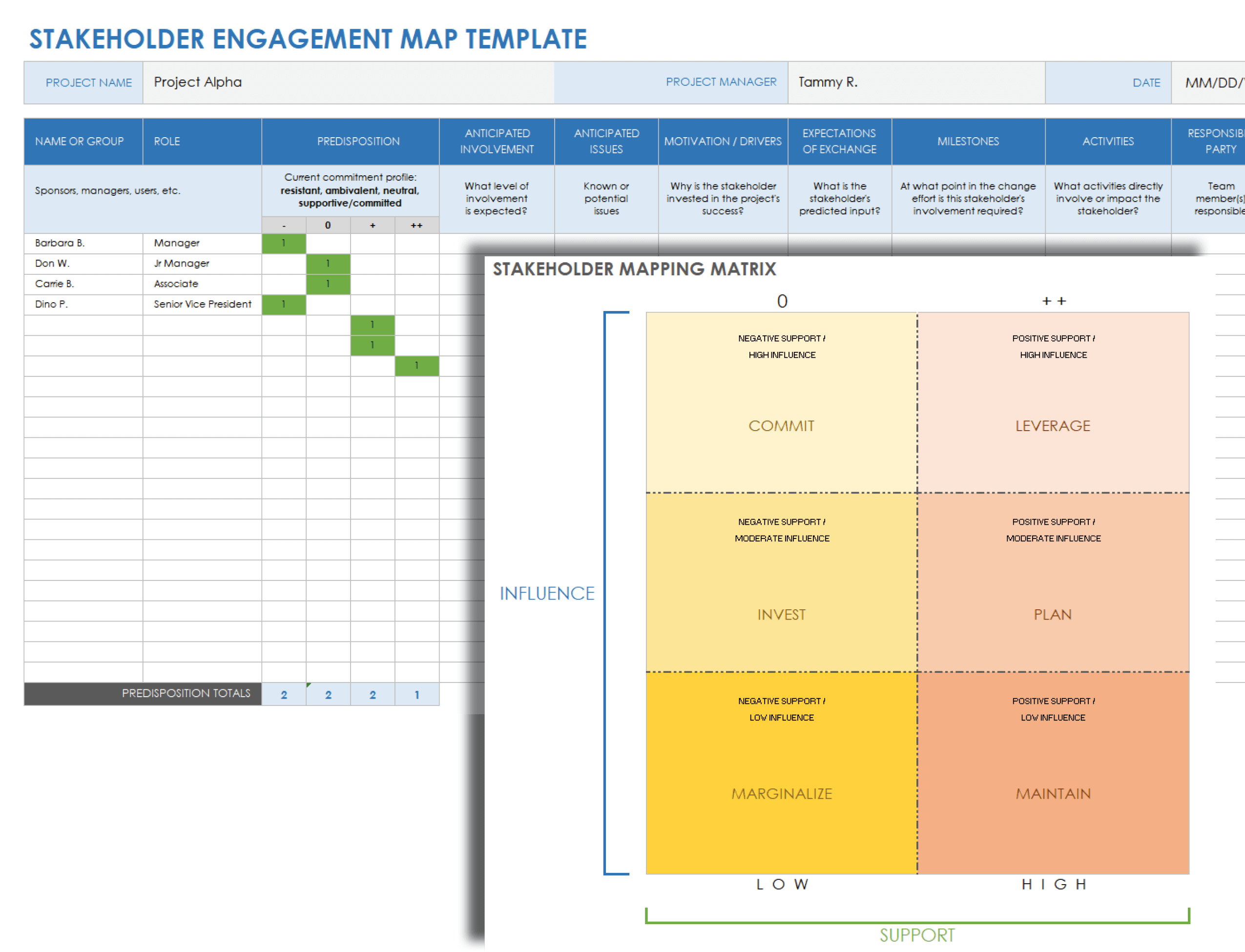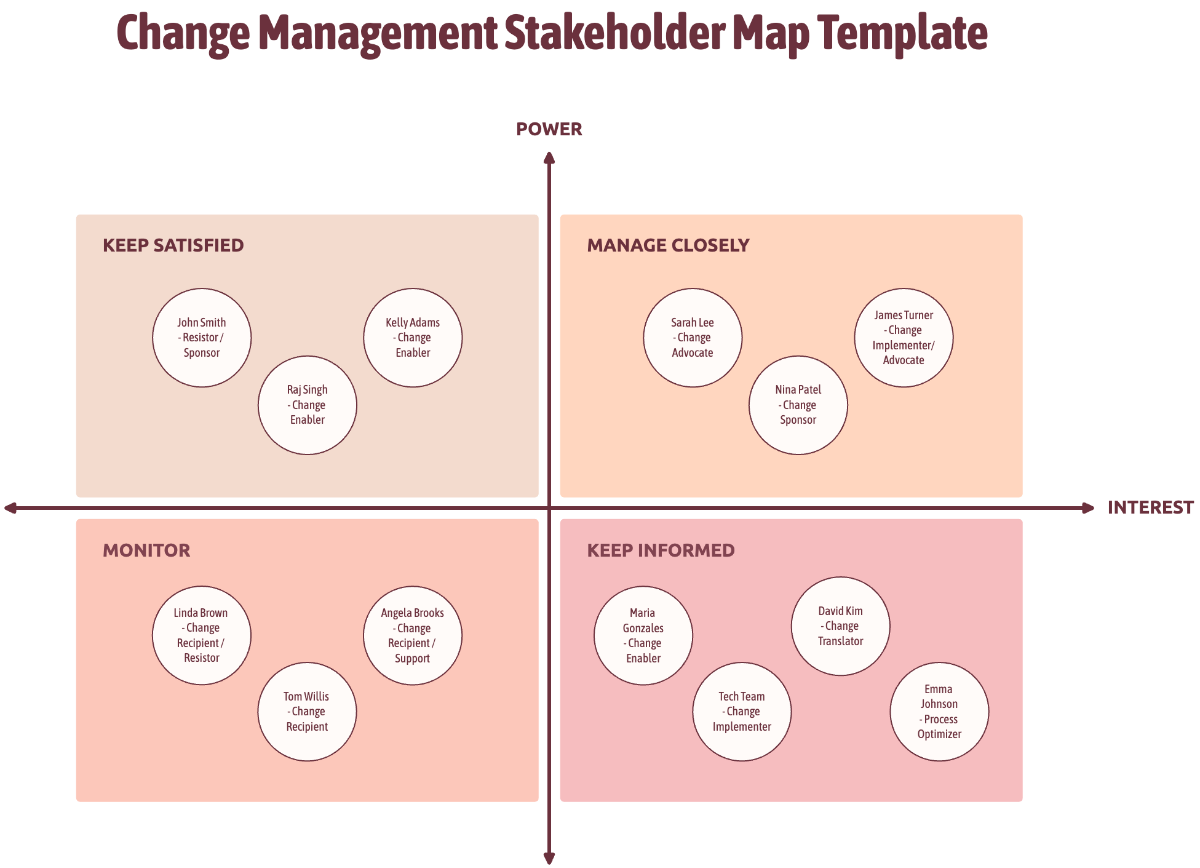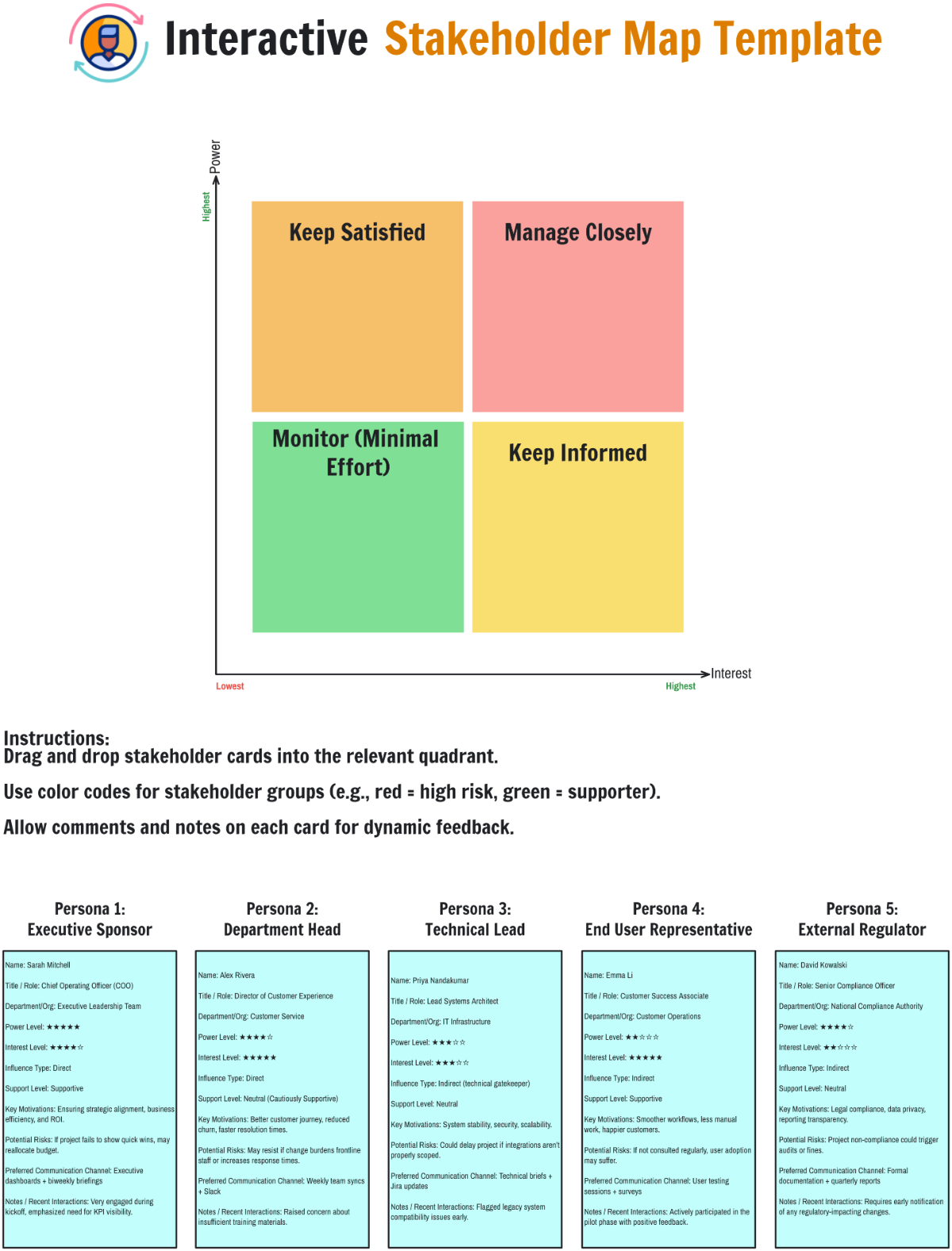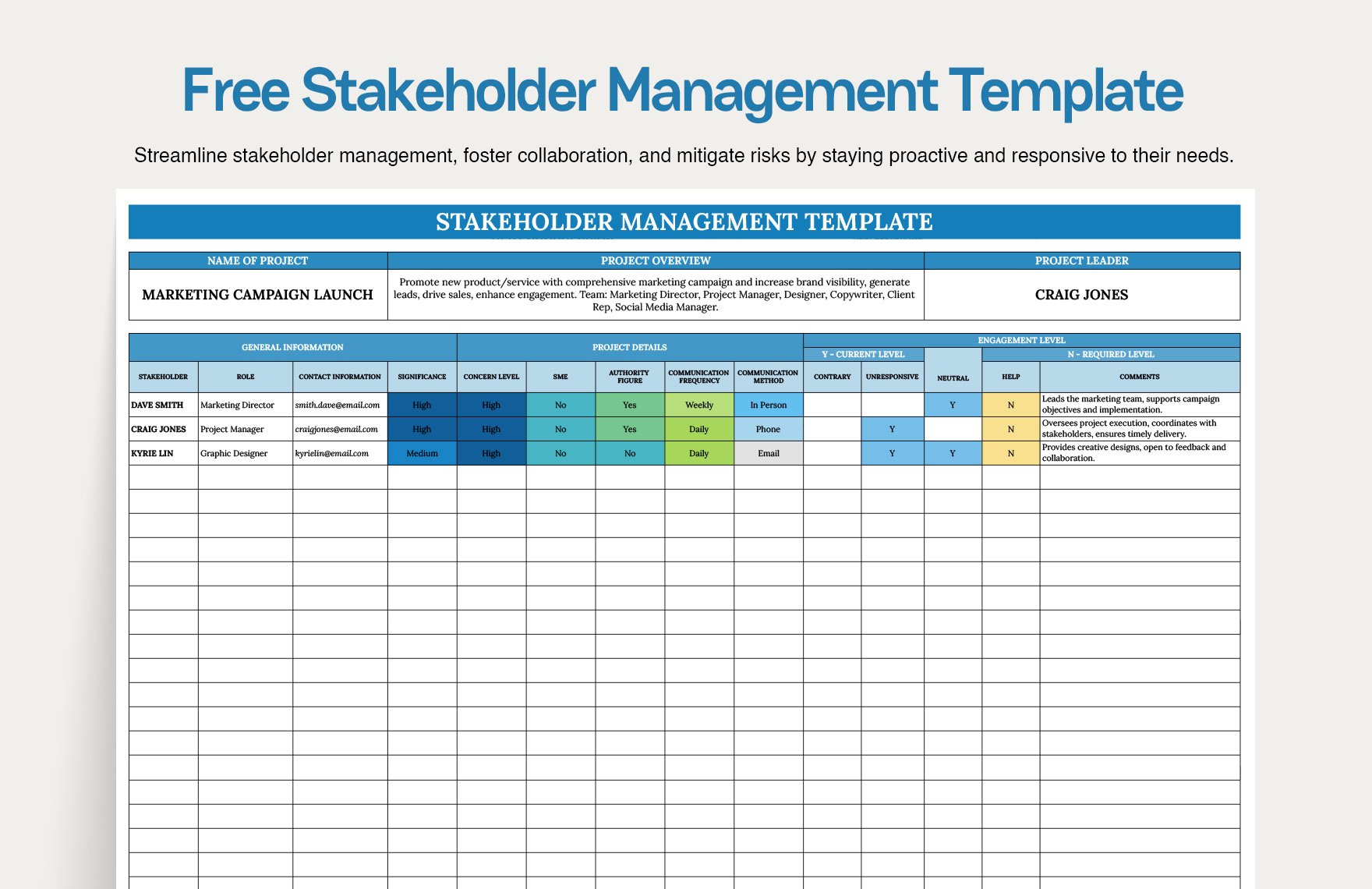
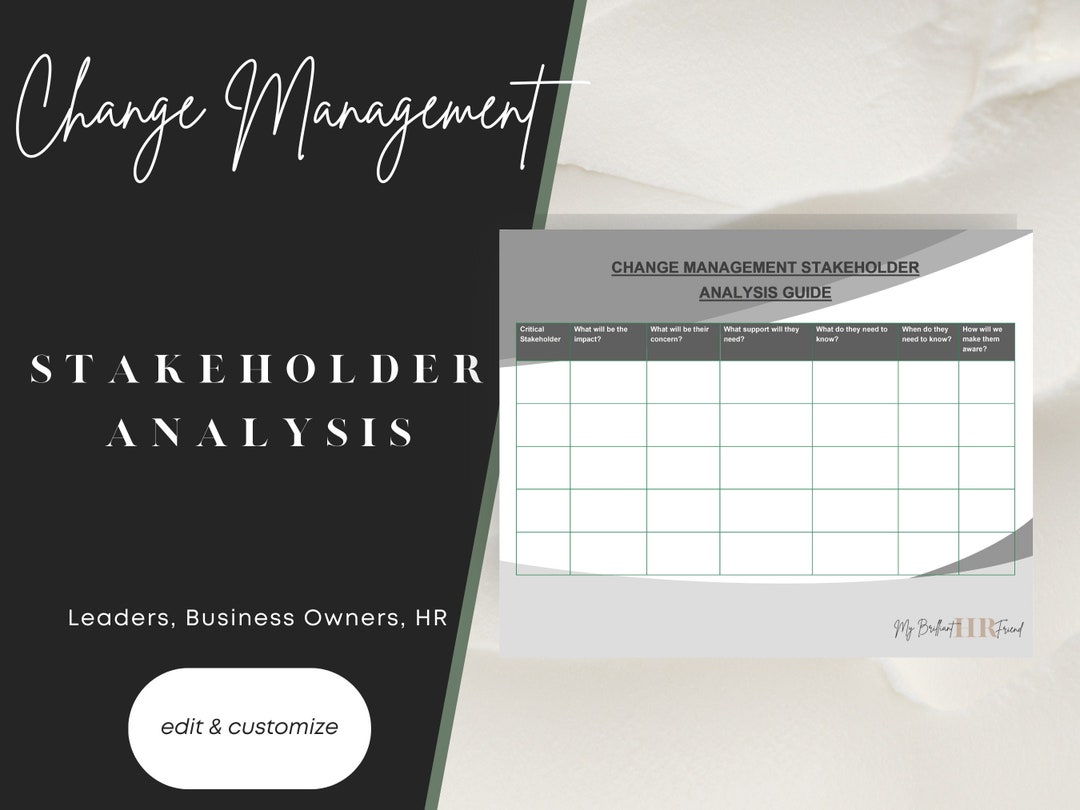
When you dive into the chaotic waters of corporate change, your first lifeboat should be a robust Change Management Stakeholder Analysis Template that keeps everyone on board without throwing the ship into a storm of confusion.
Why Stakeholder Analysis Matters
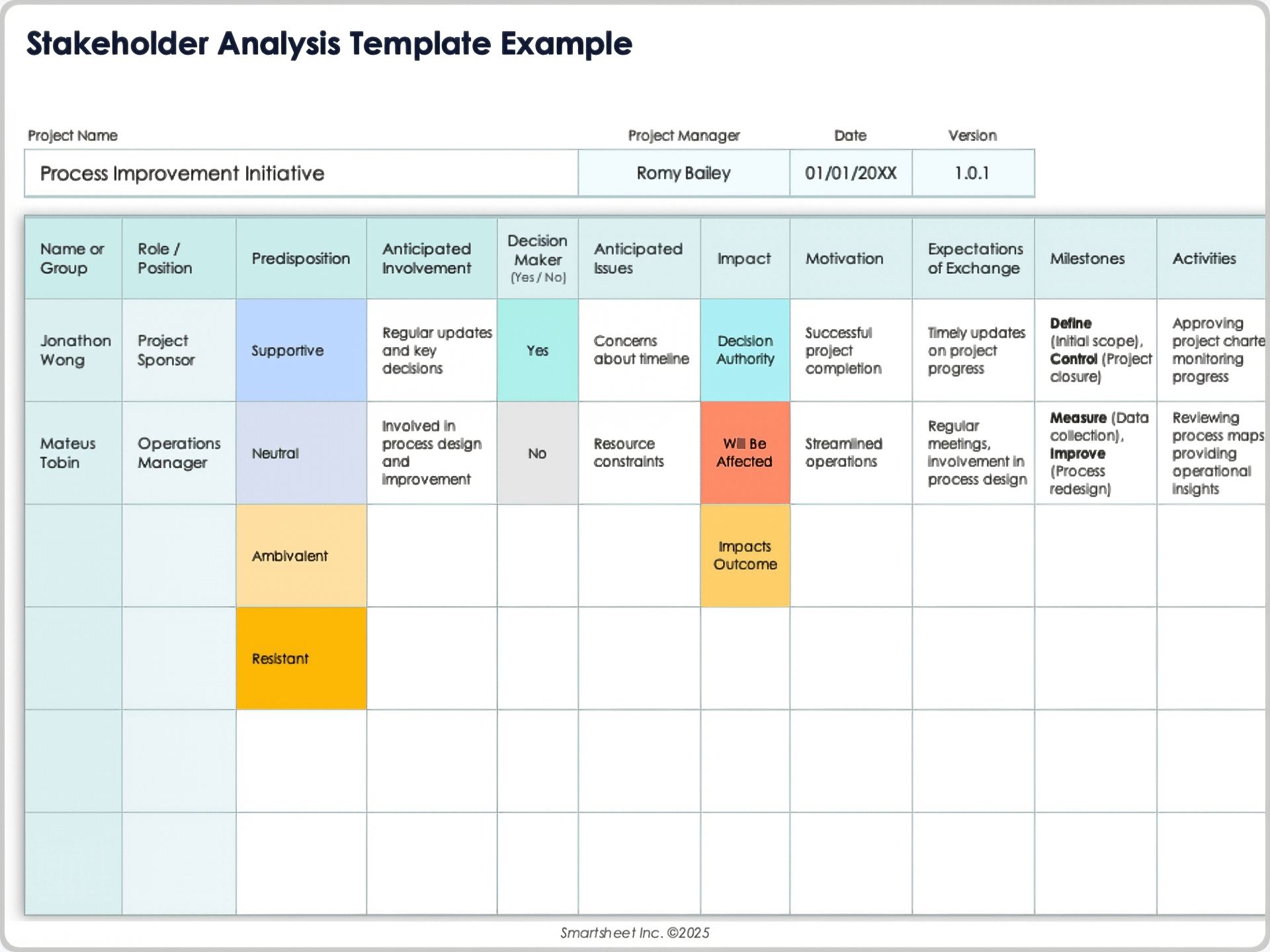
Picture this: you’re about to launch a new software system, and your project manager hands you a PowerPoint that looks like a comic strip. No one knows who’s excited, who’s skeptical, or who will sabotage the rollout if their coffee machine gets replaced. That’s where stakeholder analysis steps in, acting like a stern yet compassionate lighthouse keeper, guiding you toward a smooth transition.
Stakeholders: The Hidden Heroes and the Sneaky Villains
Stakeholders come in all shapes and sizes. They can be the CEO who wants a 30% cost reduction, the IT guy who secretly hopes the new system gives him more coffee breaks, or the janitor who thinks the new software will finally allow him to leave early. Identifying them is half the battle; understanding their motivations and influence is the secret sauce that turns a bland project into a success story.
Impact on Project Success
Research shows that projects with a well‑documented stakeholder analysis are 50% more likely to stay on schedule and 30% more likely to stay within budget. In plain English: a great template isn’t just nice to have—it’s essential. Without it, you’ll end up chasing fire with a watering can.
Building the Perfect Template

The goal of your template is to be a living, breathing tool that adapts to your team’s quirks while keeping you organized. Think of it as a Swiss Army knife for change managers, but instead of a toothpick and a bottle opener, it offers roles, influence, and engagement strategies.
Core Components Every Template Must Contain
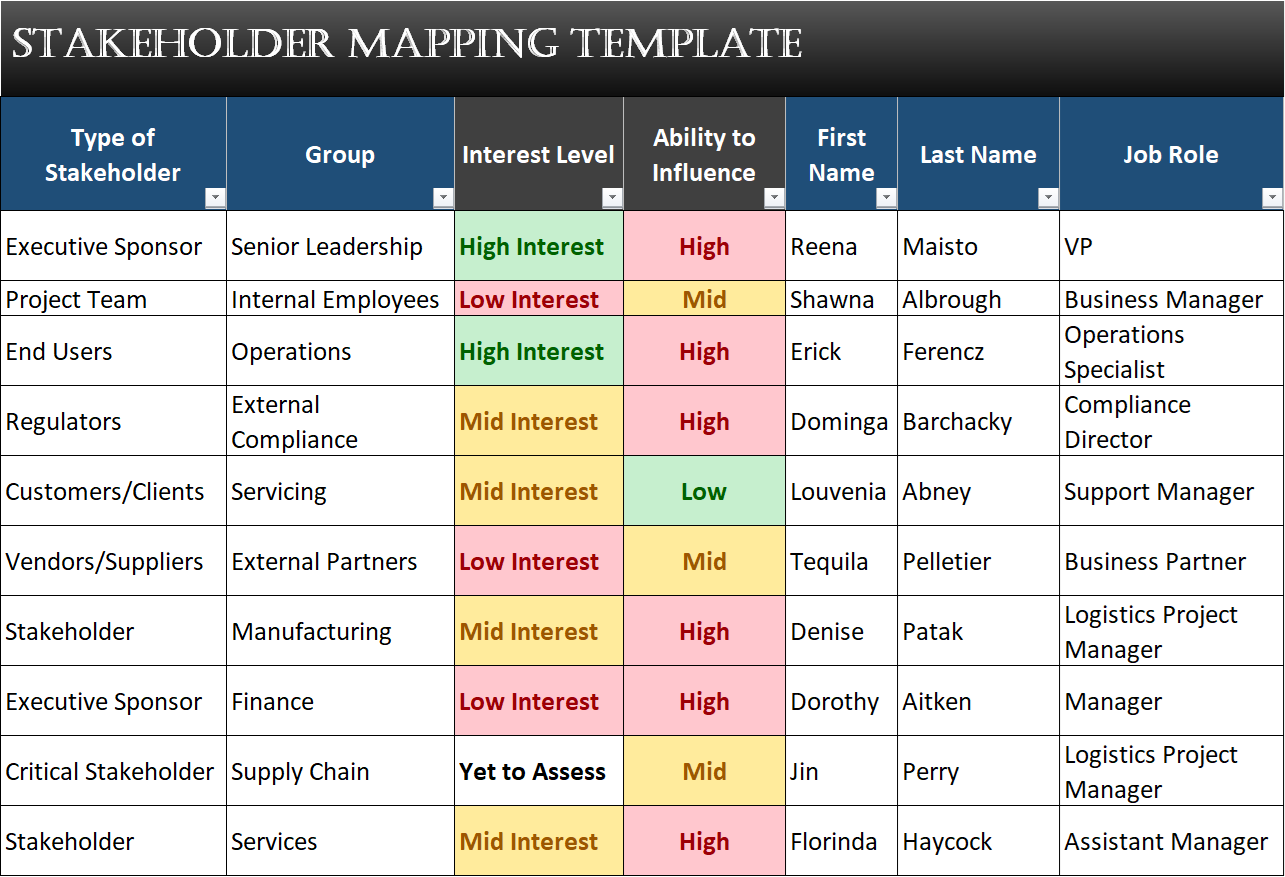
- Stakeholder Name / Role: A clear identifier—no “Person 1” or “Mystery Guy.”
- Influence Score: Rate their sway on a 1–5 scale. Don’t be shy; a CEO is usually a 5.
- Interest Level: How invested are they in the project outcome?
- Power vs. Persuasion: Are they the ones who can stop the project or the ones who can convince others?
- Communication Preference: Email, Slack, face‑to‑face, or interpretive dance.
- Potential Concerns: Fear of job loss? Fear of tech overload? Identify the elephant in the room.
- Engagement Plan: How you’ll keep them in the loop—regular updates, one‑on‑ones, or a secret emoji channel.
- Status Update Column: Where you log the last meeting date or last email sent.
Designing for Usability
Keep the template simple. A cluttered sheet that looks like a spreadsheet explosion will scare away even the most enthusiastic stakeholder. Use color coding: green for happy, yellow for neutral, red for wary. Add filters so you can instantly see who needs a follow‑up or who can be “just kept in the loop.”
Digital vs. Paper: The Debate
While some still swear by the tactile joy of sticky notes, a digital tool—be it Excel, Google Sheets, or a specialized stakeholder management software—offers collaboration, version control, and the ability to attach documents. Pick what fits your team’s workflow, but remember: the tool is only as good as the data you put in.
Step‑by‑Step Walkthrough
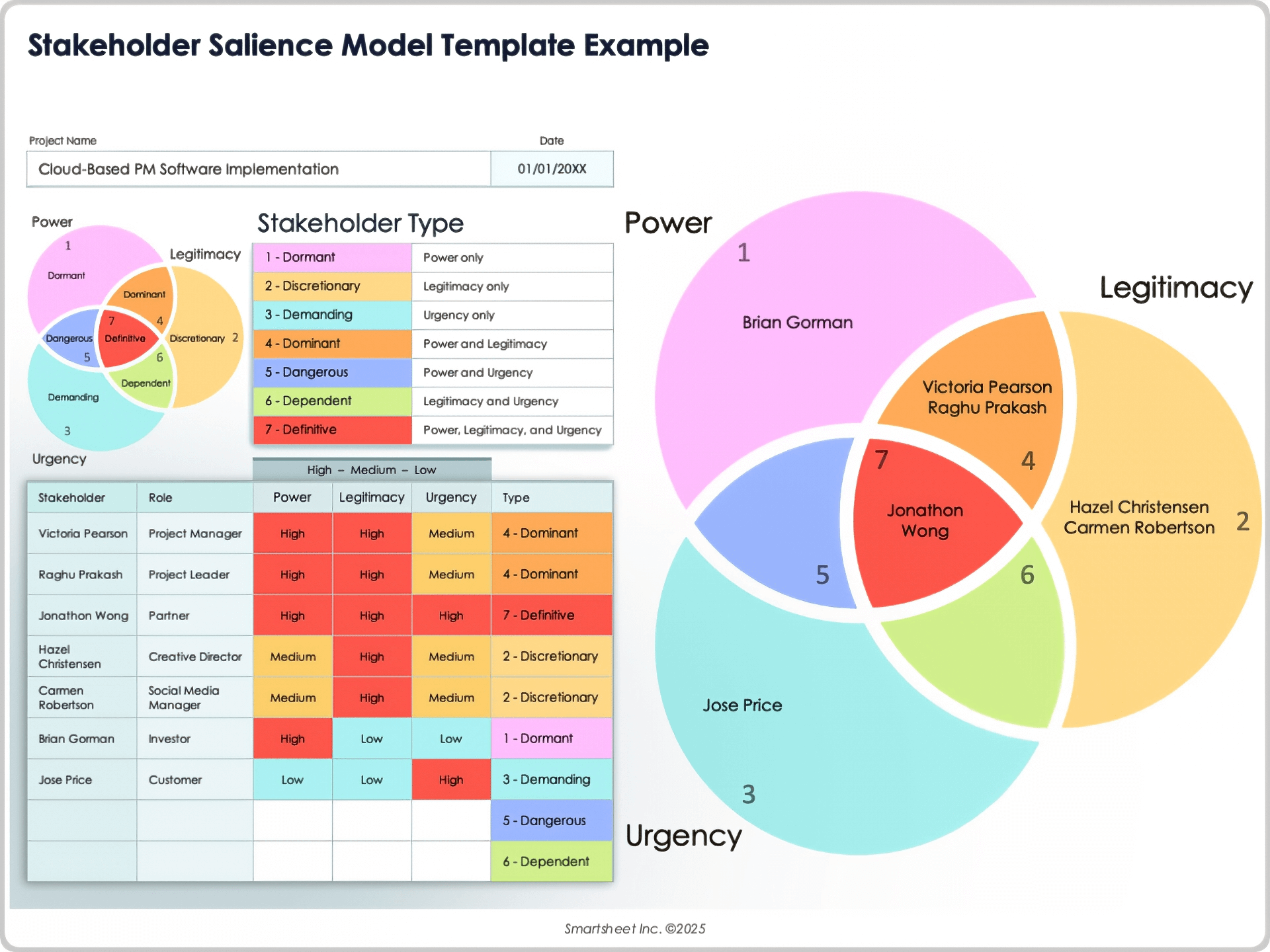
Let’s roll up our sleeves and actually build a template. We’ll use a generic spreadsheet as our playground.
Step 1: Create the Header Row
In row one, label your columns:
- Stakeholder Name
- Role
- Influence (1‑5)
- Interest (1‑5)
- Power vs. Persuasion
- Communication Preference
- Potential Concerns
- Engagement Plan
- Last Contact
Step 2: Populate the Stakeholder List
Start with the obvious: CEO, CFO, project sponsors, end‑users, IT support, and regulators. Then, ask your teammates for “hidden” stakeholders—those who might not appear on the surface but will be impacted. A quick brainstorming session can bring out the janitor, the cafeteria manager, or even the office plant (yes, even the plant might feel left out).
Step 3: Score Influence and Interest
Ask each stakeholder or their direct supervisor to rate influence and interest. Use a simple 1 to 5 scale. Remember to keep it realistic—no one should be a 5 on both dimensions unless they’re a superhero.
Step 4: Define Power vs. Persuasion
Power refers to formal authority; persuasion is about sway. For example, a department head has high power, but a charismatic user champion has high persuasion. Map this onto a 2‑column list so you can see the distinction.
Step 5: Identify Communication Preferences
Some love detailed reports; others prefer quick Slack updates. Use drop‑down menus or color coding to keep it consistent.
Step 6: Record Potential Concerns
Ask stakeholders what fears or objections they foresee. Common themes: “Will my job be replaced?” “Is this going to affect my workflow?” Capture these openly; they become the basis for your engagement plan.
Step 7: Draft the Engagement Plan
For each stakeholder, decide what actions you’ll take: “Send bi‑weekly status emails,” “Invite to a lunch & learn,” or “Provide a hands‑on demo.” Treat this column like a to‑do list.
Step 8: Maintain Status Updates
After every interaction, update the “Last Contact” column. This keeps everyone honest and reminds you to follow up. Set calendar reminders if needed.
Real‑World Case Studies
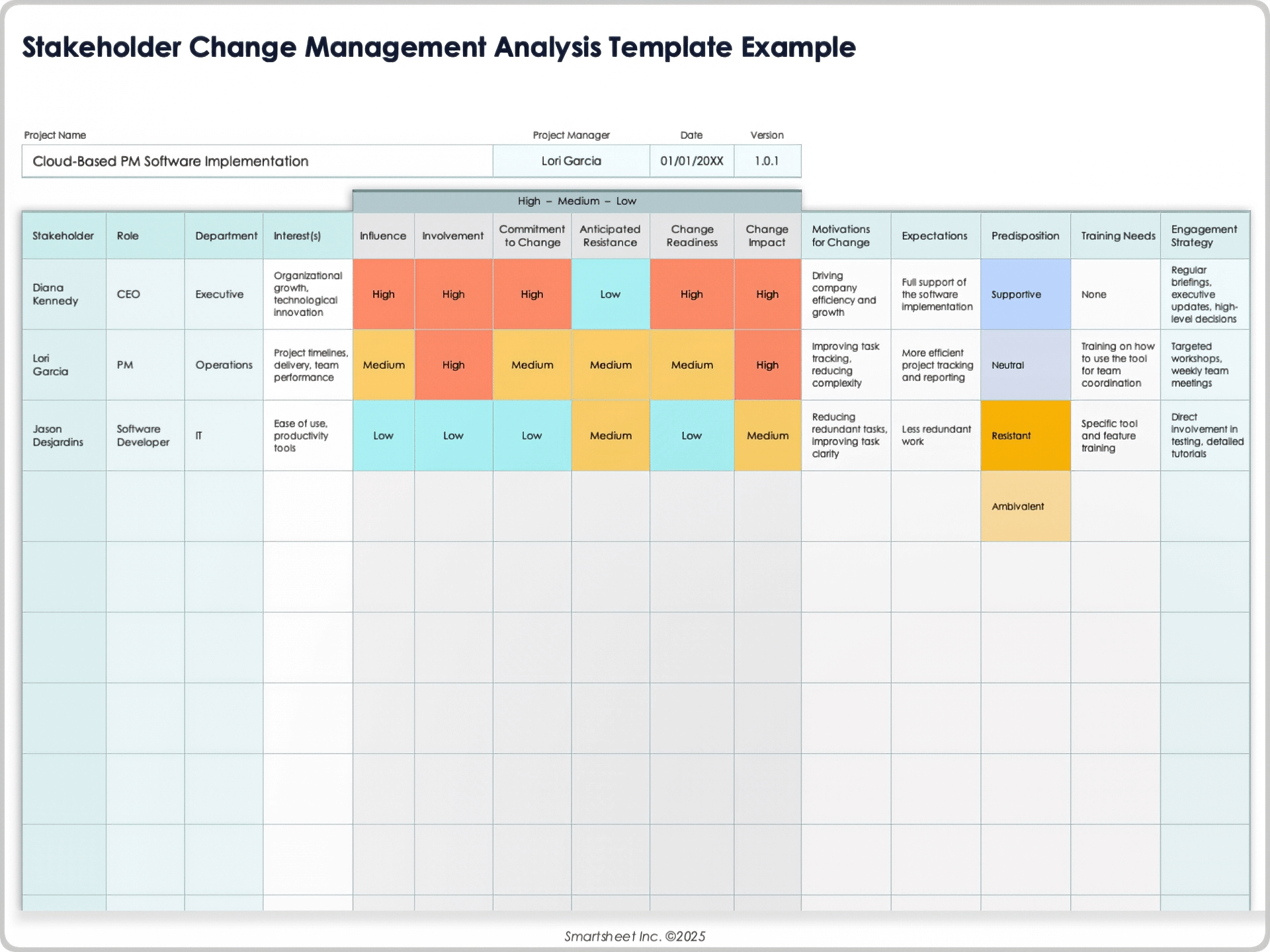
Case Study 1: The Office Coffee Machine Revolution
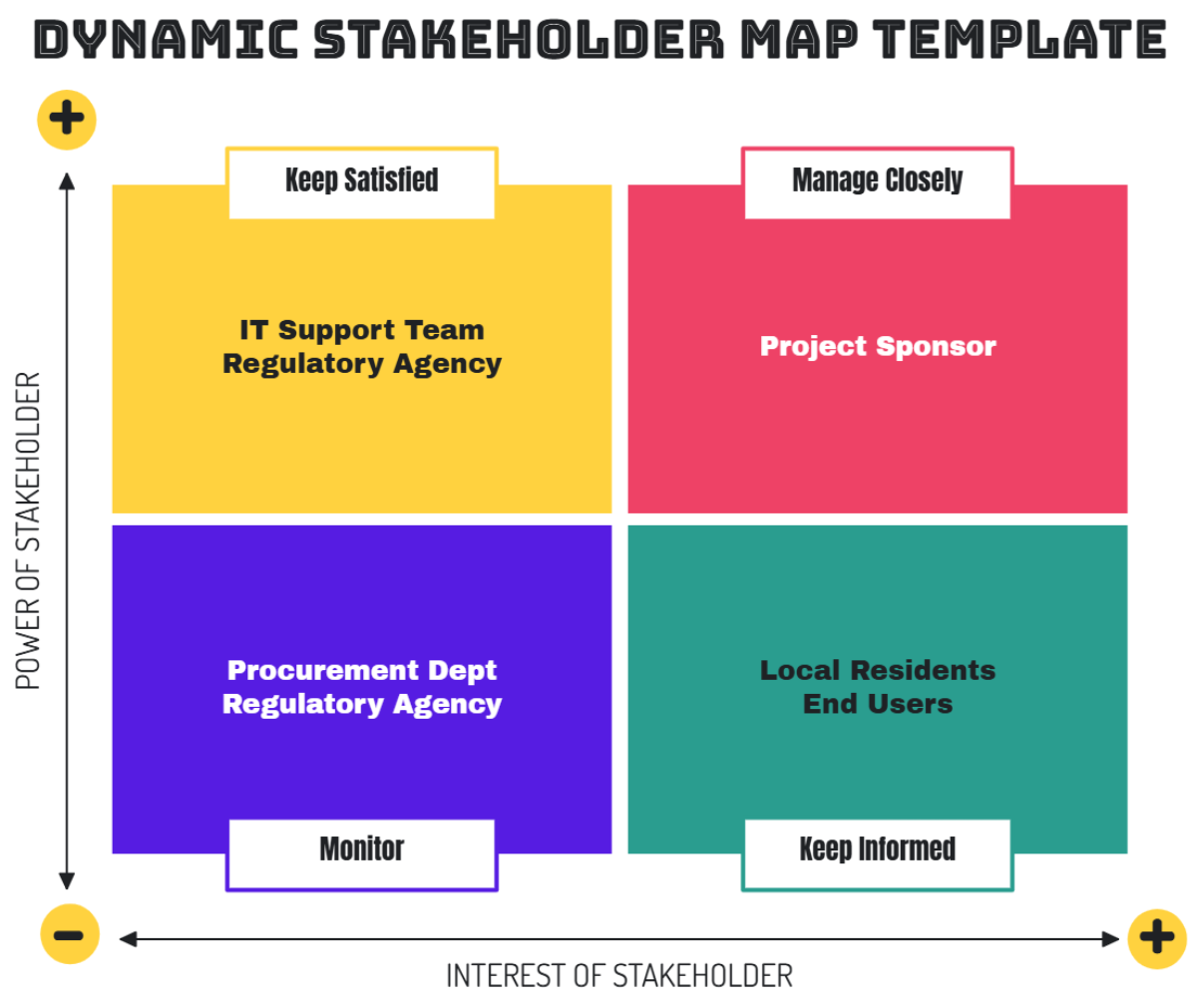
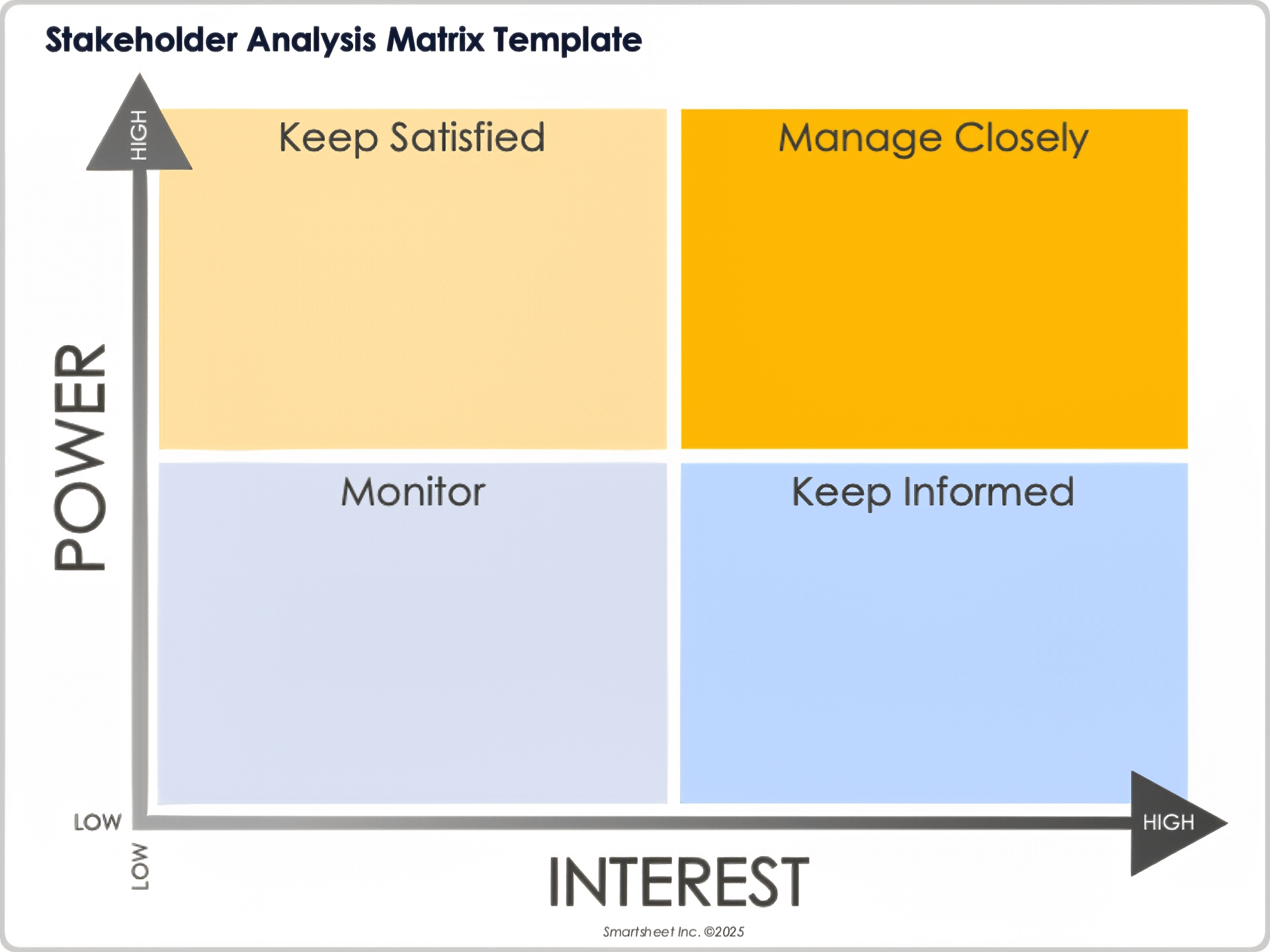
Company X decided to replace its old coffee machine with a high‑tech, app‑controlled model. Stakeholder analysis revealed that the HR manager was the biggest champion (high influence, high interest) but the facilities manager was the main blocker (high influence, low interest). By engaging the facilities manager in the design phase and addressing their concern about maintenance costs, the rollout went off without a single latte spill.
Case Study 2: The Cloud Migration Chaos
A mid‑size firm moved its data to the cloud. The CFO was initially wary due to cost concerns, while the marketing team was excited about new analytics tools. Stakeholder analysis identified that the CFO’s concerns were largely about data security. The project manager arranged a dedicated security workshop, resulting in CFO buy‑in and a successful migration.
Case Study 3: The Remote‑Work Rollout
During the pandemic, Company Y implemented a remote‑work policy. The HR director was enthusiastic, but the IT department was skeptical about security. Stakeholder analysis surfaced a potential risk: “Unsecured home networks.” By providing secure VPN access and training, the project avoided a breach scare and improved employee satisfaction.
Common Pitfalls and How to Dodge Them
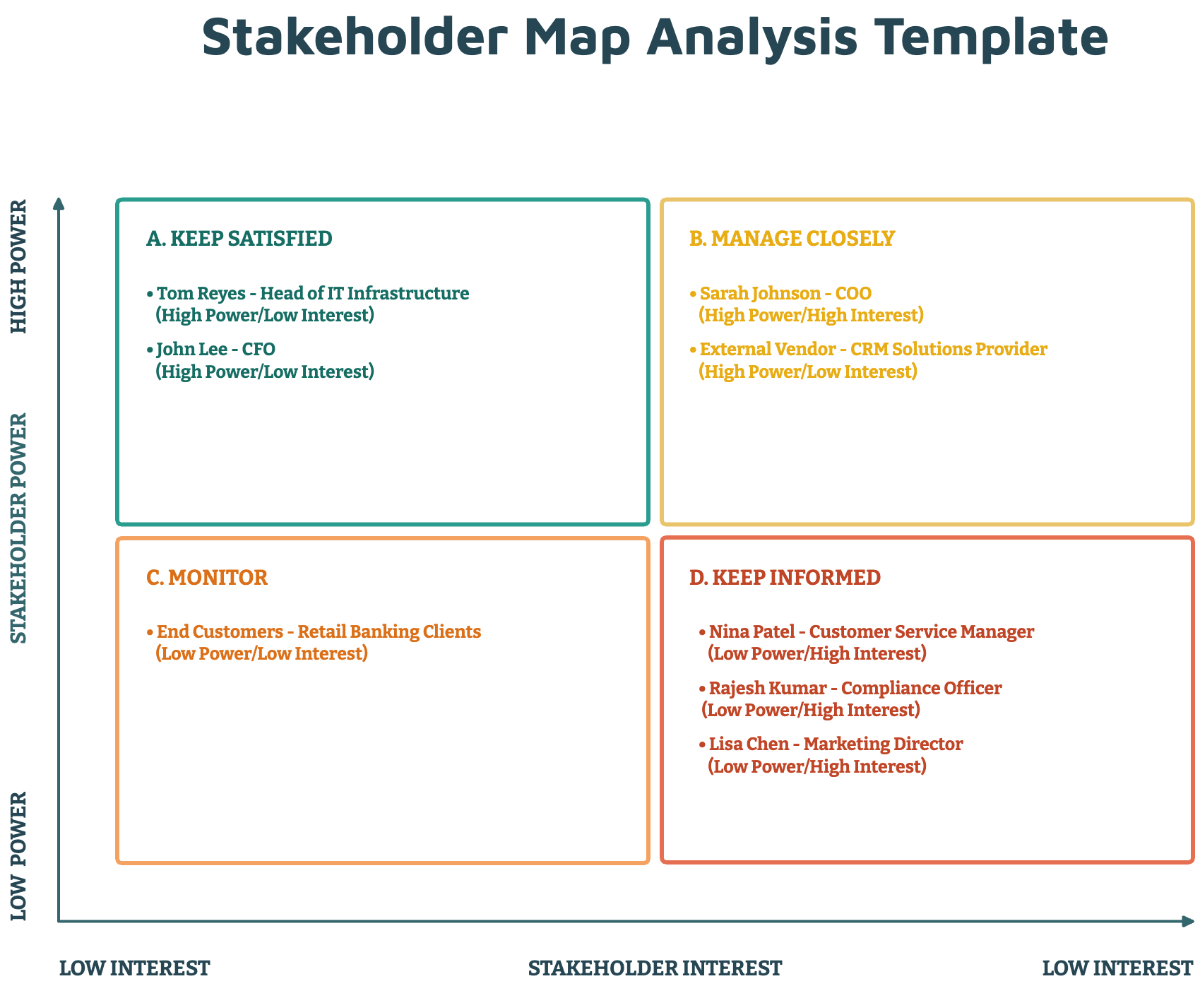
Pitfall 1: “Who Are My Stakeholders?” – The Great Mystery
Don’t rely on the project sponsor to name them. Conduct stakeholder workshops and use a “brainstorming tree” to surface hidden parties. A simple question: “Who will be affected when the change hits the ground?” can reveal dozens of names.
Pitfall 2: “Stale Data” – The Living Document That Died
Stakeholder analysis isn’t a one‑time checkbox. Update it whenever a new sponsor appears or an end‑user raises a concern. Treat the template like a living organism that needs regular feeding.
Pitfall 3: “One‑Size‑Fits‑All Communication”
Assuming everyone likes the same update style is a recipe for disengagement. Use the communication preference column to tailor your messages. A data‑heavy executive summary works for the CFO, but a quick infographic is better for a techie.
Pitfall 4: “Over‑Analyzing” – The Analysis Paralysis
Too many metrics can overwhelm. Focus on the three most critical factors: influence, interest, and engagement plan. Keep it simple and actionable.
Pitfall 5: “Ignoring the Micro‑Stakeholders”
Those who might seem insignificant—like the office plant—can become powerful allies or silent saboteurs. Recognize everyone’s role, no matter how small.
Advanced Tips for Power Users
Automate Updates with Conditional Formatting
Set your spreadsheet to turn red when the “Last Contact” date is over a month old. This visual cue forces timely follow‑ups.
Integrate with Project Management Tools
Link your stakeholder template to your project tracker (Jira, Trello, etc.). This way, a change in task status can trigger a stakeholder notification.
Use Heat Maps for Quick Insight
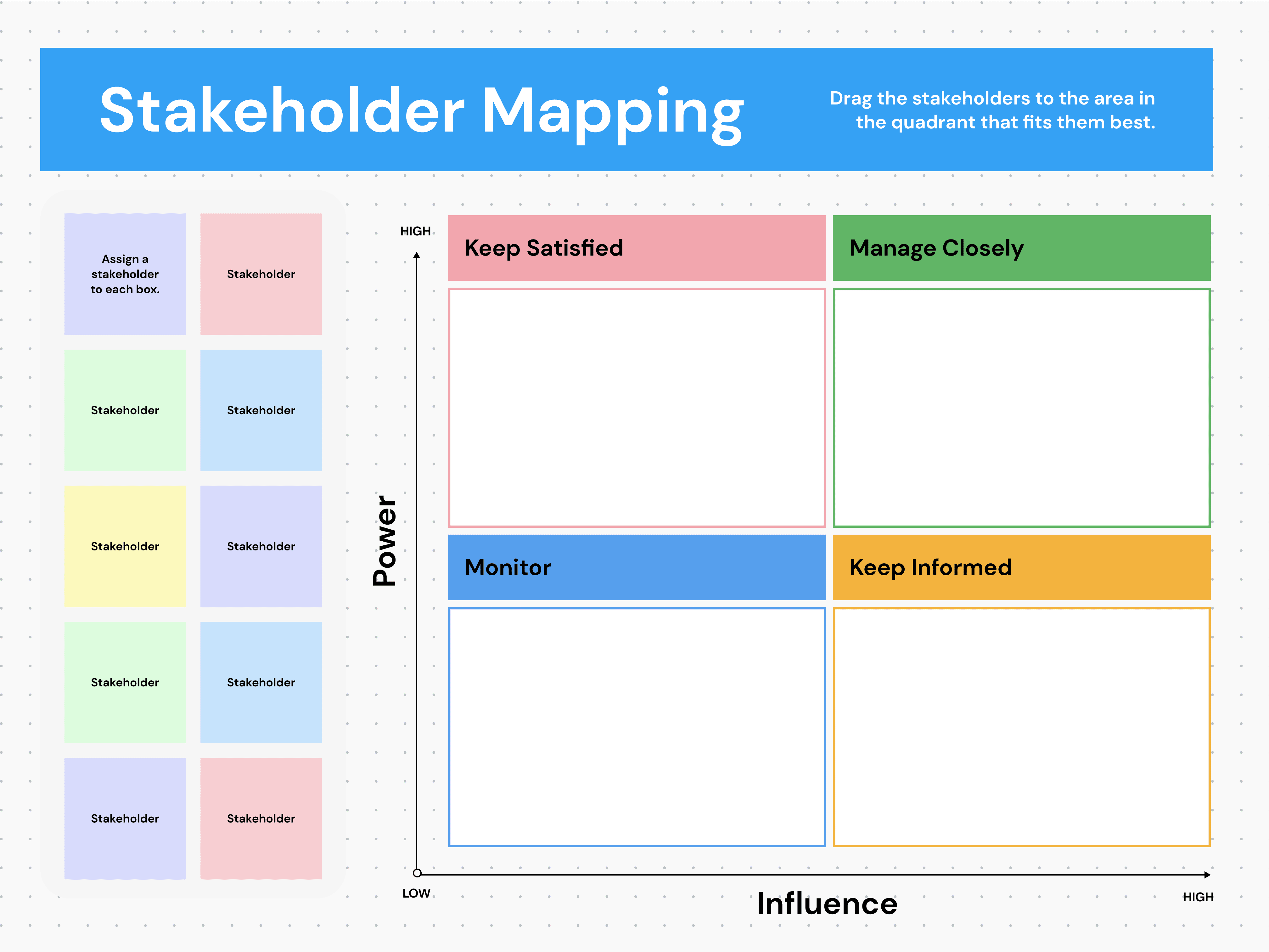
Create a heat map that blends influence and interest scores. Stakeholders in the red zone need priority; those in green can be handled with standard communication.
Develop a “Stakeholder Engagement Score”
Combine influence, interest, and the engagement plan into a single metric. Track it over time to see if your efforts are moving stakeholders from skeptical to supportive.
Run Scenario Planning
Imagine the worst: a top stakeholder leaves the company. Use your template to identify who can step in and how the project will adapt. Scenario planning turns uncertainty into preparation.
Final Thoughts
Mastering the Change Management Stakeholder Analysis Template is like learning the perfect recipe for a crowd‑pleasing meal: you combine the right ingredients (stakeholder data), use the right method (structured analysis), and serve it at the right time (continuous updates). When you do this right, you transform potential chaos into a smooth, predictable transition that keeps everyone— from the CEO to the office plant—satisfied and engaged. So grab your spreadsheet, fill in those names, score those influences, and watch as your change initiative sails to success instead of crashing on the rocks of confusion. Happy managing!