
Sales Representative Report Template is a critical tool for any organization that relies on field sales teams to drive revenue. By providing a structured format for capturing daily activities, prospects, and results, it enables managers to monitor performance, spot trends, and make data‑driven decisions that elevate the entire sales process.
Why a Sales Representative Report Template Matters
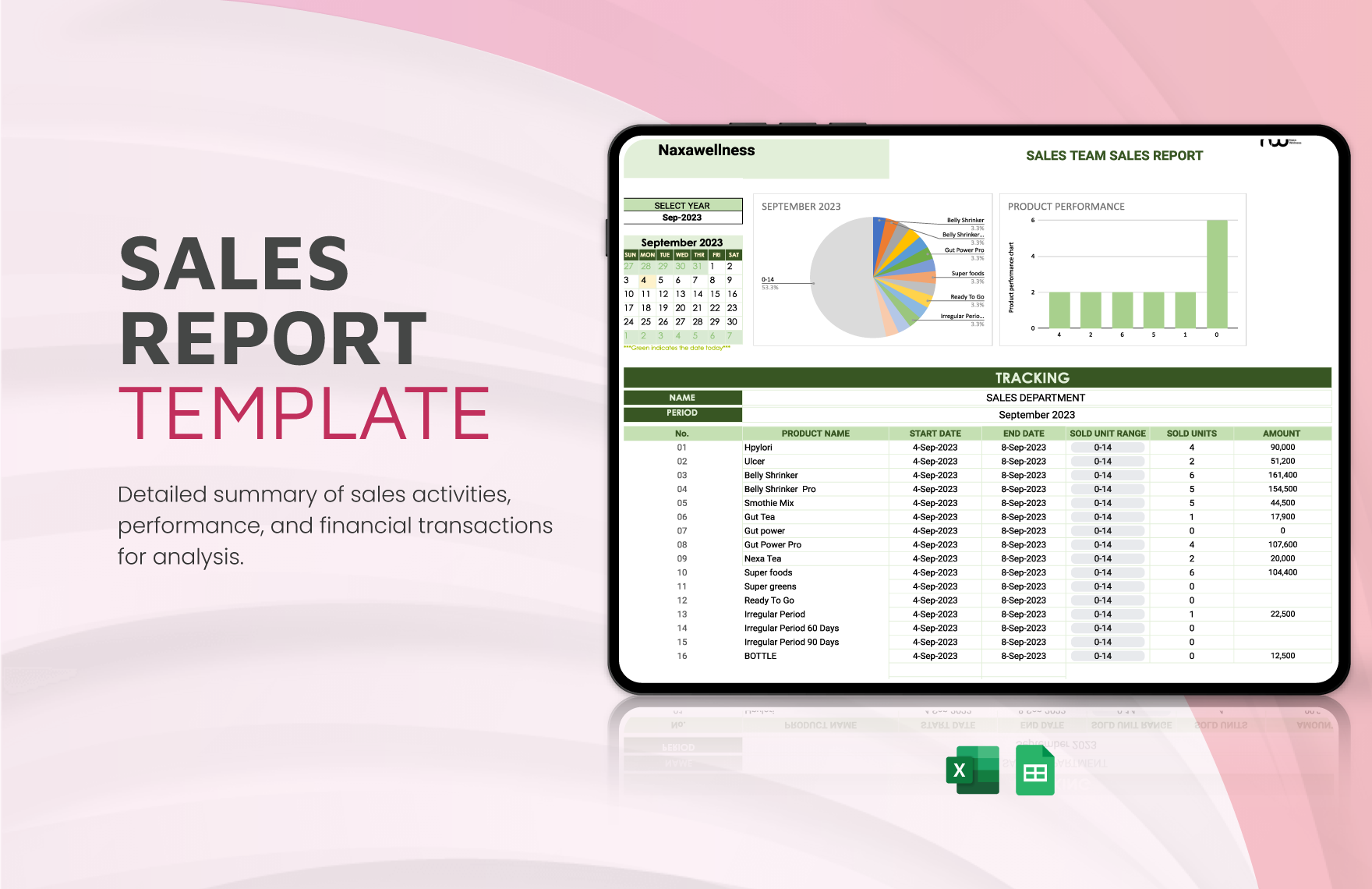
In today’s competitive marketplace, raw sales data alone is insufficient. A well‑designed template turns scattered notes into actionable insights. It standardizes reporting across the organization, ensuring that every representative records the same key metrics. This consistency makes it easier to compare results, benchmark against targets, and identify best practices.
Moreover, a clear reporting structure reduces the time spent on data entry. Representatives spend less time explaining their activities and more time closing deals. For managers, the template becomes a single source of truth that supports forecasting, resource allocation, and coaching.
Key Benefits for Sales Teams
- Transparency: Everyone sees what each teammate is working on, fostering accountability.
- Efficiency: Quick entry reduces administrative overhead.
- Strategic Insight: Patterns emerge when data is consistently captured.
- Scalability: As the team grows, the template adapts without losing clarity.
Key Benefits for Management
- Real‑time Performance: Instant access to daily metrics.
- Target Alignment: Easily check if activities match quarterly goals.
- Data‑Driven Coaching: Identify skill gaps and tailor training.
- Forecast Accuracy: More reliable revenue projections.
Essential Components of an Effective Template

While every organization has unique needs, a robust template generally includes the following sections:
Contact Information and Prospect Details
- Rep Name
- Client/Prospect Company
- Industry
- Contact Role
- Contact Date
- Location
Activity Description
- Type of Interaction (Call, Email, Meeting)
- Duration
- Purpose (Discovery, Proposal, Negotiation)
- Key Discussion Points
Outcome Metrics
- Lead Status (New, In‑Progress, Qualified, Closed)
- Next Steps
- Estimated Deal Value
- Probability of Closure
- Follow‑up Date
Self‑Assessment and Reflection
- Challenges Faced
- Successes Noted
- Learnings for Future Calls
Administrative Fields
- Rep ID
- Region
- Product Line
- Time Logged (for billing purposes)
These sections strike a balance between comprehensive data capture and ease of use. Too many fields can lead to incomplete reports; too few can leave critical information out. The goal is to create a template that fits naturally into a representative’s workflow.
Designing Your Template: Step-by-Step Guide
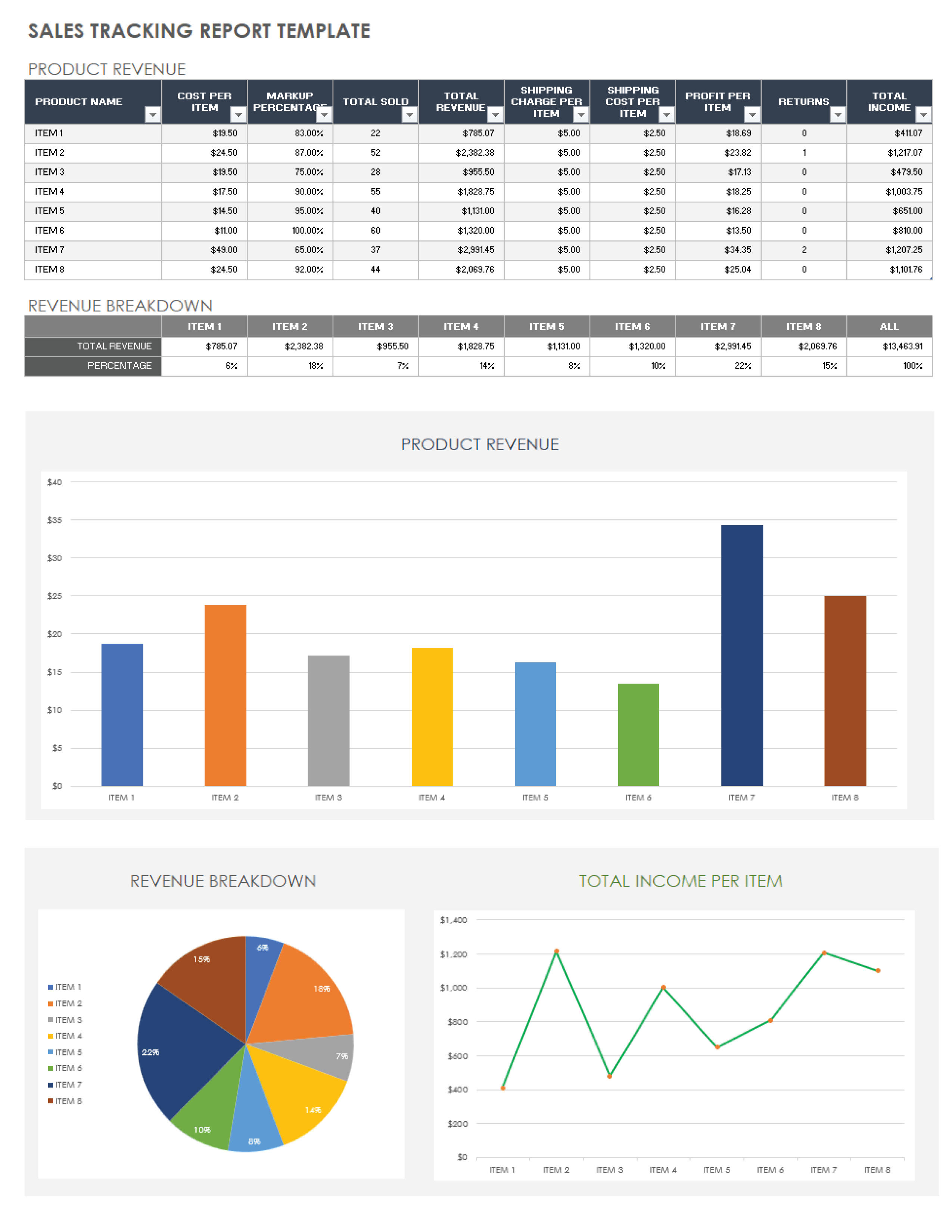
Below is a practical approach to building a template that serves both the sales team and leadership.
1. Identify Core Metrics with Stakeholders
Begin by consulting with sales managers, CRM specialists, and finance to determine which data points are essential for performance analysis, budgeting, and compliance. Use a collaborative workshop to prioritize metrics and avoid unnecessary duplication.
2. Choose the Right Format
Decide whether the template will be a printed form, a spreadsheet, or an integrated CRM field set. Each format has pros and cons: paper is portable, spreadsheets are flexible, and CRM integrations automatically capture data and trigger follow‑ups.
3. Keep It User‑Friendly
- Use dropdown lists for standardized entries.
- Provide short, descriptive prompts.
- Limit optional fields to essential items.
- Incorporate auto‑fill where possible.
4. Test with a Pilot Group
Deploy the template to a small subset of representatives for a week. Collect feedback on usability, completeness, and time required. Adjust fields that consistently go blank or cause confusion.
5. Roll Out and Provide Training
Schedule a brief training session to walk representatives through the template, highlighting how each field ties into broader business goals. Offer written guidelines and quick‑reference sheets.
6. Monitor Adoption and Refine
Use analytics to track submission frequency, completion rates, and field usage. Identify bottlenecks—such as fields that frequently remain empty—and refine the template to improve accuracy.
Integrating the Template into Your Sales Workflow

A template is only as effective as its adoption. Seamlessly embedding it into daily routines ensures higher data quality.
Morning Planning Sessions
Start the day with a quick review of the template. Representatives can set priorities, update statuses, and align on next steps before the first call.
Post‑Interaction Updates
Encourage reps to fill out the activity description within 30 minutes of contact. Timely data entry captures nuance and reduces memory drift.
Weekly Review Meetings
Use the aggregated template data to guide discussion points, surface trends, and allocate resources. The consistency of the data allows managers to quickly identify who needs support and who is exceeding expectations.
Leveraging Technology for Template Optimization
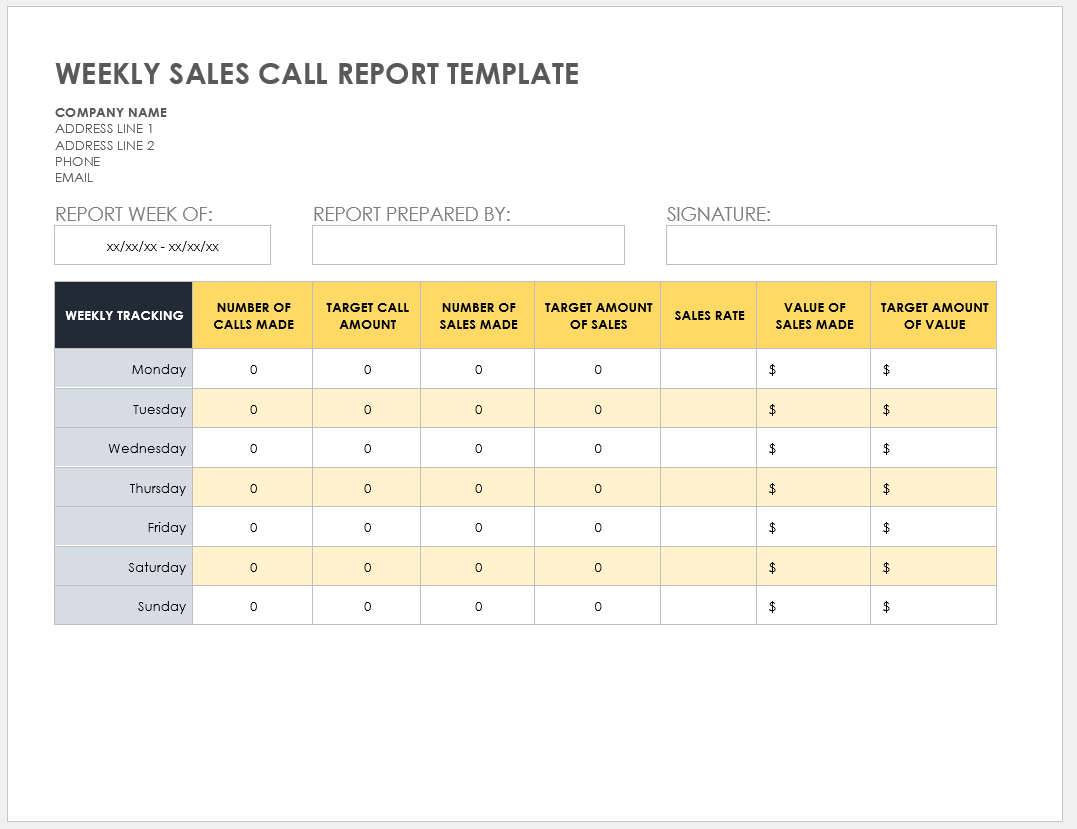
Modern sales technology can automate and enrich the reporting process. Here are some practical integrations:
CRM Integration
When a representative logs a call in the CRM, the template can automatically pull client details and populate the relevant fields. This eliminates duplicate entry and ensures data accuracy.
Mobile Apps
Provide a mobile version of the template so reps can input information directly from the field. Mobile forms can sync in real time, ensuring the dashboard always reflects the latest activity.
Analytics Dashboards
Connect template data to visualization tools. Custom dashboards can display key metrics like lead conversion rates, average deal size, and activity volume per rep, making insights readily accessible.
Automation Workflows
Set up automated reminders for follow‑ups based on the next steps field. Alerts can trigger when a contact hasn’t been reached within a specified window, ensuring no opportunity is overlooked.
Case Study: Boosting Performance with a Structured Template
A mid‑size manufacturing company introduced a new Sales Representative Report Template that aligned with its quarterly objectives. Within three months, they observed:
- A 20% increase in lead conversion rates.
- 30% faster cycle time from prospecting to closing.
- Improved forecast accuracy from 70% to 88%.
The key to this success was the template’s focus on actionable data—particularly the probability of closure and estimated deal value—allowing managers to prioritize high‑value prospects.
Common Pitfalls and How to Avoid Them

Overloading with Too Many Fields
Complex templates discourage completion. Prioritize critical data and consider optional fields as “nice to have” rather than mandatory.
Inconsistent Field Definitions
Ensure each term has a clear, shared definition. For example, what qualifies as a “qualified lead” should be documented and communicated.
Neglecting Representative Feedback
Without input from the people who use the template daily, it can become impractical. Schedule periodic check‑ins to gather suggestions for improvement.
Failing to Align with Business Goals
Metrics should directly tie into strategic objectives. If the company aims to increase high‑margin sales, the template should include fields that capture margin potential.
Future Trends in Sales Reporting Templates

The landscape of sales reporting is evolving rapidly. Emerging trends include:
AI‑Powered Insights
Machine learning models can analyze template data to predict which leads are most likely to convert, providing reps with real‑time prioritization.
Dynamic Templates
Templates that adjust the required fields based on the stage of the sales cycle or product complexity reduce friction for reps.
Integrated Communication Channels
Embedding chat or video call logs directly into the template offers a more holistic view of each engagement.
Gamified Reporting
Incentivizing accurate and timely reporting through leaderboards or badges can boost adoption rates.
Conclusion: The Path to Sales Excellence Starts with a Strong Template
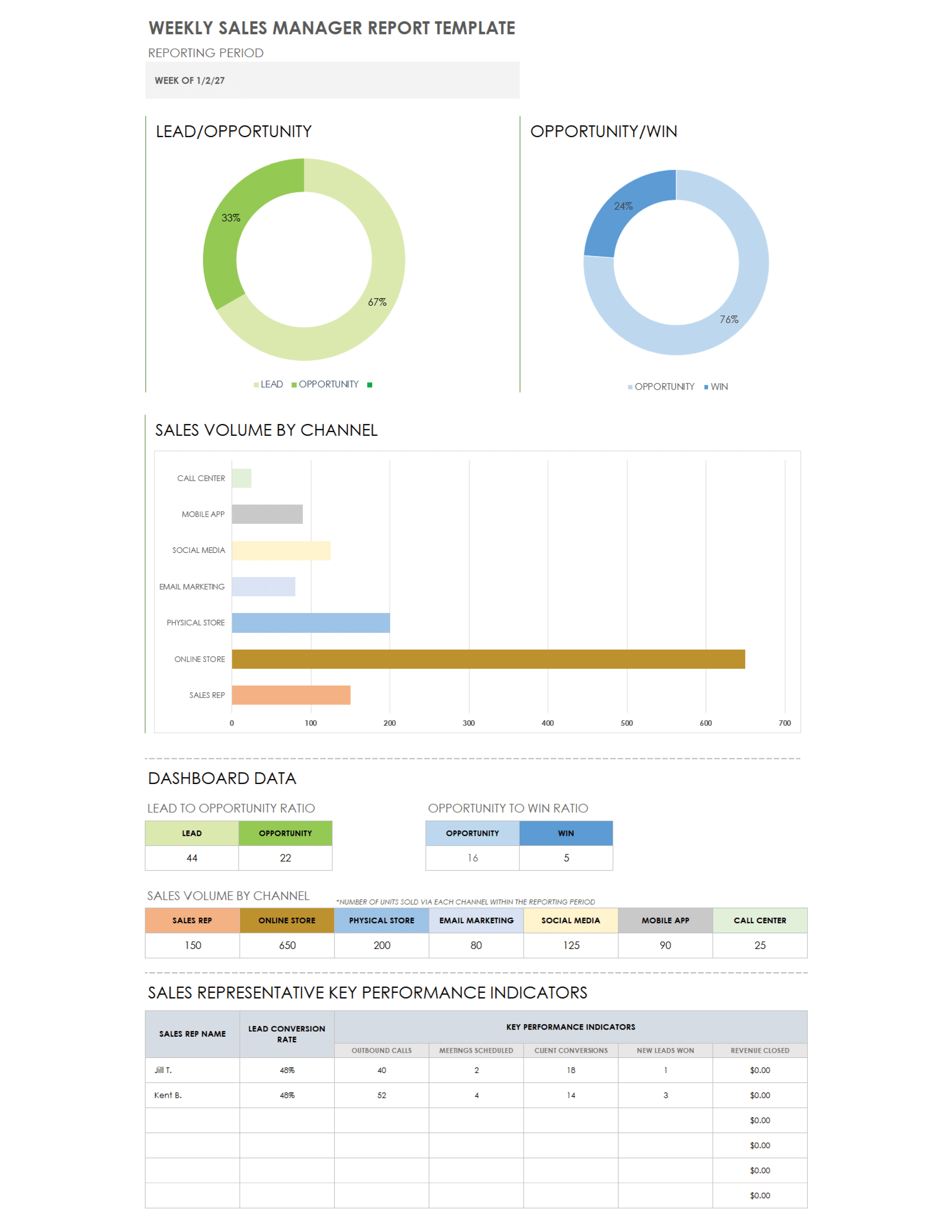
Implementing a well‑structured Sales Representative Report Template is more than a bureaucratic exercise; it is a strategic investment in data integrity, accountability, and performance. By carefully selecting essential metrics, designing for usability, integrating with technology, and continuously refining based on feedback, organizations can transform raw activity logs into powerful insights that drive revenue growth. A single, thoughtfully crafted template becomes the backbone of a sales culture that values transparency, efficiency, and continuous improvement. When every rep logs their activities accurately and managers act on those insights, the organization moves decisively toward its sales targets and long‑term success.

Related posts of "Sales Representative Report Template"
