
Sales Performance Evaluation Template is the secret sauce that turns bland, soul‑crushing performance reviews into a delightful cocktail of insight, motivation, and occasional giggles—especially when you sprinkle a bit of humor on top of those pesky spreadsheets.
What Exactly Is a Sales Performance Evaluation Template?

A Sales Performance Evaluation Template is a pre‑designed, fill‑in‑the‑blank document that guides managers and reps through the annual (or quarterly, or monthly, or whenever you feel like it) assessment of sales activities. Think of it as a cheat sheet that keeps you from reinventing the wheel every review cycle, while also ensuring you capture the data that really matters—like the number of deals closed, revenue generated, and the number of coffee mugs consumed during client calls.
Why It Matters More Than Your Favorite Coffee Blend
Because without a solid template, performance reviews can devolve into a chaotic free‑for‑all where managers ask vague questions like “How’s it going?” and reps respond with “I’m good, thanks.” A structured template forces both parties to speak the same language, track measurable outcomes, and—most importantly—provide actionable feedback that actually leads to growth, not just polite nodding.
Core Components You Can’t Skip
- Goal Alignment: A clear section where individual targets are matched against team and company objectives.
- Key Performance Indicators (KPIs): Quantitative metrics such as quota attainment, pipeline value, win rate, and average deal size.
- Qualitative Insights: Space for narrative comments, customer anecdotes, and “what‑did‑we‑learn” reflections.
- Development Plan: Actionable steps, training resources, and timelines for improvement.
- Signature Area: A place for both manager and rep to sign off, because nothing says “accountability” like a scribbled name.
The Big Benefits of Using a Ready‑Made Template

Templates aren’t just for the lazy (though they do make life easier). They bring a host of strategic advantages that can transform your sales organization from “meh” to “marvelous.”
Consistency Across the Board
When every manager uses the same template, you eliminate the wild west of evaluation styles. No more “Did you meet your targets?” one manager asks, while another asks, “Did you enjoy the pizza on Friday?” Consistency ensures that performance data is comparable across regions, teams, and time periods, making it easier to spot trends and allocate resources.
Time Savings That Feel Like a Vacation
Building a review from scratch each cycle is like assembling IKEA furniture without instructions—painful and time‑consuming. A template gives you a ready‑made framework, slashing prep time dramatically. That extra time can be redirected toward coaching, prospecting, or, if you’re lucky, a well‑earned lunch break.
Data‑Driven Decision Making
Because the template captures hard numbers and soft observations in one tidy package, managers can pull reports, run analytics, and make informed decisions about promotions, bonuses, and training investments. It’s like having a crystal ball that actually works—no mystic fog, just solid data.
Enhanced Employee Engagement
When reps see a clear, fair, and transparent evaluation process, they’re more likely to trust the system and feel motivated to improve. Adding a dash of humor (think “most creative objection handling” award) can turn a dreaded review into a morale‑boosting event.
Step‑by‑Step Guide to Building Your Own Template

Even if you’re not a design guru, creating a functional and fun Sales Performance Evaluation Template is within reach. Follow these steps, and you’ll have a polished document faster than you can say “quota crusher.”
Step 1: Define the Objectives
Start by asking, “What do we want to achieve with this evaluation?” Typical objectives include aligning individual goals with corporate strategy, identifying skill gaps, and recognizing high performers. Write these goals at the top of the template so everyone knows the purpose right away.
Step 2: Choose the Right Metrics
Select a balanced mix of quantitative and qualitative KPIs. Quantitative metrics might include:
- Quota attainment percentage
- Revenue generated
- Number of new accounts opened
- Average sales cycle length
- Win‑to‑loss ratio
Qualitative metrics could cover:
- Customer satisfaction feedback
- Team collaboration score
- Adaptability to new tools
- Creative problem‑solving anecdotes
Keep the list concise—too many metrics turn the template into a novel, and nobody wants to read War and Peace during a review.
Step 3: Design a Clean Layout
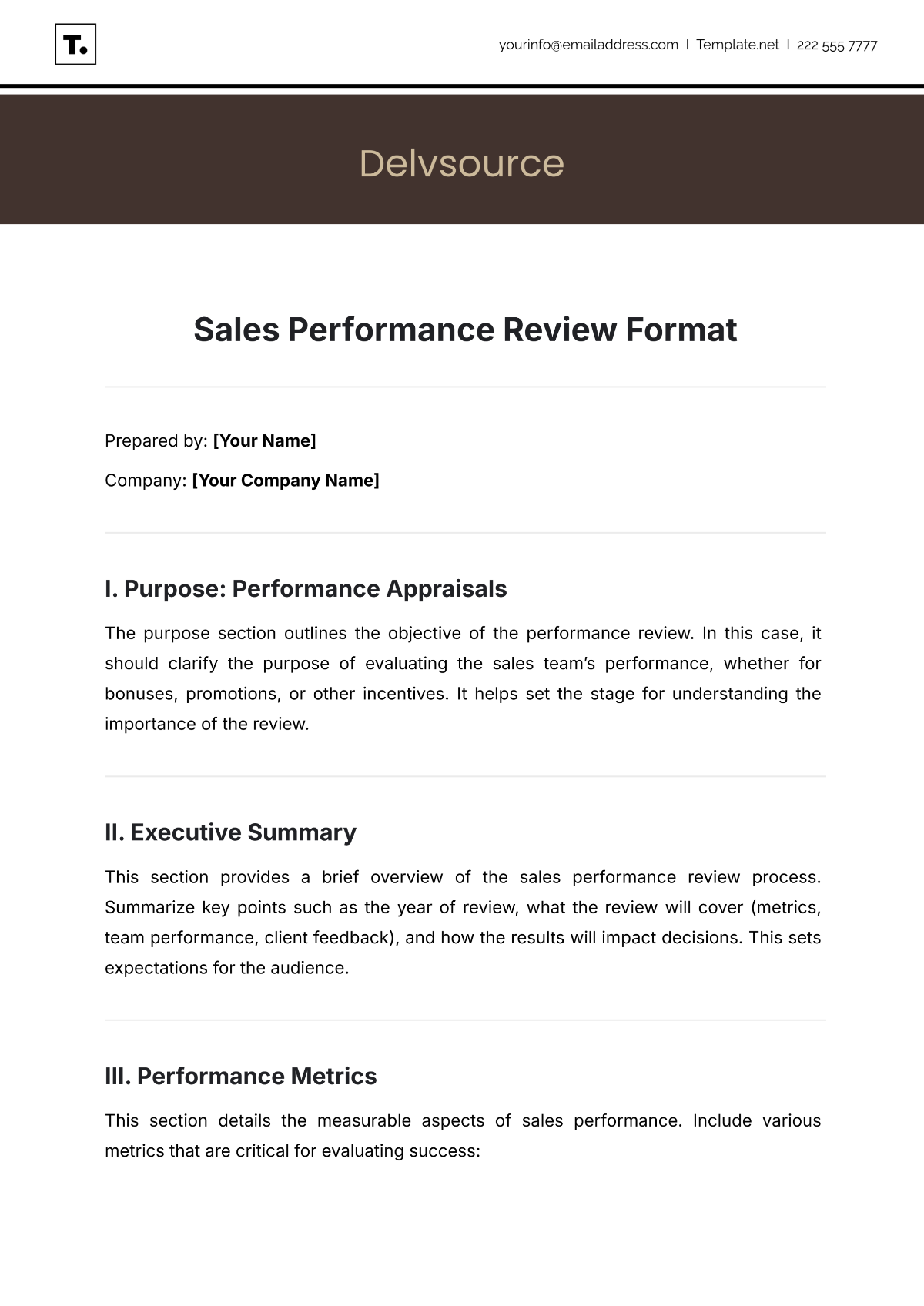
Use tables or clearly separated sections to make the template easy to scan. A typical layout might look like this:
- Header with employee name, role, and review period.
- Goal Alignment section with checkboxes for “Met,” “Partially Met,” or “Not Met.”
- KPI Summary table with actual vs. target values.
- Qualitative Feedback area with bullet points for strengths, areas for improvement, and standout moments.
- Development Plan with SMART goals (Specific, Measurable, Achievable, Relevant, Time‑bound).
- Signature block for manager and employee.
Leave plenty of white space; a cluttered page is a morale‑killing monster.
Step 4: Pilot Test and Tweak
Before rolling it out company‑wide, test the template with a small group of managers and reps. Gather feedback on clarity, length, and usability. Make adjustments—maybe the “Creative Objection Handling” award needs a better name, or perhaps the rating scale should be a simple 1‑5 instead of a confusing 1‑10.
Step 5: Deploy and Train
Launch the template with a brief training session. Walk through each section, demonstrate how to fill it out, and highlight best practices for delivering constructive feedback. Emphasize that the template is a tool, not a bureaucratic trap.
Free Templates You Can Grab (No Links, Just Descriptions)

There are several high‑quality, ready‑made templates floating around the internet that you can download for free. One popular option features a sleek, modern design with color‑coded sections for quick visual scanning. Another offers a more classic spreadsheet‑style layout with built‑in formulas that auto‑calculate quota attainment percentages. If you prefer a narrative approach, look for a template that uses a story‑telling framework, prompting managers to write the “hero’s journey” of each sales rep. Whichever you choose, ensure it aligns with the core components outlined earlier.
Pro Tips for Getting the Most Out of Your Template

Make It Collaborative, Not Dictatorial
Invite reps to fill out self‑assessment sections before the manager review. This encourages ownership and uncovers insights that managers might miss. A collaborative approach also reduces the “surprise” factor—no one likes being blindsided by feedback that feels like a plot twist.
Automate the Numbers, Not the Conversation
Integrate your CRM or sales dashboard with the template to auto‑populate quantitative fields. This eliminates manual data entry errors and frees up time for meaningful dialogue. However, keep the qualitative discussion human—robots can’t appreciate a salesperson’s knack for turning a “no” into a “maybe later.”
Review and Iterate Quarterly
Don’t treat the template as a static artifact. Schedule quarterly reviews of the template itself. Ask managers: “Is this still useful?” and reps: “Did this help me grow?” Use their feedback to refine metrics, add new sections, or retire outdated ones.
Common Pitfalls and How to Dodge Them

Overcomplicating the Form
It’s tempting to stuff every possible metric into the template, but a bloated form overwhelms users and reduces completion rates. Stick to the most impactful KPIs and keep optional fields truly optional.
Ignoring Qualitative Feedback
Numbers tell a story, but they don’t capture the full picture. Skipping narrative comments means missing out on insights like “John closed a deal by convincing the client with a clever analogy about pizza toppings.” Those gems can inspire the whole team.
Using the Template as a One‑Way Lecture
If the manager does all the talking while the rep sits silently, you lose the chance for two‑way learning. Encourage reps to ask questions, share challenges, and propose solutions. Turn the evaluation into a dialogue, not a monologue.
Failing to Follow Up
A great evaluation is meaningless if you don’t act on it. Schedule follow‑up meetings, set reminders for development goals, and track progress. Treat the template as a living document, not a piece of paper that gathers dust.
Conclusion

In the end, a well‑crafted Sales Performance Evaluation Template is the backbone of an effective sales performance management system. It brings consistency, saves time, fuels data‑driven decisions, and—when sprinkled with a little humor—makes the dreaded review process something reps actually look forward to. By defining clear objectives, selecting the right metrics, designing a clean layout, and continuously iterating, you’ll empower your team to hit their targets, grow their skills, and maybe even enjoy a laugh or two along the way. So go ahead, download that free template, customize it to your unique culture, and watch your sales force transform from “just okay” to “absolutely amazing.”




Related posts of "Sales Performance Evaluation Template"
