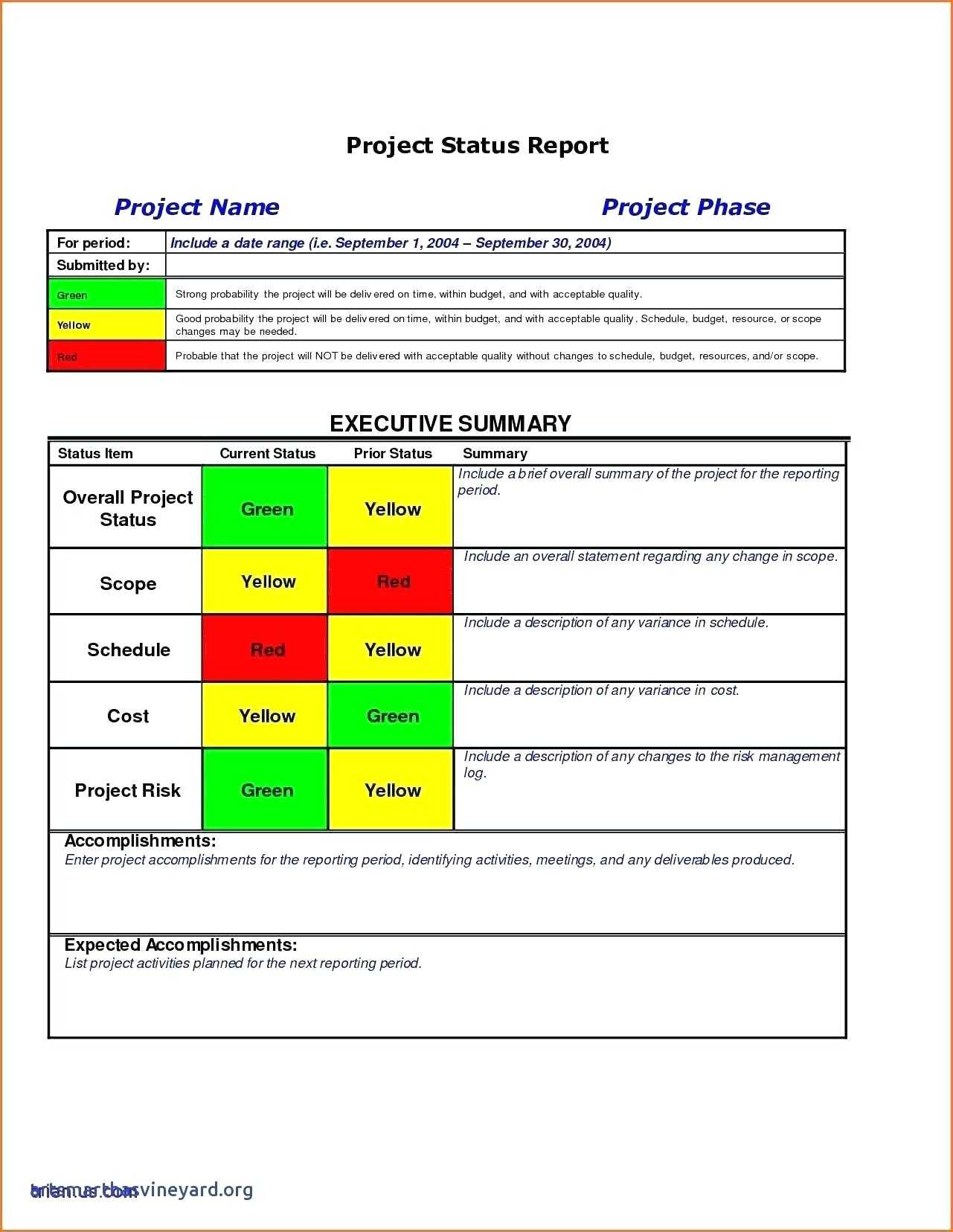
Project Status Executive Summary Template is the cornerstone of clear, concise communication that keeps senior leaders informed without drowning them in detail, and it’s exactly what every project manager needs to master for successful stakeholder engagement.
Why an Executive Summary Matters in Project Status Reporting

In today’s fast‑paced business environment, executives rarely have the luxury of scrolling through lengthy reports. They need a snapshot that tells them what’s happening, why it matters, and what decisions are required—all in a matter of minutes. An executive summary distills complex project data into a narrative that highlights progress, challenges, and next steps, enabling leaders to act quickly and allocate resources wisely. Without a well‑crafted summary, critical information can get lost, leading to misaligned expectations, delayed approvals, and ultimately, project risk.
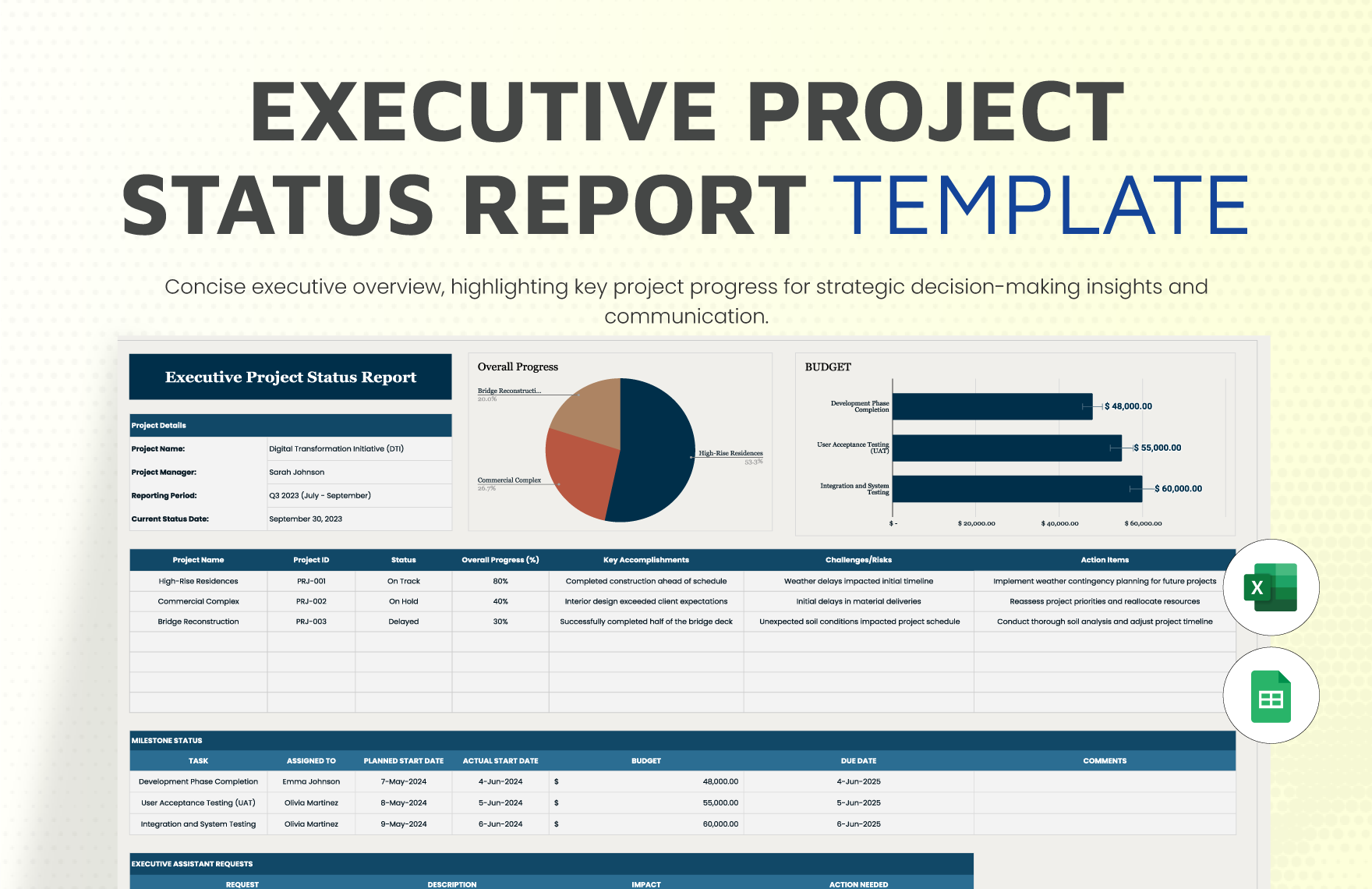
Key Components of a Project Status Executive Summary Template
Header and Project Identification
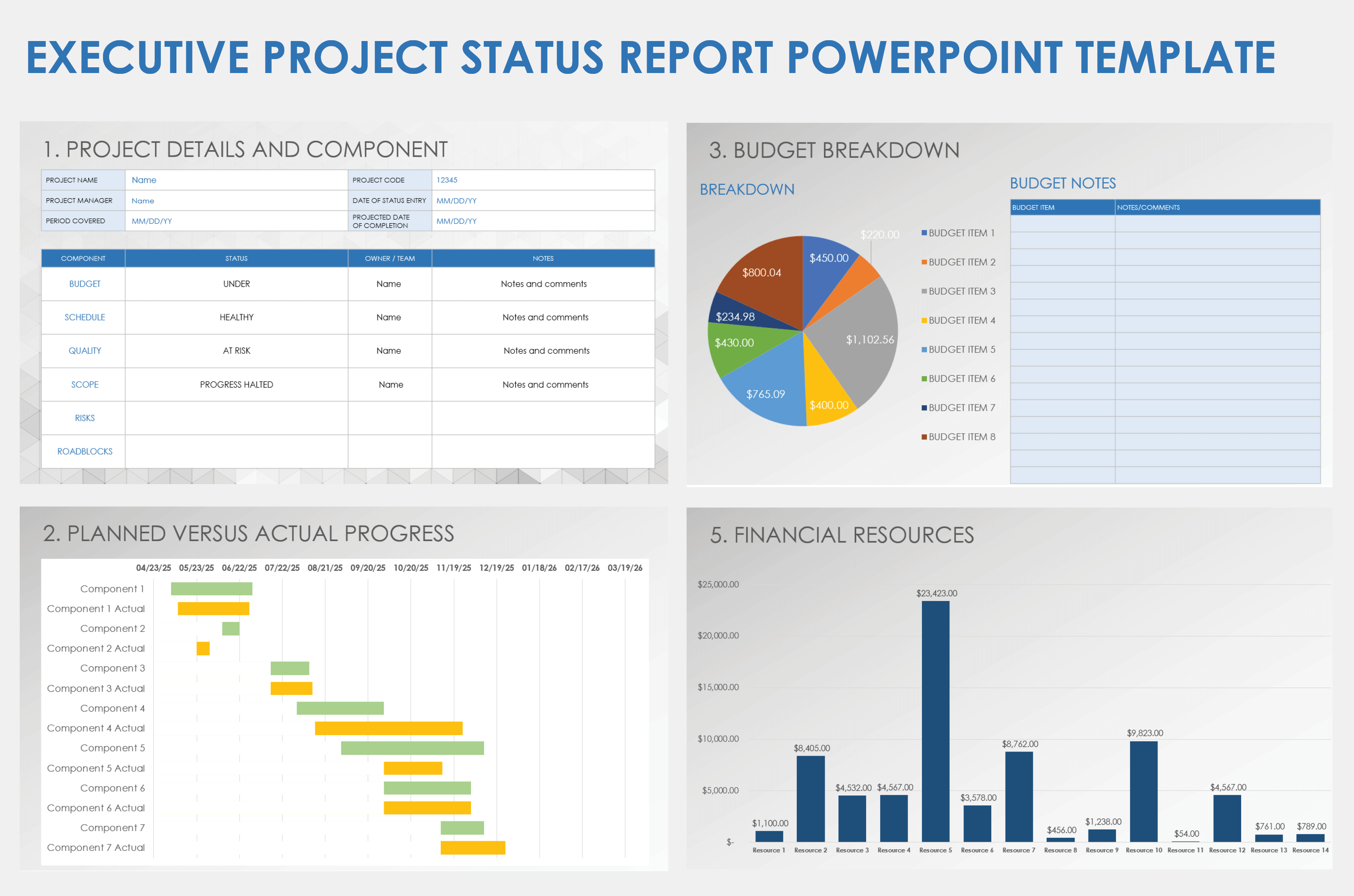
The header sets the tone and provides instant context. Include the project name, sponsor, reporting period, and the name of the author. A small logo or branding element can reinforce professionalism, but keep it subtle to maintain focus on the content.
Executive Summary Narrative
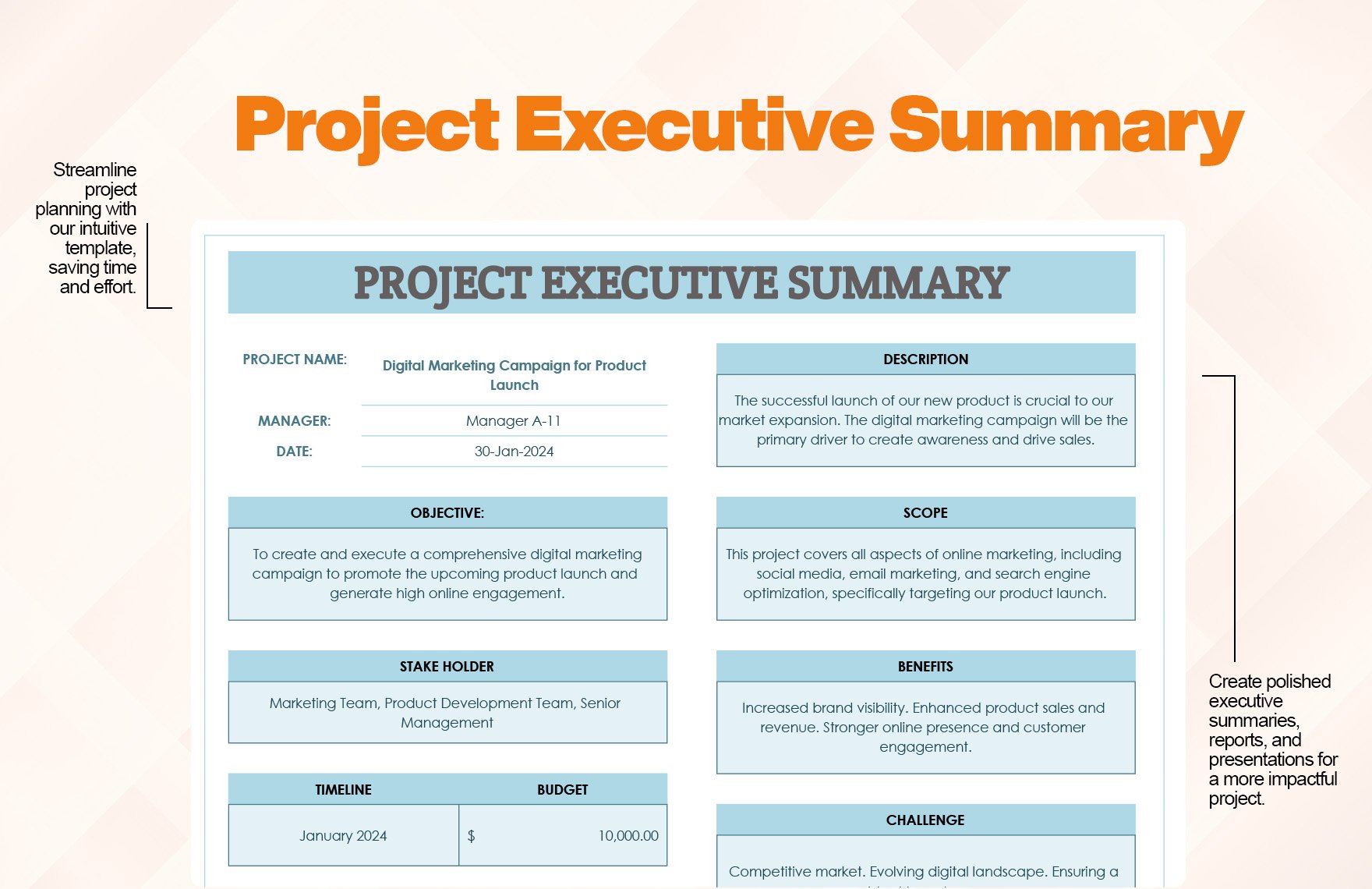
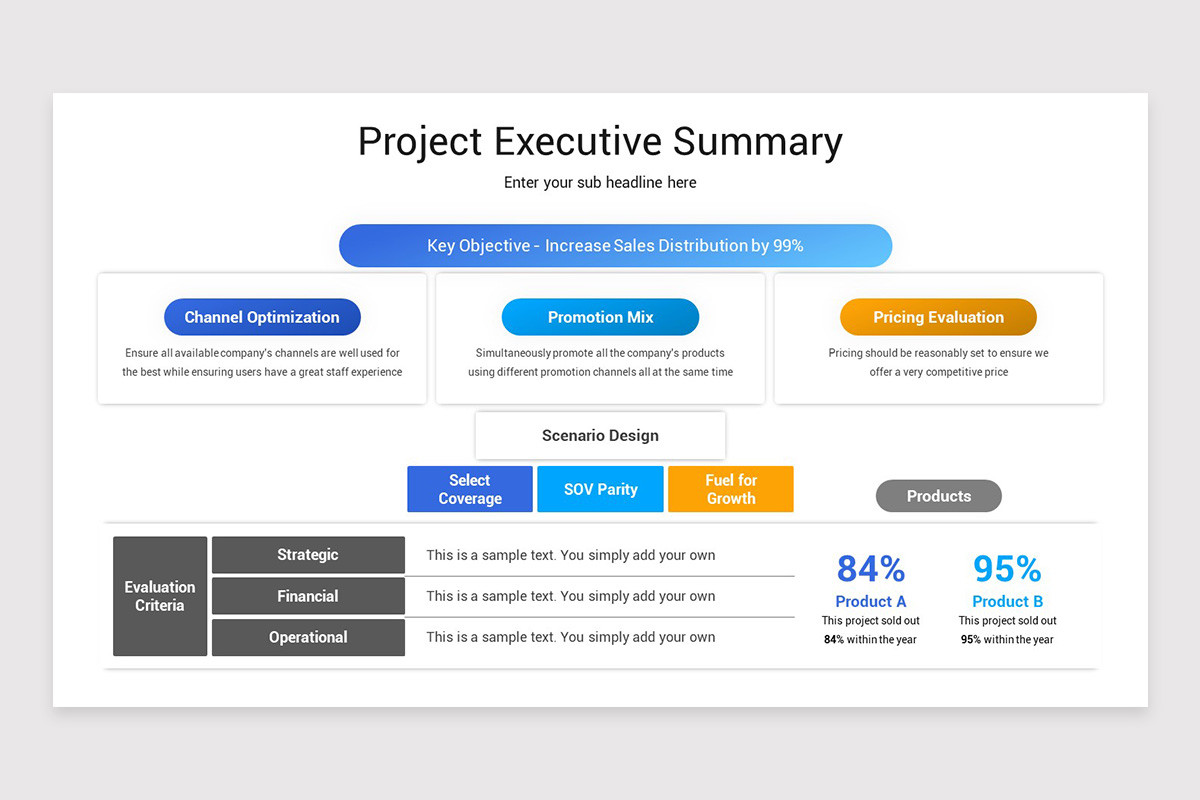
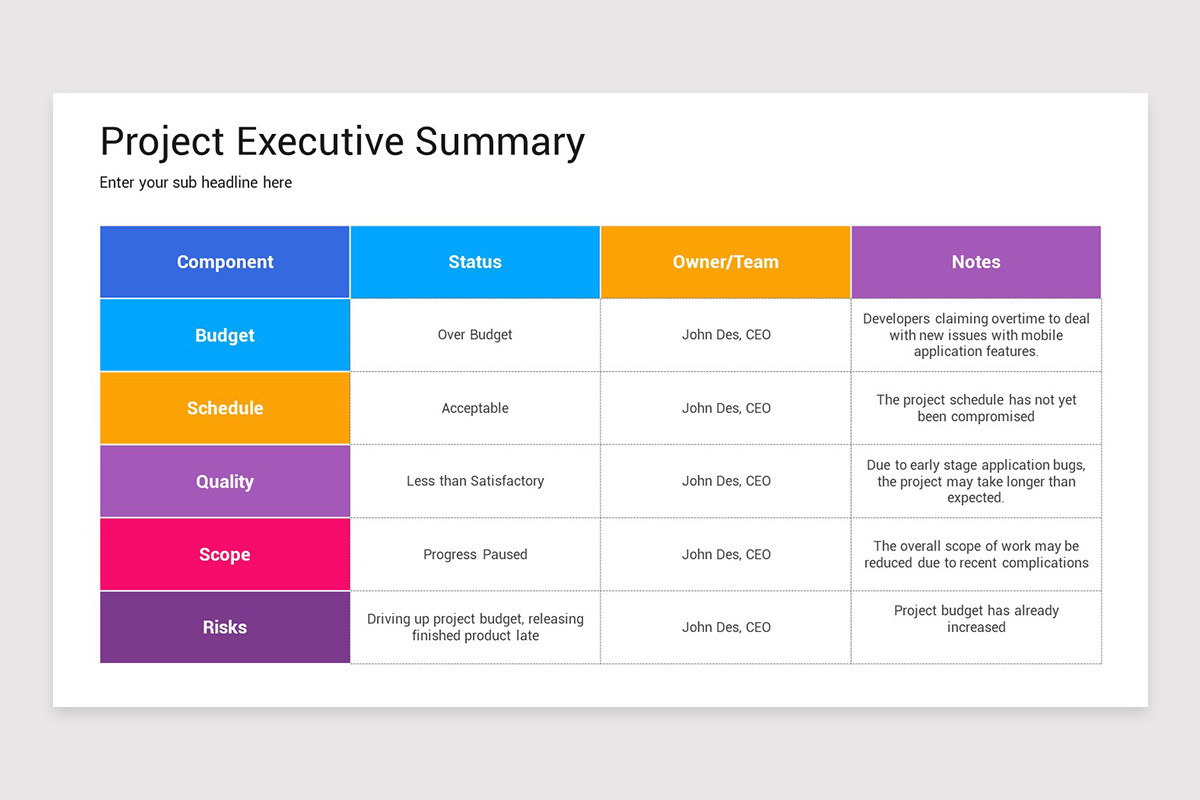
This paragraph is the heart of the template. Summarize overall health, major accomplishments, and the most pressing concerns in 3–4 sentences. Use plain language and avoid technical jargon. A good narrative answers the “so what?” question for the reader.
Milestones and Timeline Overview
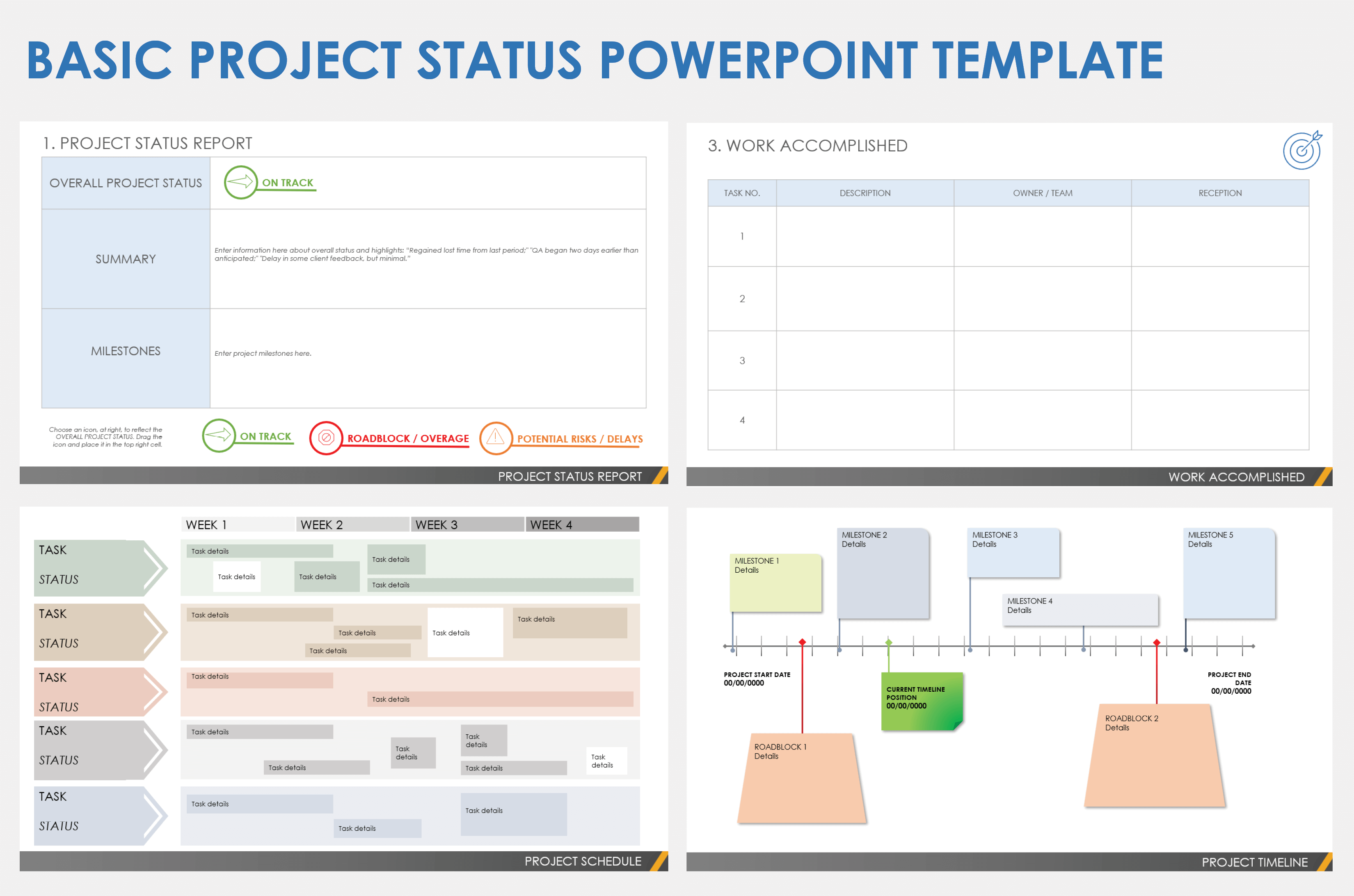
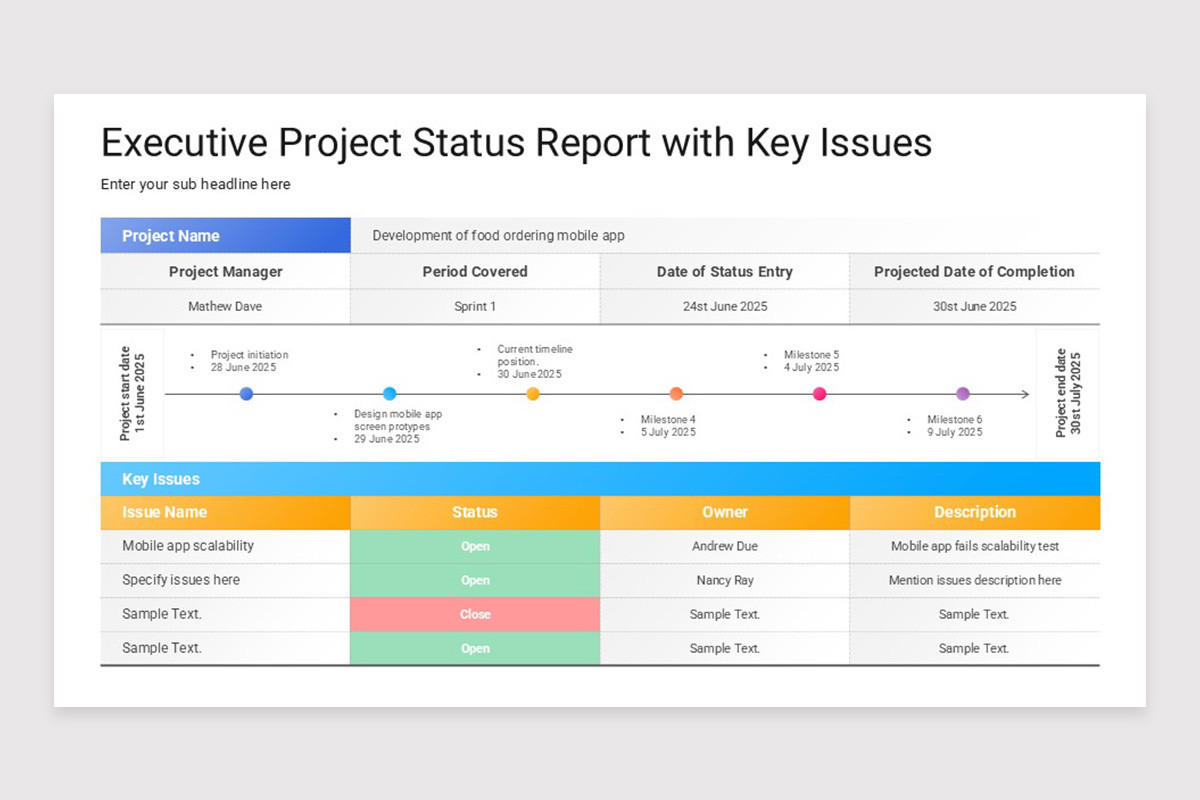
Present a visual timeline or a simple table that shows completed milestones, upcoming deliverables, and any schedule variances. Highlight any critical path changes, as timing shifts often drive budget and resource adjustments.
Budget Snapshot
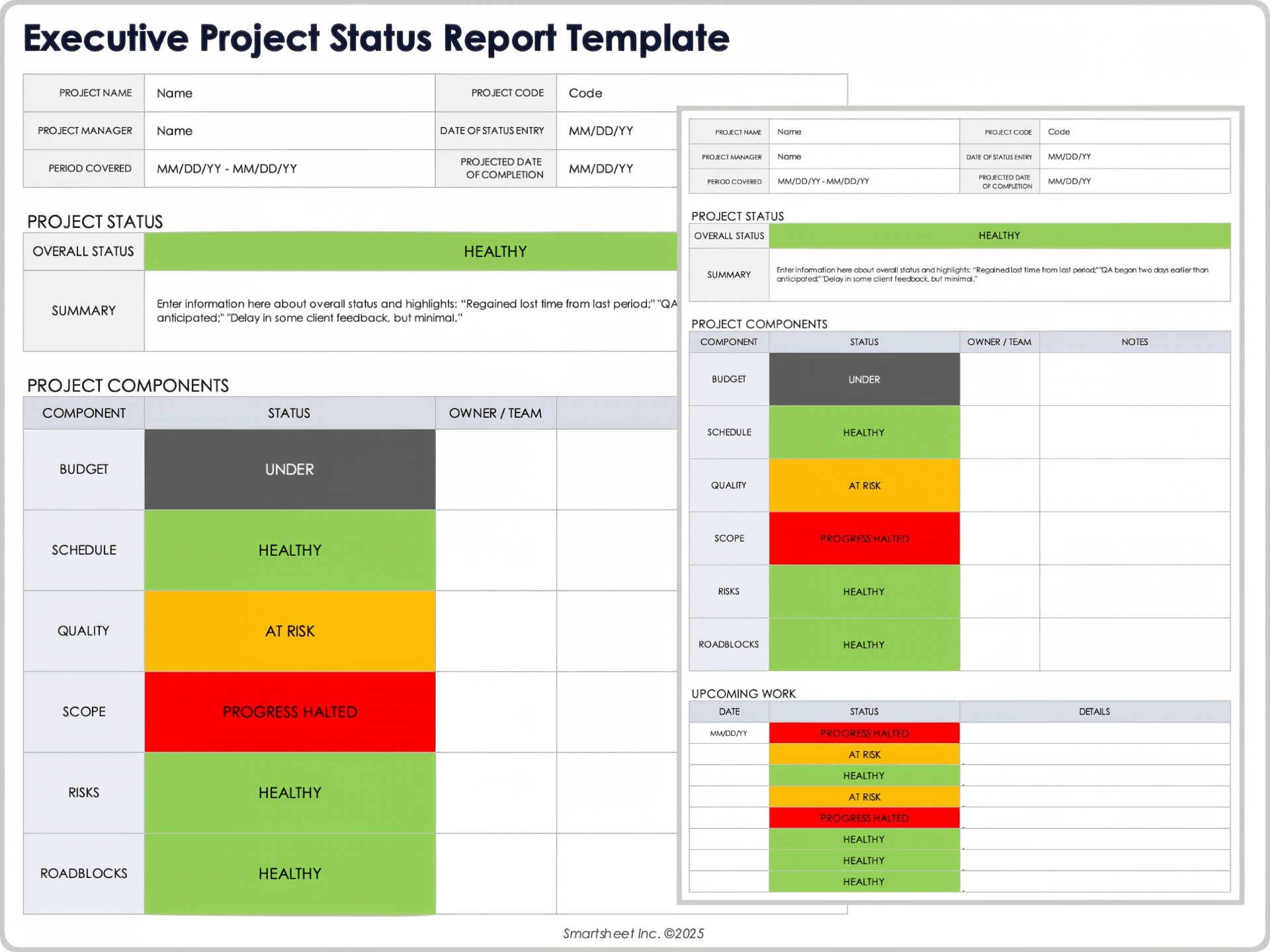
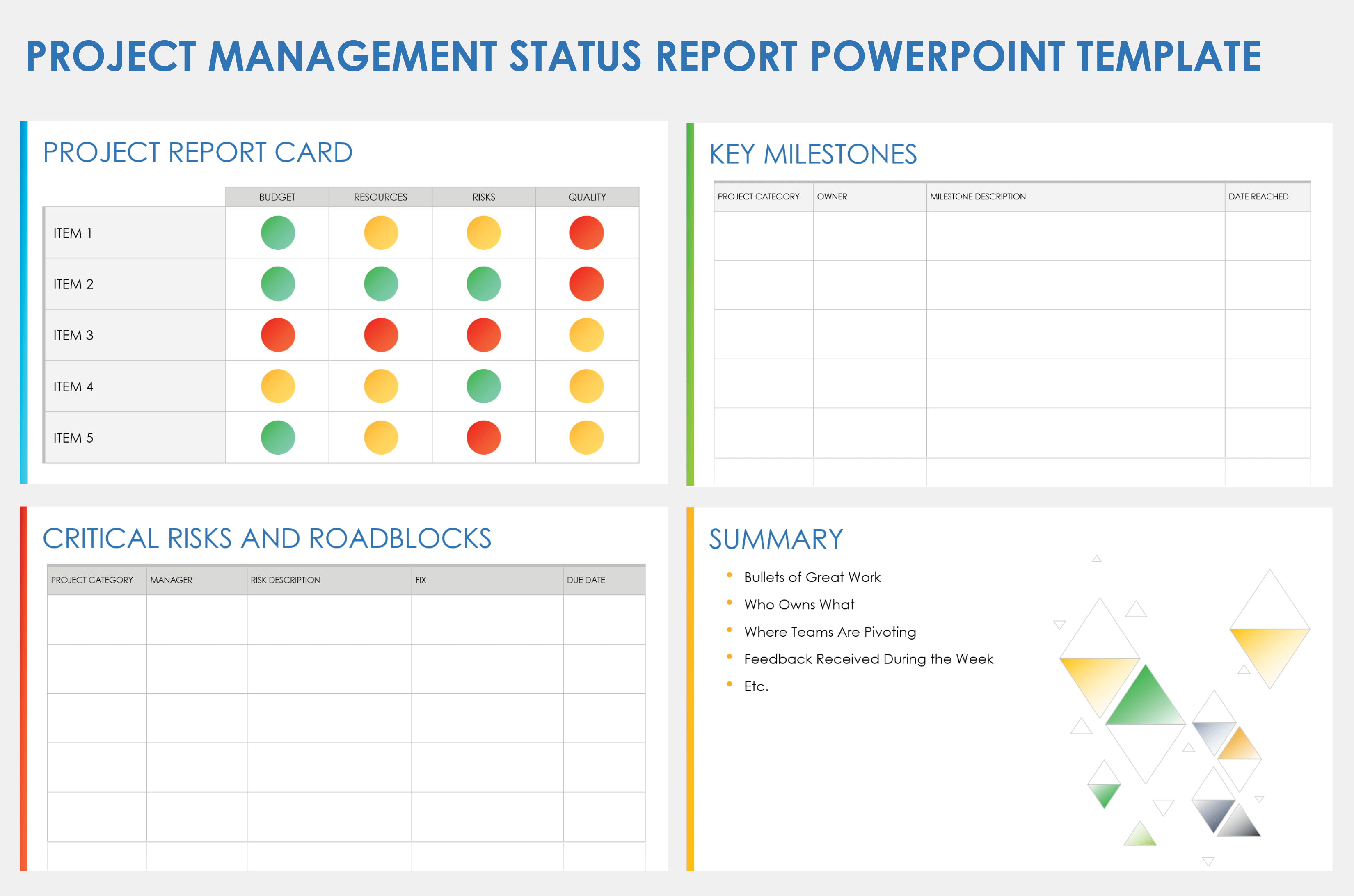
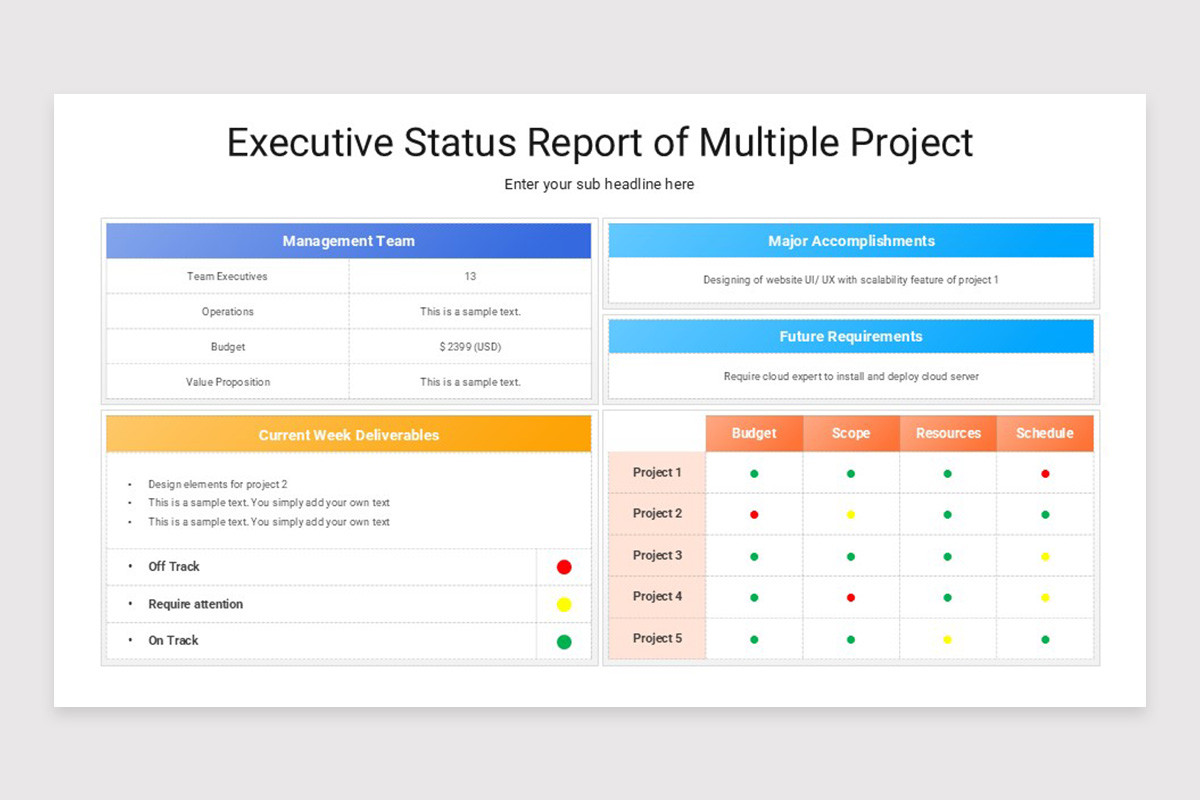
Show a concise financial picture: planned versus actual spend, forecast to completion, and any variances that exceed predefined thresholds. Use color coding (e.g., green for on‑track, amber for caution, red for overrun) to make the numbers instantly recognizable.
Risks and Issues
List the top three to five risks or issues that could impact scope, schedule, or cost. For each, note the impact level, probability, mitigation plan, and owner. This section demonstrates proactive management and reassures executives that you have control.
Next Steps and Recommendations
Provide a bullet‑point list of immediate actions required from the executive audience, such as approvals, resource allocations, or strategic decisions. Pair each request with a brief justification to streamline decision‑making.
Visuals and Metrics
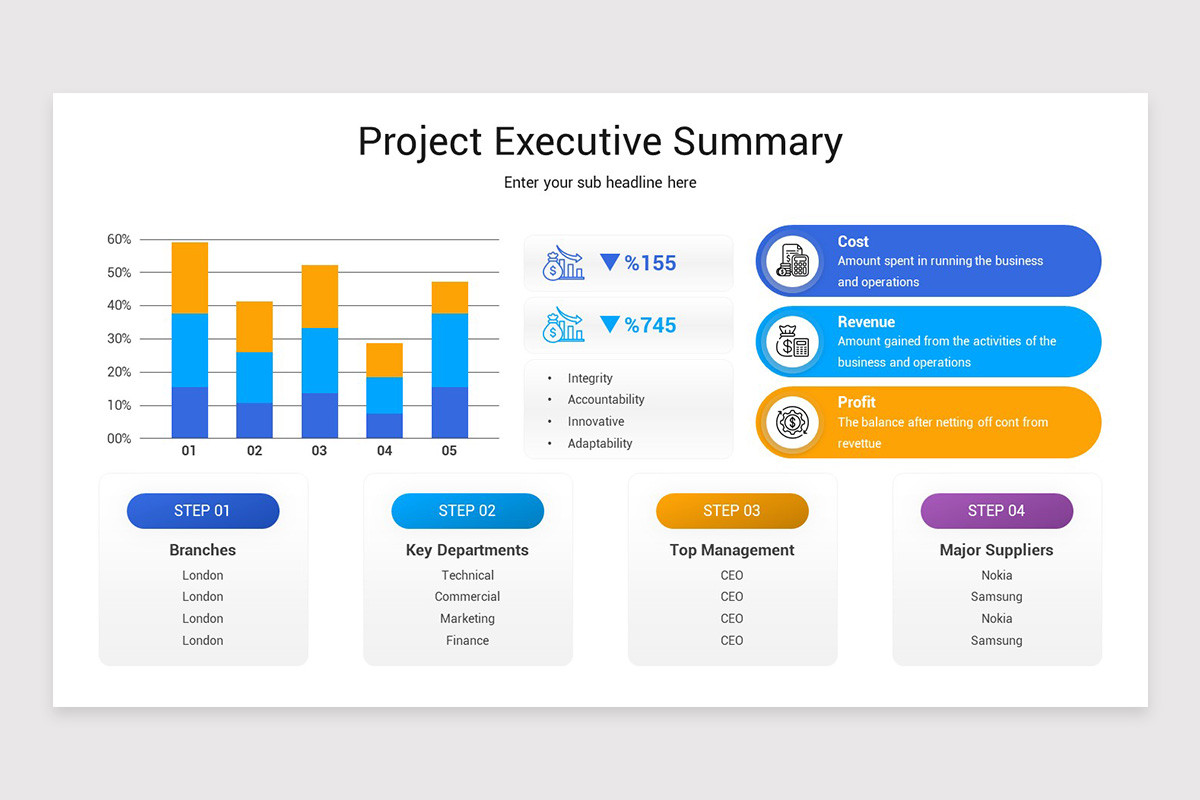
Charts, dashboards, and KPI widgets turn raw data into insight. Include a burn‑down chart, earned value metrics, or a health scorecard—whichever aligns best with your organization’s reporting standards. Keep visuals simple and labeled clearly.
Design Tips for a Clear and Impactful Template

Use Consistent Branding
Apply your organization’s color palette, fonts, and logo consistently across the document. Consistency builds trust and reduces cognitive load, allowing readers to focus on content rather than format.
Prioritize Readability
Choose a legible sans‑serif font for body text, such as Arial or Calibri, sized at 11–12 pt. Headings should be larger and bold, with ample line spacing (1.15–1.5) to avoid crowding. Use left alignment for paragraphs; reserve center alignment for titles only.
Leverage Visual Hierarchy
Employ heading levels, bullet points, and whitespace to guide the eye. Important metrics should appear in tables or colored boxes, while supporting details remain in plain paragraphs. This hierarchy helps busy executives scan the document efficiently.
Keep It Concise
Limit the executive summary to one page for most projects. If a project is exceptionally large, consider a two‑page limit but still keep each section brief. The rule of thumb: every word must add value.
How to Build Your Own Template in Common Tools
Microsoft PowerPoint
PowerPoint’s slide layout makes it easy to blend text, charts, and icons. Start with a title slide for the header, then use a two‑column layout for narrative on the left and visuals on the right. Save the deck as a template (.potx) so you can reuse the slide masters across projects.
Google Slides
Google Slides offers real‑time collaboration, perfect for distributed teams. Create a master slide with placeholder boxes for project name, dates, and key metrics. Use Google’s built‑in chart linking to pull data directly from Sheets, ensuring the summary stays up‑to‑date.
Microsoft Excel / Google Sheets
Spreadsheets excel at numeric reporting. Design a one‑page dashboard using conditional formatting, sparklines, and pivot tables. Add a text box at the top for the executive narrative, then lock the cells to prevent accidental edits when sharing.
Word Processors
When a narrative‑heavy report is required, Microsoft Word or Google Docs provide robust styling options. Use heading styles for automatic table of contents generation, and embed charts as linked objects to maintain consistency with source data.
Real‑World Examples and Best‑Practice Scenarios
Consider a software development project at a mid‑size tech firm. The project manager used a PowerPoint executive summary template that featured a single slide with three sections: “What We’ve Delivered,” “What’s At Risk,” and “Decision Needed.” By limiting each section to three bullet points and a supporting chart, the CTO was able to approve an additional $150 K budget increase within fifteen minutes of the weekly review.
Another example involves a construction project where the executive sponsor required weekly updates. The project manager created an Excel‑based template that auto‑populated a burn‑down chart and highlighted any cost overruns in red. The concise visual cue prompted the finance team to release contingency funds before the schedule slipped, saving the project $200 K in delay penalties.
In a healthcare IT rollout, the project lead leveraged Google Slides to collaborate with remote stakeholders. The template included a risk heat map that updated automatically from a linked Sheet. This real‑time visibility allowed senior leadership to re‑prioritize resources, ensuring the go‑live date stayed on track despite unexpected regulatory changes.
Common Mistakes to Avoid
Overloading with Detail
Including every minor task or low‑impact metric overwhelms the reader and dilutes the key messages. Stick to high‑level outcomes and the few items that truly influence strategic decisions.
Using Jargon
Terms like “S‑curve” or “critical path deviation” may be second nature to project teams but can confuse executives who are not immersed in daily operations. Translate technical language into plain English or provide brief definitions.
Neglecting the Audience
Tailor the summary to the specific concerns of your audience. A CFO will focus on budget and ROI, while a VP of Operations cares more about schedule and resource constraints. Adjust emphasis accordingly.
Missing Action Items
A summary without clear next steps forces executives to hunt for decisions. Always close with explicit recommendations and assign ownership to ensure accountability.
Tips for Delivering the Executive Summary Effectively
Beyond the written document, the delivery method matters. If you present the summary in a meeting, rehearse a two‑minute verbal overview that mirrors the written narrative. Use a click‑away slide deck that follows the same structure as your template, allowing you to reference figures instantly. For asynchronous communication, attach the PDF version to a concise email, and highlight the key decision request in the email body. Follow up with a brief reminder if you haven’t received a response within the agreed timeframe.
Conclusion

A well‑crafted Project Status Executive Summary Template transforms raw project data into strategic insight, saves executives’ time, and accelerates decision‑making. By focusing on core components—clear header, concise narrative, timeline, budget snapshot, risk register, actionable recommendations, and purposeful visuals—you create a powerful communication tool that aligns stakeholders and drives project success. Apply the design principles, choose the right software platform, avoid common pitfalls, and practice confident delivery to ensure your executive summaries always hit the mark. With these practices in place, every status update becomes an opportunity to showcase progress, mitigate risk, and secure the support needed to bring your projects to successful completion.


Related posts of "Project Status Executive Summary Template"
