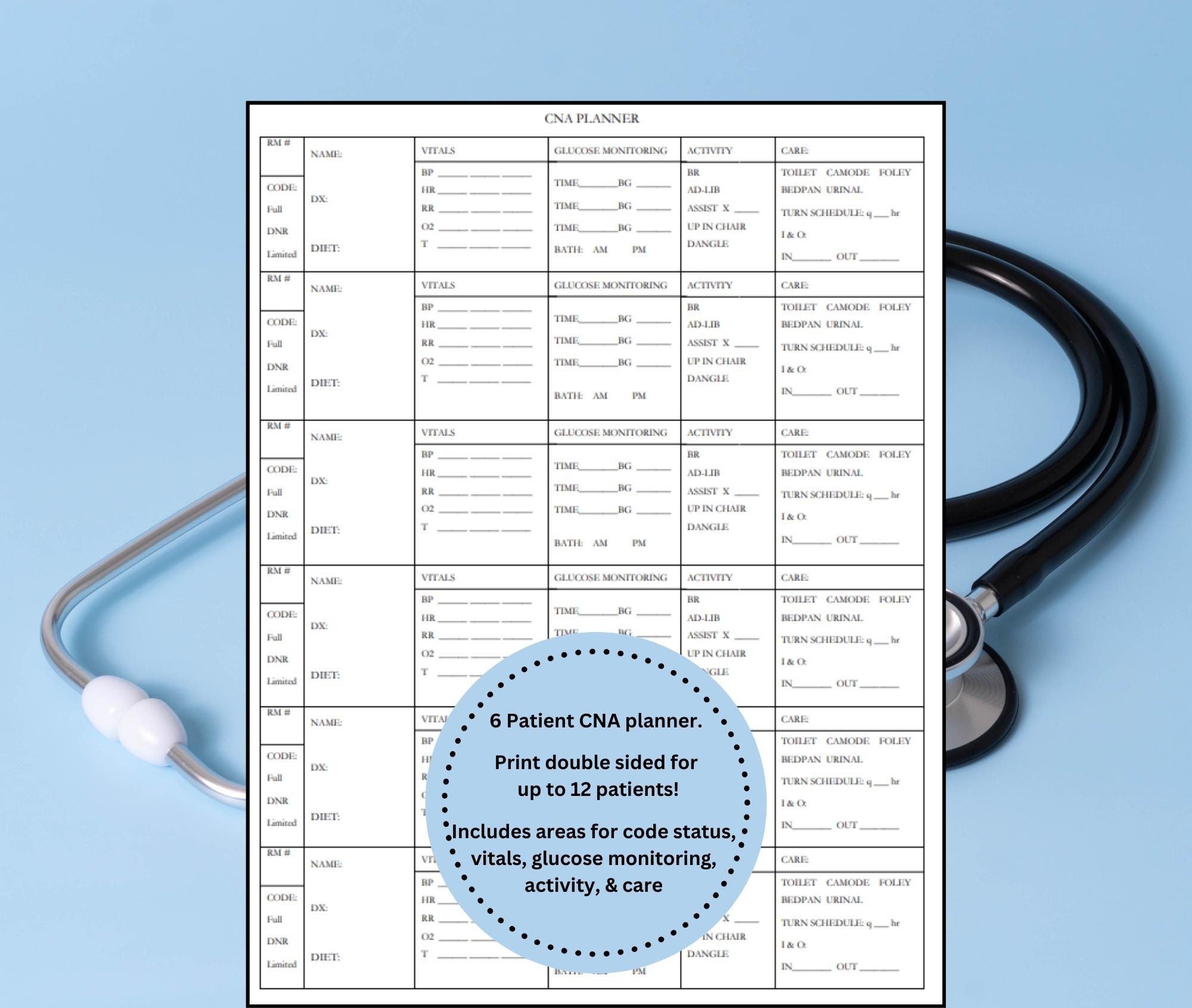
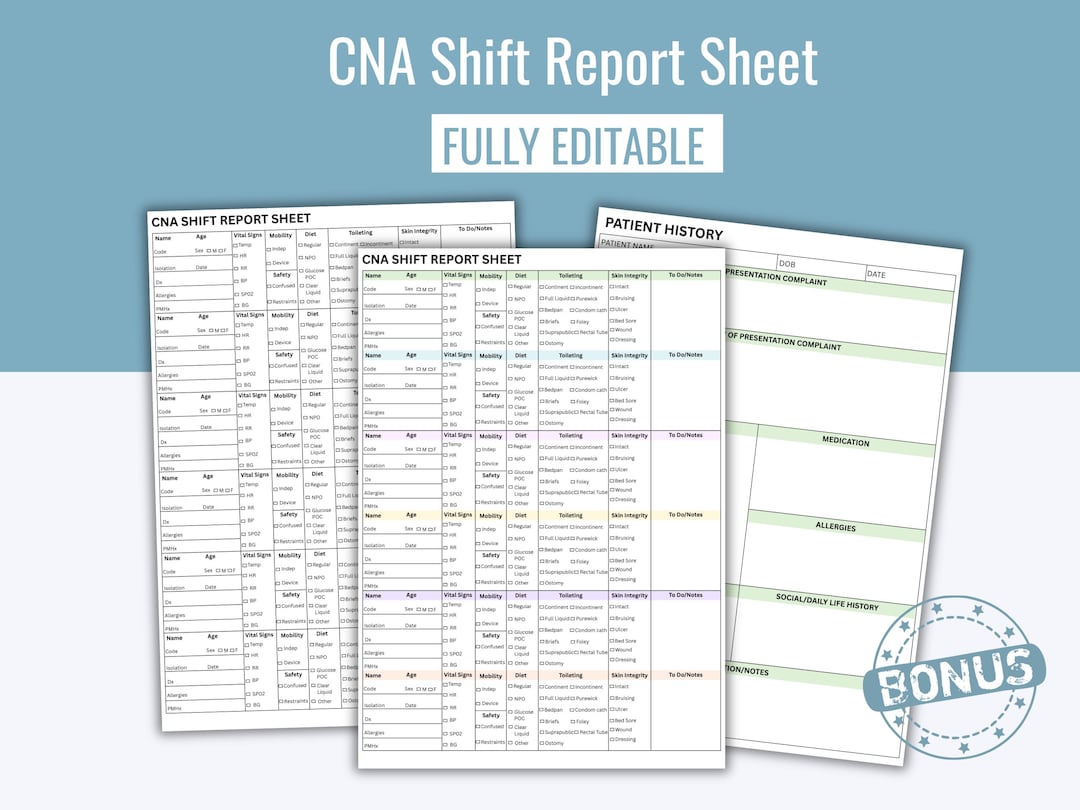
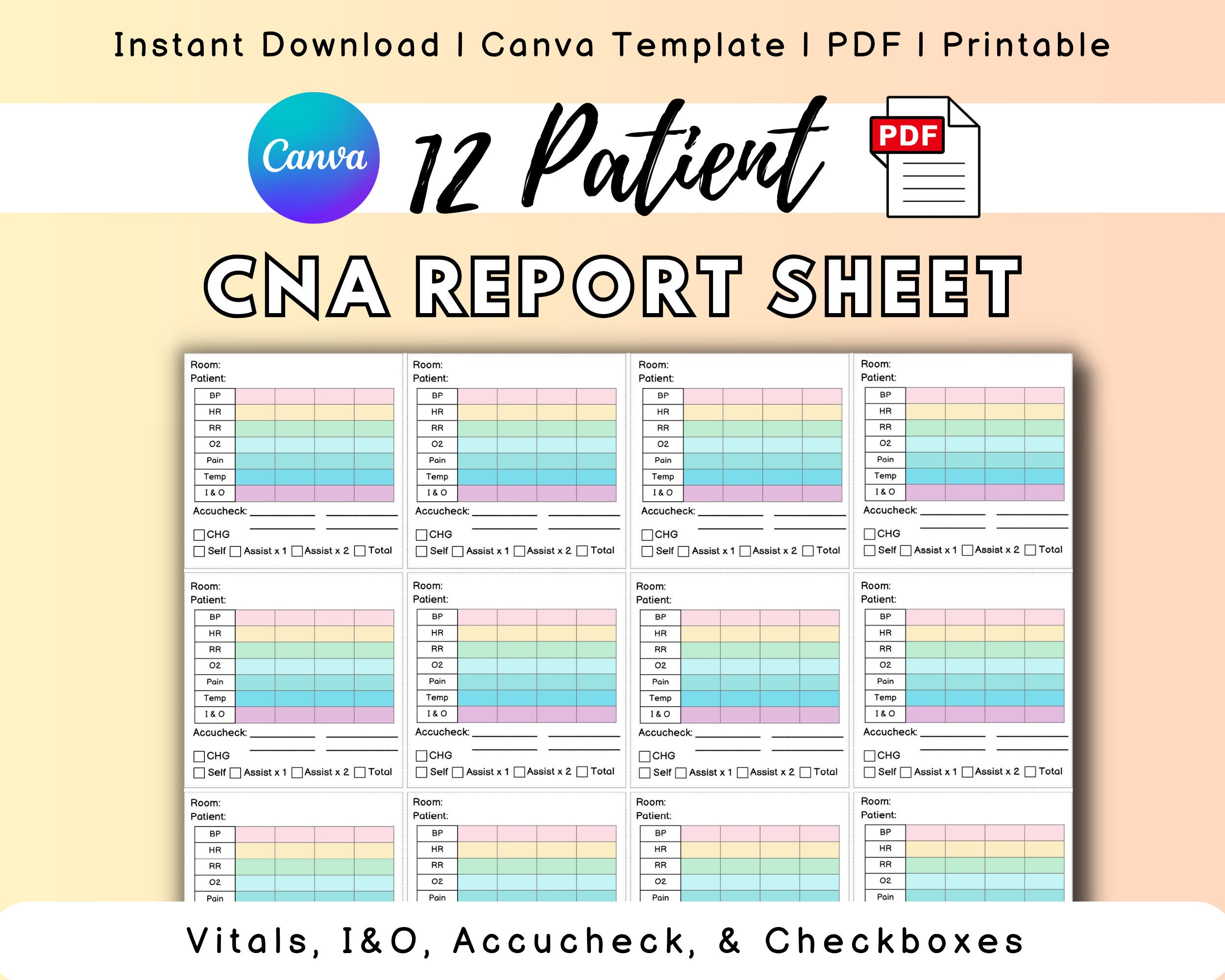
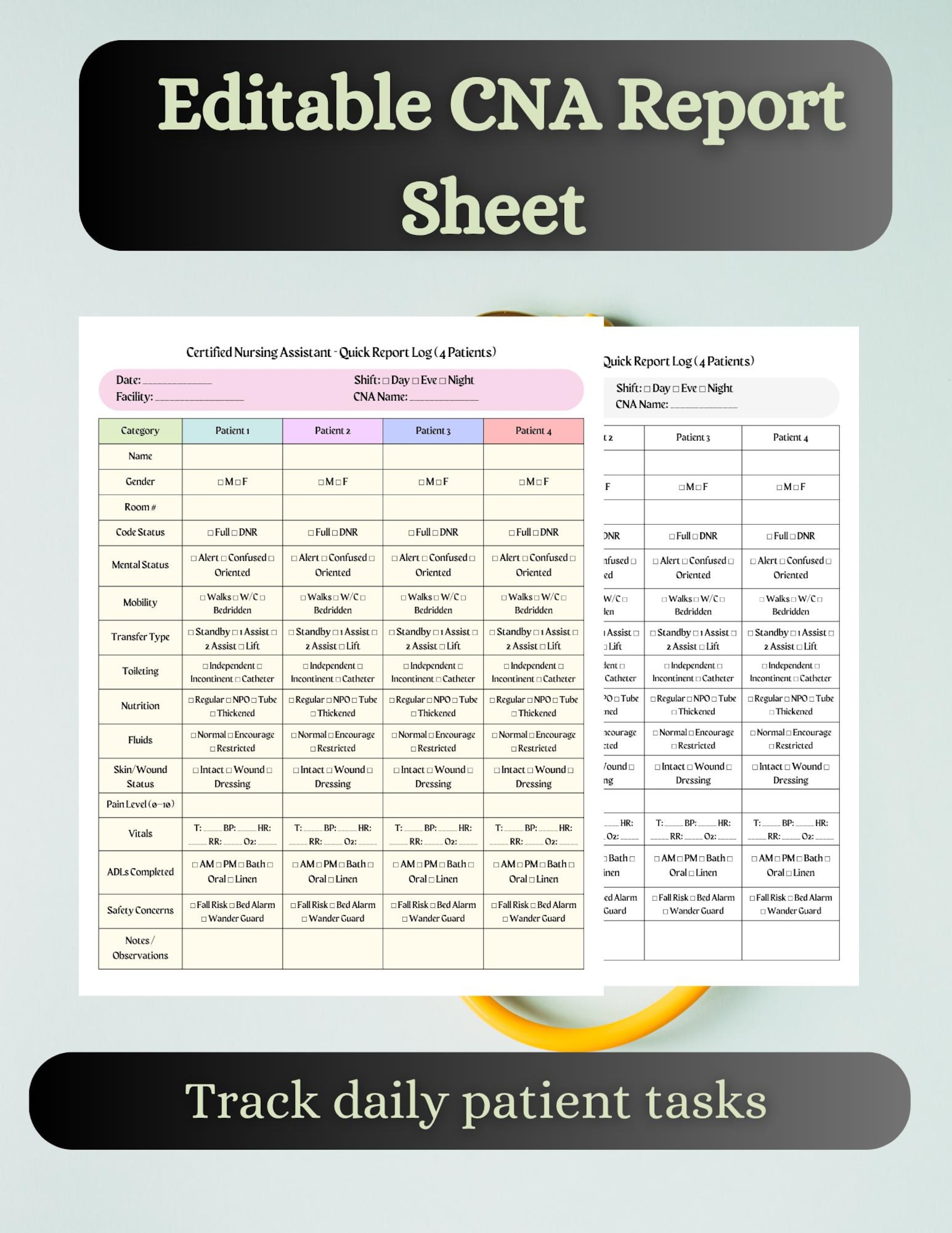
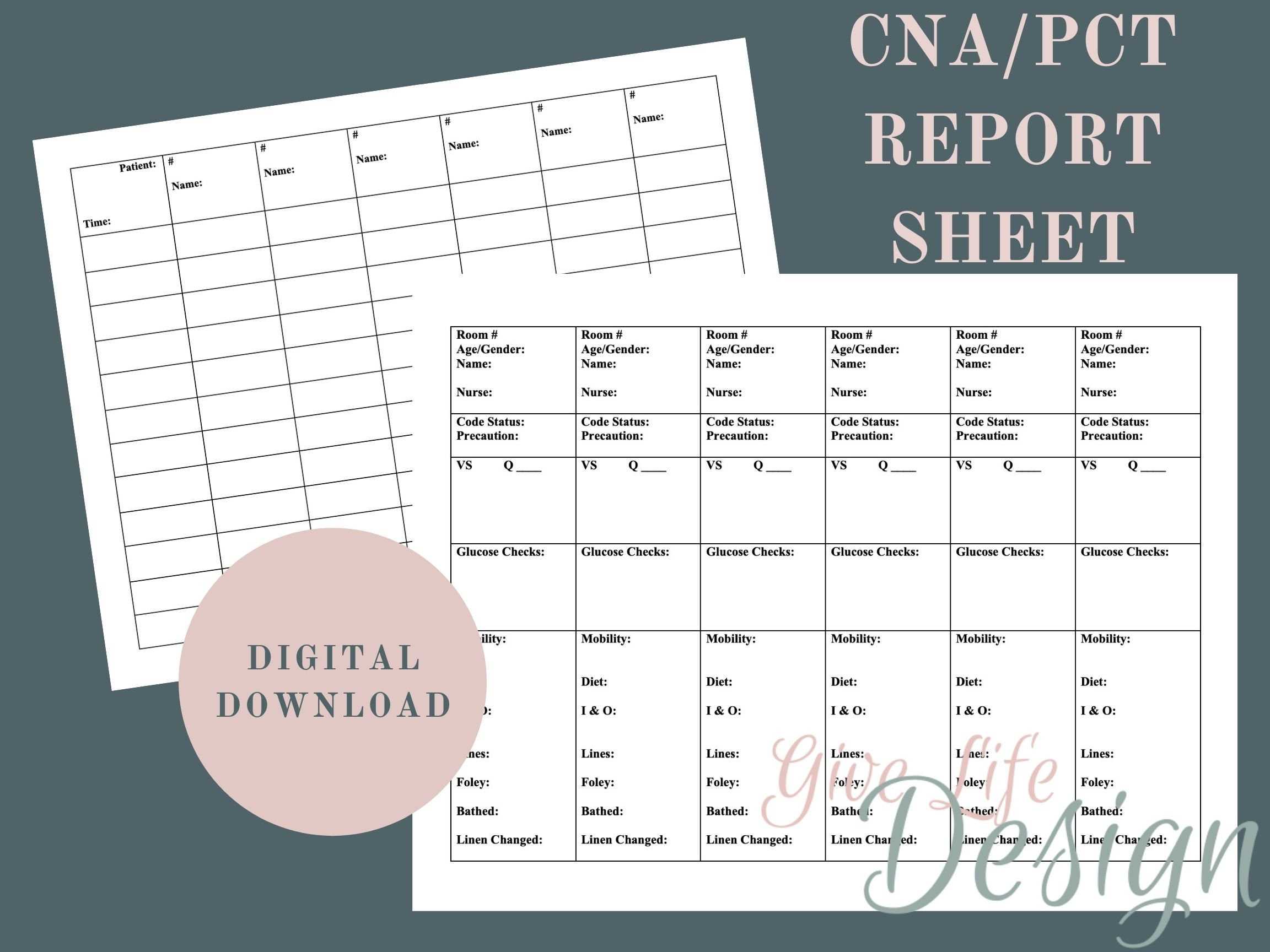
Nursing Assistant Report Sheet Templates are indispensable tools that enable nursing assistants to document patient care accurately, maintain compliance, and streamline communication with the entire healthcare team. These sheets capture vital observations, interventions, and progress updates in a structured format that supports quality care, legal accountability, and continuous improvement.
Understanding the Core Purpose of Report Sheets
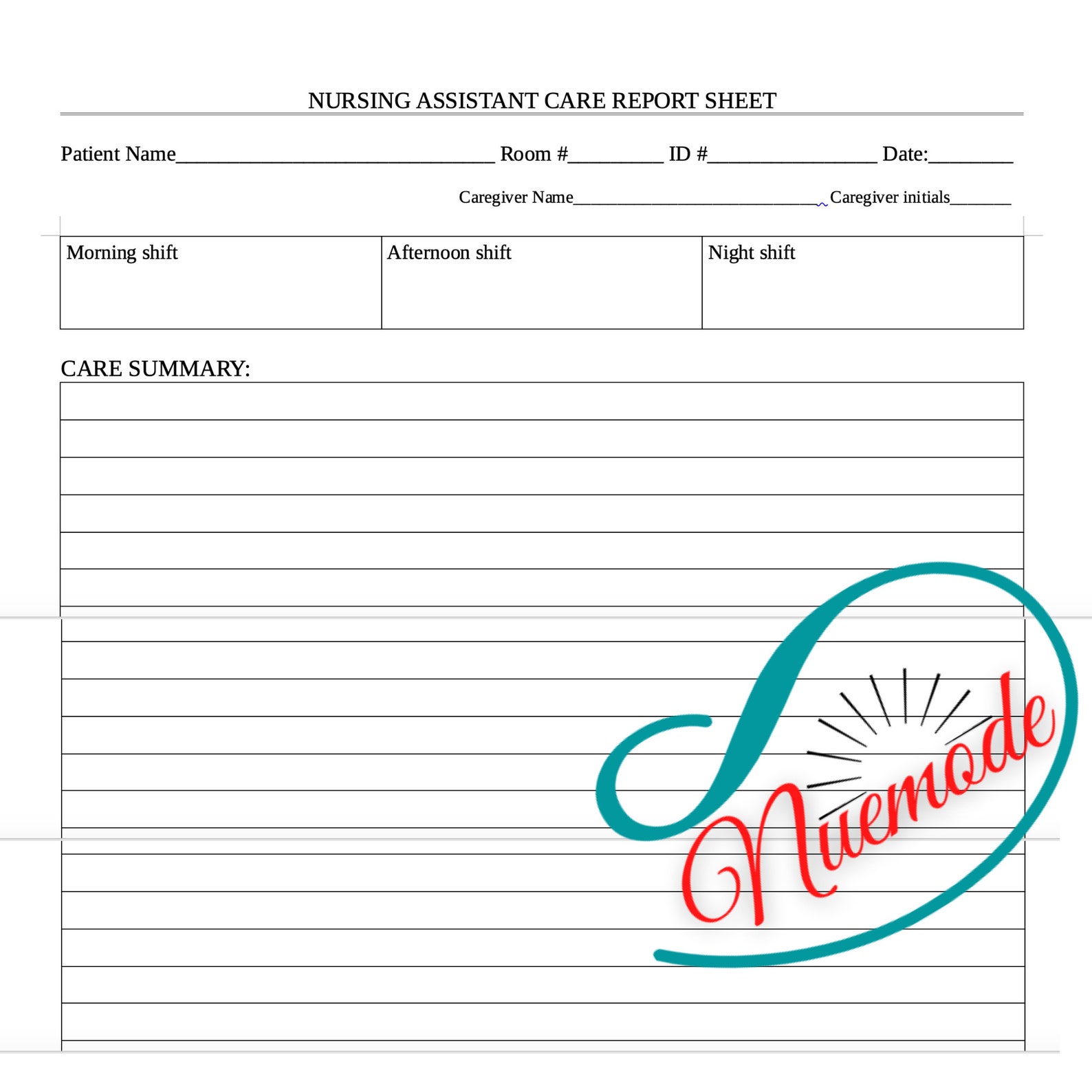
Every nursing facility relies on standardized documentation to ensure patient safety and operational efficiency. Report sheets serve several key functions:
- Clinical Accuracy: They record observations such as vital signs, mobility status, and behavioral changes with precision.
- Legal Compliance: Detailed logs provide a defensible trail of care in case of audits or litigation.
- Team Coordination: Clear documentation facilitates seamless handoffs between shifts, agencies, and specialists.
- Performance Measurement: Aggregated data helps identify trends and guide quality improvement initiatives.
Essential Elements to Include

When designing or selecting a template, consider incorporating the following components to capture a holistic view of patient care.
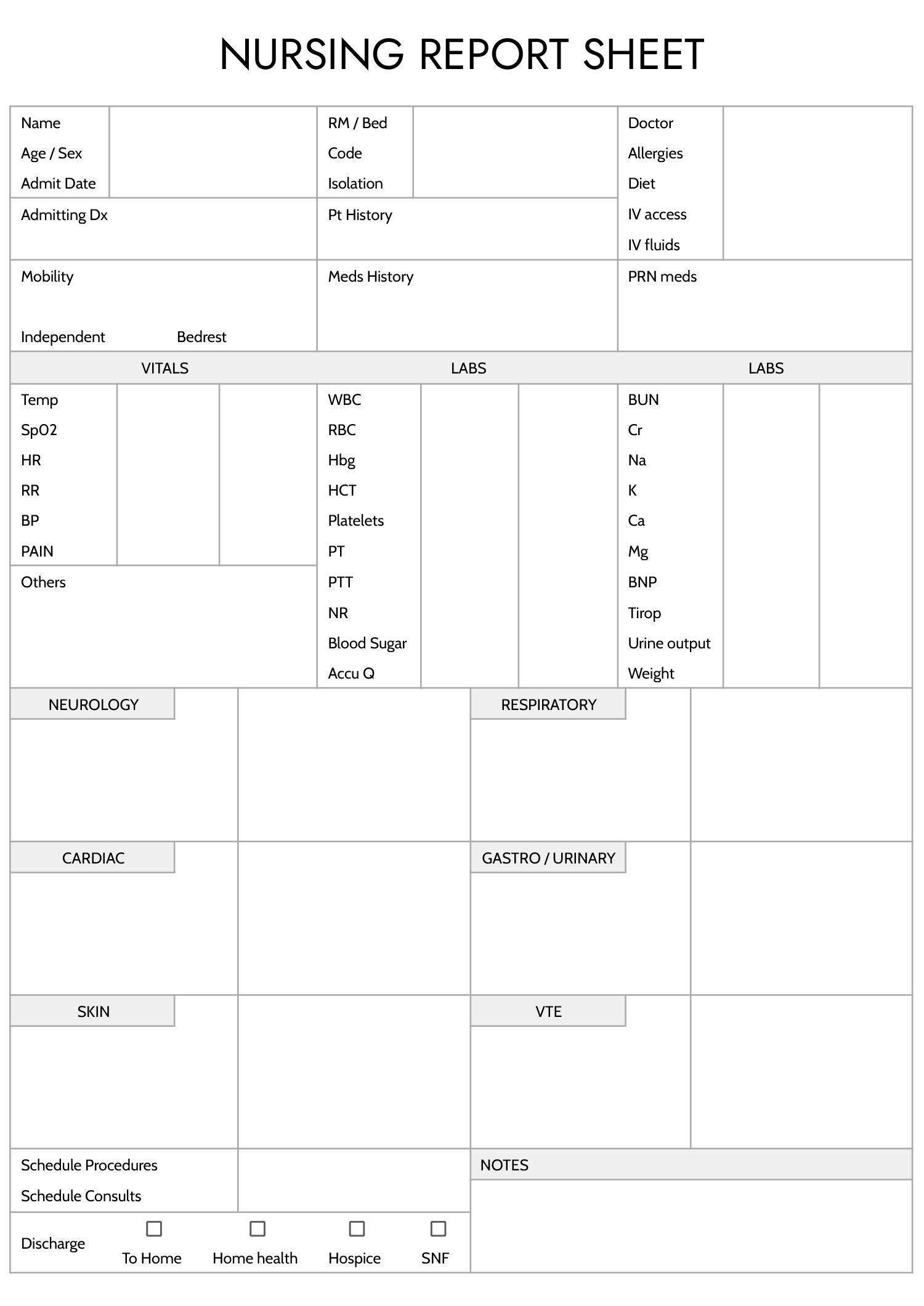
Patient Identification and Basic Information
Include fields for:
- Full name and date of birth
- Room or bed number
- Admission date and primary diagnosis
- Assessor’s initials or signature
Vital Signs and Basic Assessments
Document routine metrics such as:
- Temperature, blood pressure, heart rate, respiration, and oxygen saturation
- Pain scale ratings (0–10) and descriptions of pain location or intensity
- Mobility status (e.g., independent, requires assistance, bedbound)
- Nutrition intake and fluid balance
Care Interventions and Nursing Actions
Record interventions performed during the shift, for example:
- Assistance with ambulation, positioning, or transfer
- Administration of medications or supplements under supervision
- Skin integrity checks and wound care updates
- Documentation of any incident or abnormal finding
Observations and Patient Feedback
Encourage the nurse assistant to note:
- Patient mood, anxiety levels, or cognitive changes
- Requests for assistance or comfort measures
- Family communication or support needs
- Any changes in the environment that could affect patient safety
Signature and Time Stamps
Each section should have a clear space for the assistant’s signature and date/time stamp, ensuring accountability and traceability.
Choosing Between Paper and Digital Templates
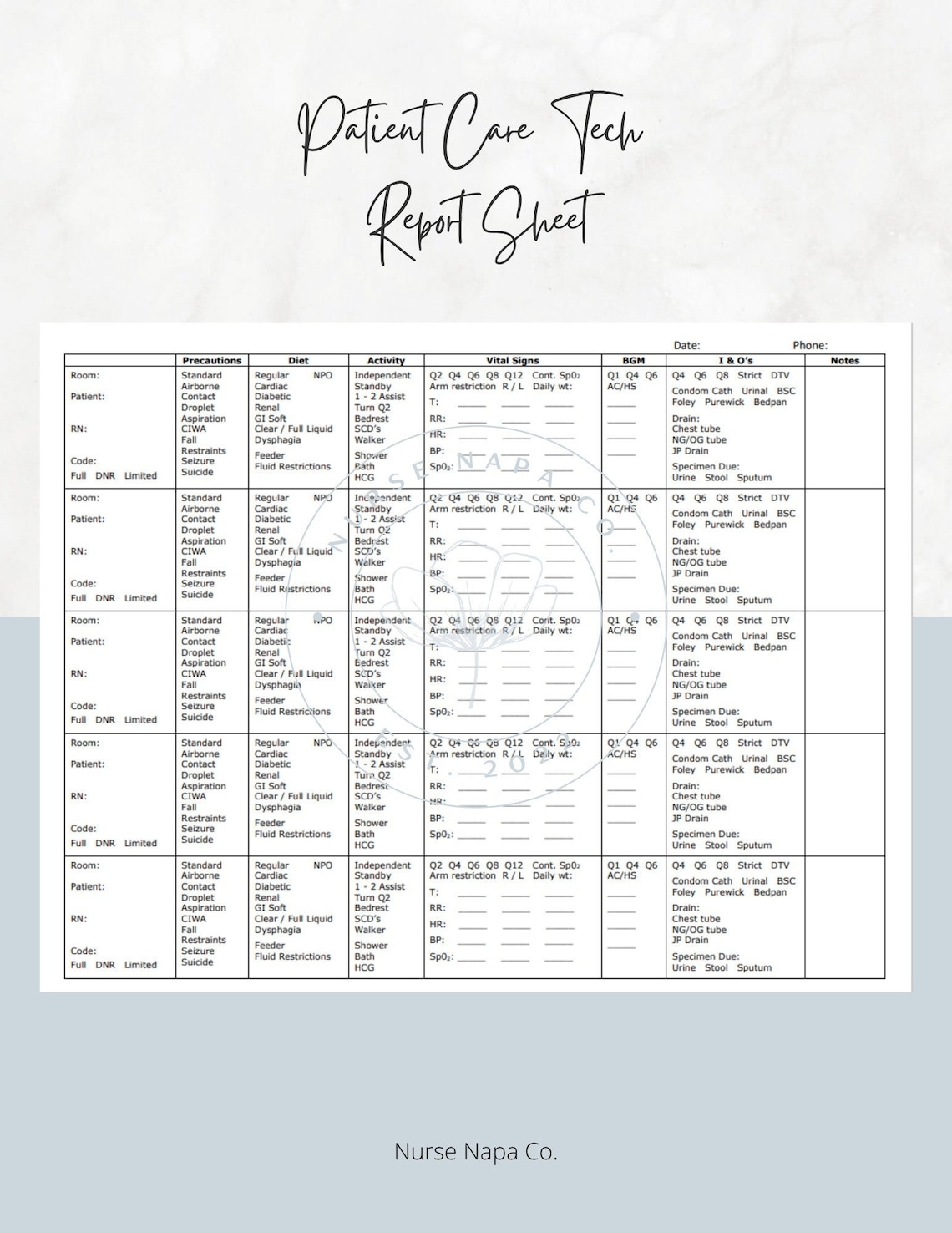
The format of your report sheet can dramatically impact usability and data integrity. Below is a comparative look at paper-based and electronic options.
Paper Templates
Advantages:
- Immediate accessibility without reliance on devices
- Easy to adapt in low-resource or high-traffic areas
- No need for training on software interfaces
Limitations:
- Physical storage requirements and risk of loss or damage
- Limited ability to aggregate data for analytics
- Manual data entry errors can propagate across reports
Digital Templates
Benefits include:
- Real-time sync to the Electronic Health Record (EHR) system
- Automated reminders for incomplete fields or overdue documentation
- Built-in analytics dashboards for trend tracking
- Enhanced data security with role-based access controls
Challenges to consider:
- Initial cost of software or device procurement
- Ongoing maintenance and cybersecurity updates
- Training requirements for staff unfamiliar with digital workflows
Customizing Templates for Your Facility

While standard templates offer a solid baseline, tailoring them to the unique needs of your facility can significantly improve efficiency and relevance.
Incorporate Specialty Care Sections
For units such as oncology, geriatrics, or psychiatric care, add dedicated fields for:
- Oncology units: chemotherapy dates, side‑effect monitoring, and infusion compliance checks.
- Geriatric units: fall risk assessments, dementia screening results, and medication reconciliation updates.
- Psychiatric units: mood assessment scales, behavioral incident logs, and crisis plan adherence.
Embed Checklists for Routine Tasks
Checklists reduce omissions by prompting staff to verify completion of critical interventions. Examples include:
- Pre‑meal hygiene checklist (handwashing, oral care, feeding assistance).
- Pre‑sleep hygiene checklist (medication administration, nighttime safety checks).
- Mobility check (patient repositioning every 2 hours, use of assistive devices).
Use Color Coding or Highlighting
Although the output must remain in plain HTML, many facilities use visual cues in the printed sheets:
- Red highlights for overdue vitals or medication administration.
- Yellow alerts for potential fall hazards identified during a room inspection.
- Green checks for completed tasks that meet quality standards.
Integrating Report Sheets into Daily Workflow

Effective documentation is not just about filling out a sheet; it’s about embedding it within a seamless process that supports patient care rather than hinders it.
Pre‑Shift Preparation
Before the shift starts, review the previous day’s sheet for pending items, scheduled medications, or special instructions. This allows the assistant to prioritize tasks and anticipate patient needs.
During Patient Interaction
Adopt a “just‑in‑time” approach: document immediately after each intervention to avoid reliance on memory and reduce the risk of errors.
Shift Handoff Protocol
At the end of the shift, use the final section of the report sheet to summarize key changes and outstanding concerns. This ensures the incoming team has an accurate snapshot of the patient’s status.
Post‑Shift Review
Allocate a few minutes at the end of each shift for a quick audit of the sheet against the patient’s chart. This practice reinforces accountability and highlights areas for improvement in documentation habits.
Common Pitfalls and How to Avoid Them
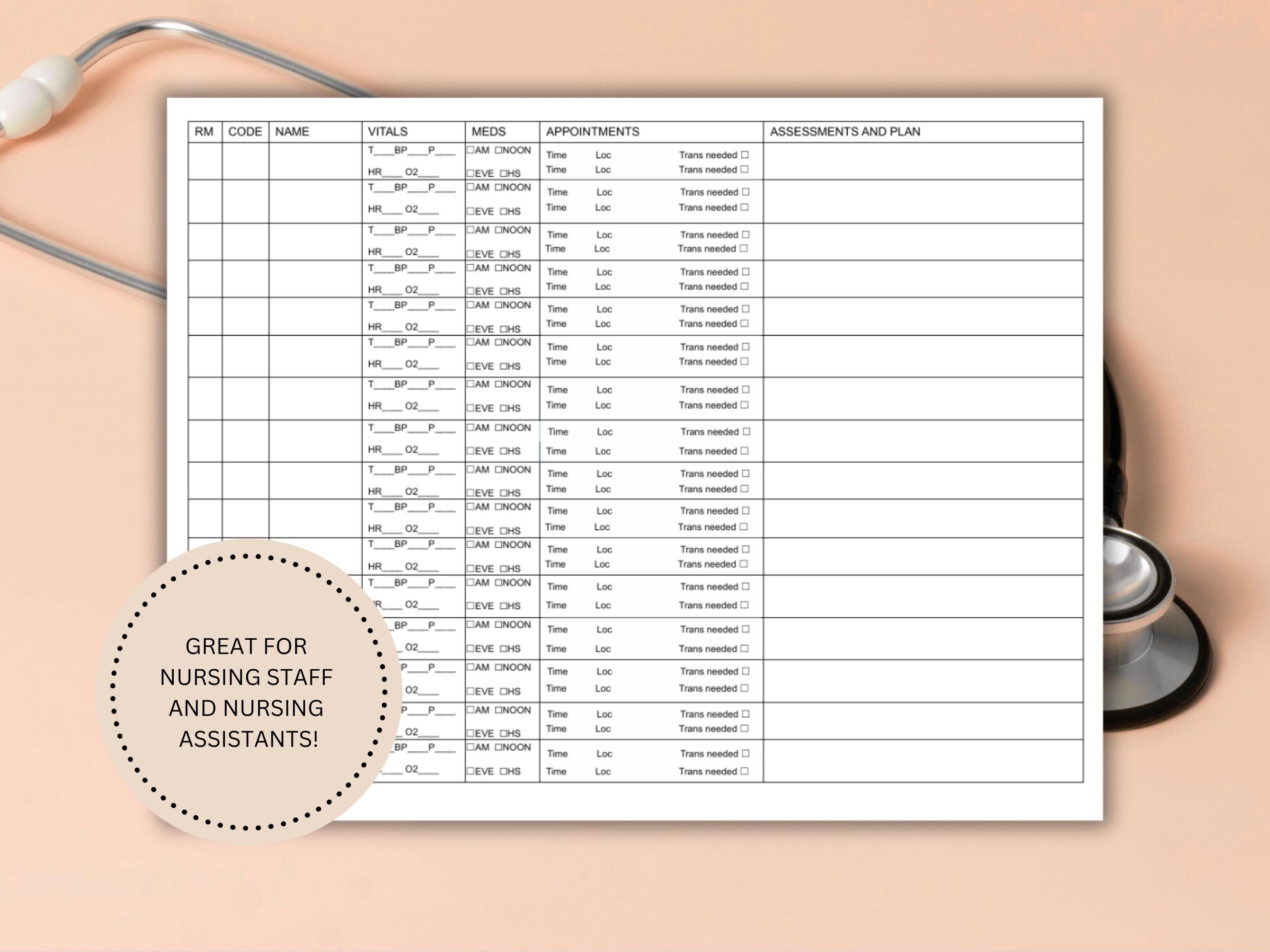
Even well‑designed templates can fall short if staff misuse them. Here are typical issues and actionable solutions.
Incomplete Documentation
Solution: Implement mandatory fields that cannot be left blank and provide prompts for missing information. Encourage staff to fill out every section even if a patient is “stable,” as this establishes a baseline for comparison.
Inconsistent Terminology
Solution: Develop a standardized glossary for terms such as “mobility status” or “pain scale.” Training sessions and quick reference cards help maintain consistency across teams.
Delayed Data Entry
Solution: Set time limits for documentation post‑intervention (e.g., within 15 minutes). Use mobile devices or tablets in patient rooms to facilitate on‑the‑spot entry, reducing the backlog.
Privacy Breaches
Solution: Secure paper sheets in lockable cabinets and use encrypted devices for digital entry. Limit access to authorized personnel only and regularly audit log files.
Leveraging Technology: From Templates to Analytics

When a template is integrated into an EHR or a cloud‑based platform, it becomes a powerful data source for quality improvement initiatives.
Automated Alerts and Flags
By configuring thresholds (e.g., a heart rate above 100 bpm or a pain score of 8+), the system can automatically flag concerns, prompting immediate review.
Trend Analysis
Aggregated data enables clinicians to identify patterns such as increasing fall risk in a specific ward or persistent pain in a patient group, guiding targeted interventions.
Reporting for Regulatory Compliance
Digital reports can be exported to meet CMS or state licensing requirements with minimal manual effort, ensuring that your facility remains audit‑ready.
Real‑World Examples of Effective Use

Case studies illustrate how optimized report sheets can transform patient care.
Case Study 1: Reducing Falls in a Long‑Term Care Facility
By adding a fall‑risk checklist and color‑coded alerts to the report sheet, the facility saw a 30% decrease in falls within six months. The template prompted staff to reassess footwear, bathroom accessibility, and ambulation aids at every shift change, creating a culture of proactive safety.
Case Study 2: Improving Medication Adherence in a Rehabilitation Center
Integrating medication administration fields with a barcode scanning feature ensured that each dose was verified in real time. The report sheet recorded the exact time of administration, reducing medication errors by 25% and improving patient outcomes.
Case Study 3: Enhancing Communication in a Pediatric Ward
Using a template that included a “family communication” section, nurses were able to log conversations, consent discussions, and educational moments. This transparency reduced complaints and fostered stronger family‑nurse relationships.
Training and Continuous Improvement
Introducing a new template is only the first step. Ongoing education and feedback loops ensure sustained success.
Orientation Programs
New staff should receive hands‑on training that covers:
- The purpose of each section
- How to interpret and respond to alerts
- Legal implications of inaccurate documentation
Feedback Sessions
Monthly or quarterly reviews of sample reports can highlight common errors, reinforce best practices, and inspire updates to the template based on frontline experiences.
Updating Templates with Evolving Standards
Clinical guidelines and regulatory requirements change. Establish a governance board that reviews the template annually, incorporating evidence‑based updates and removing obsolete fields.
Conclusion
Effective Nursing Assistant Report Sheet Templates are the backbone of quality, compliant, and patient‑centered care. By ensuring each sheet is comprehensive yet streamlined, customizing it to fit your unit’s unique demands, embedding it within daily workflow, and leveraging technology for real‑time monitoring, nursing assistants can elevate their documentation from a bureaucratic task to a strategic tool that enhances patient outcomes and operational efficiency. Continuous training, vigilant audit practices, and a culture that values precise, timely reporting will keep your facility ahead of compliance challenges while delivering the highest standard of care to every patient.



Related posts of "Nursing Assistant Report Sheet Templates"
