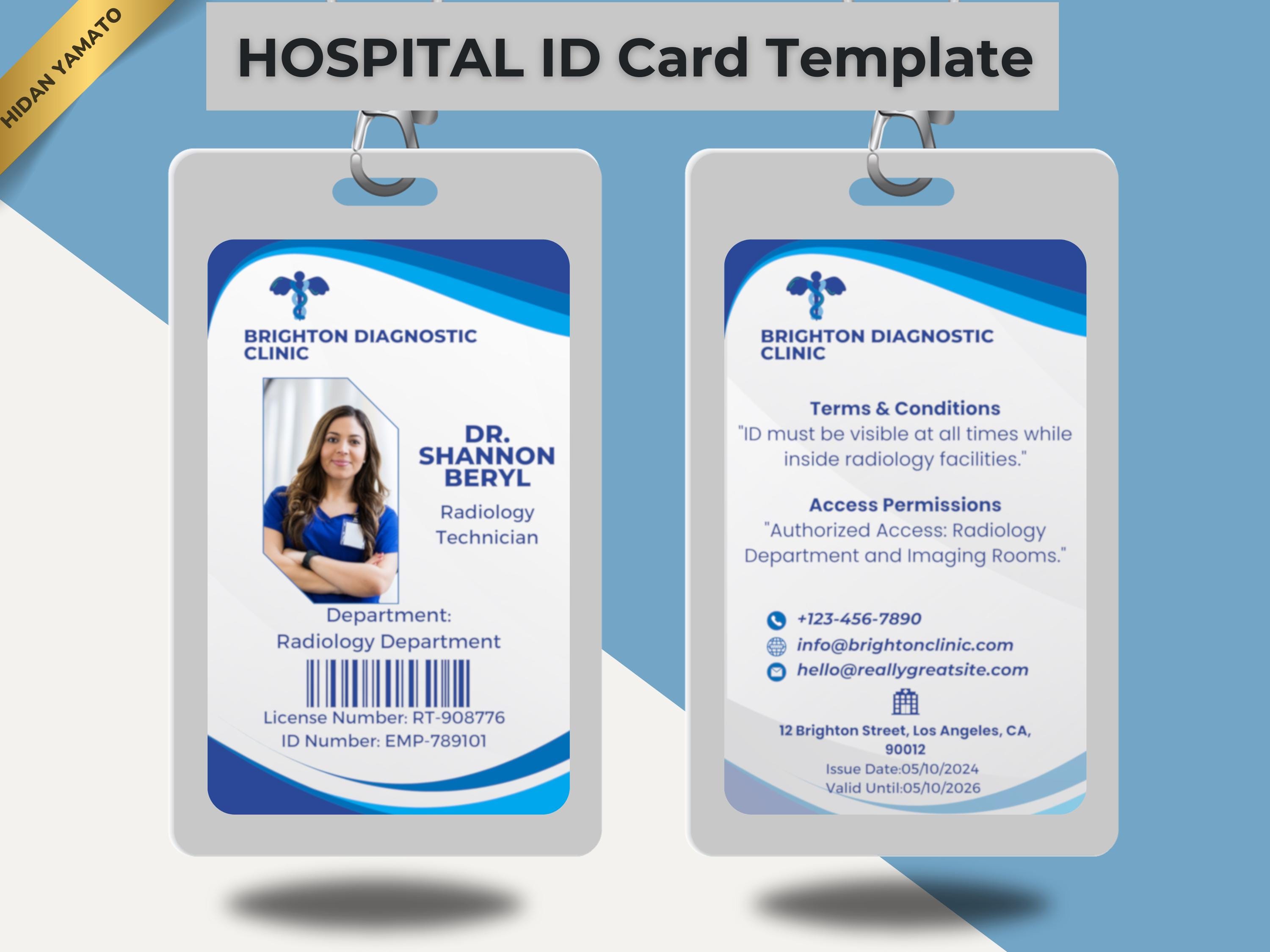
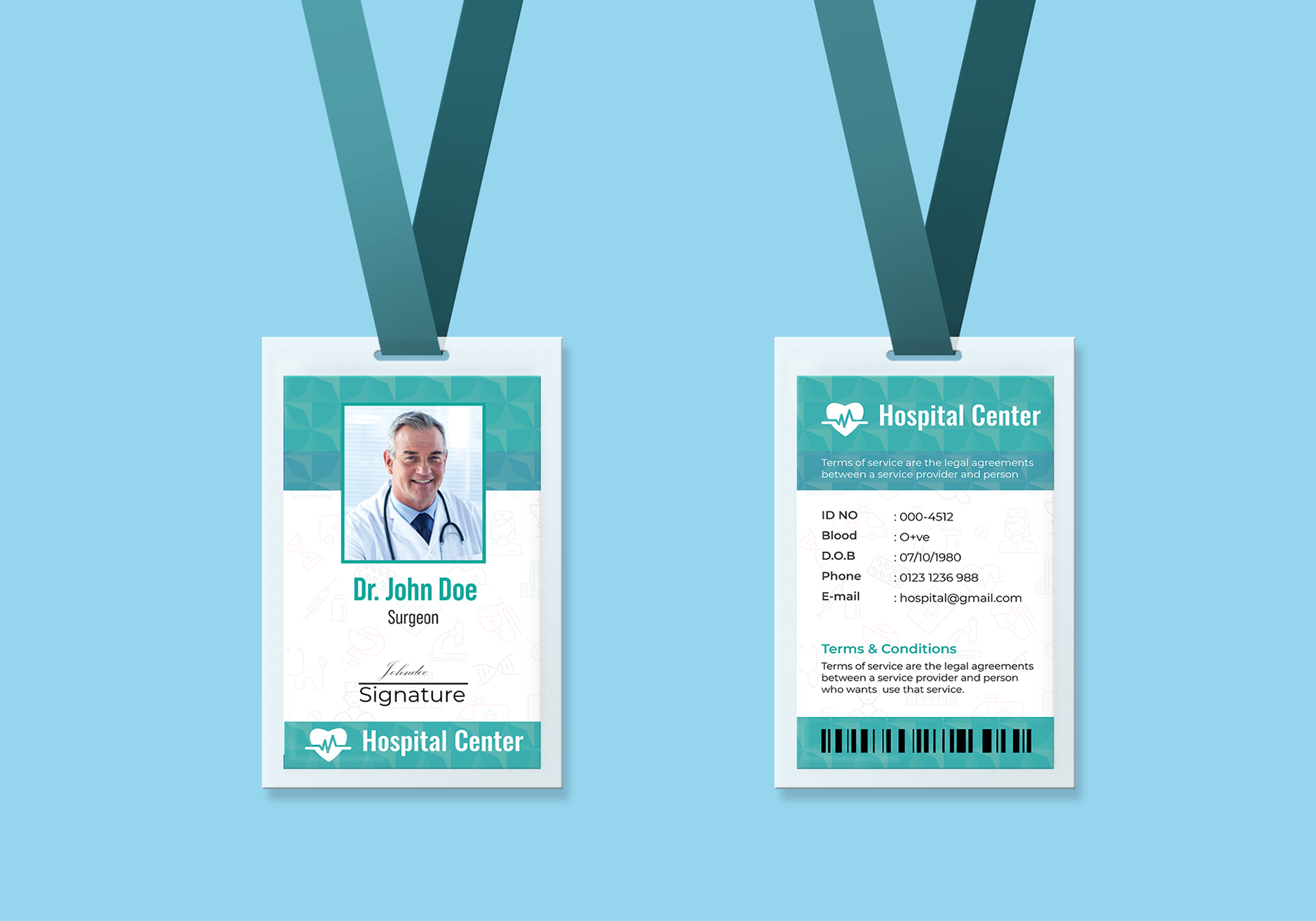
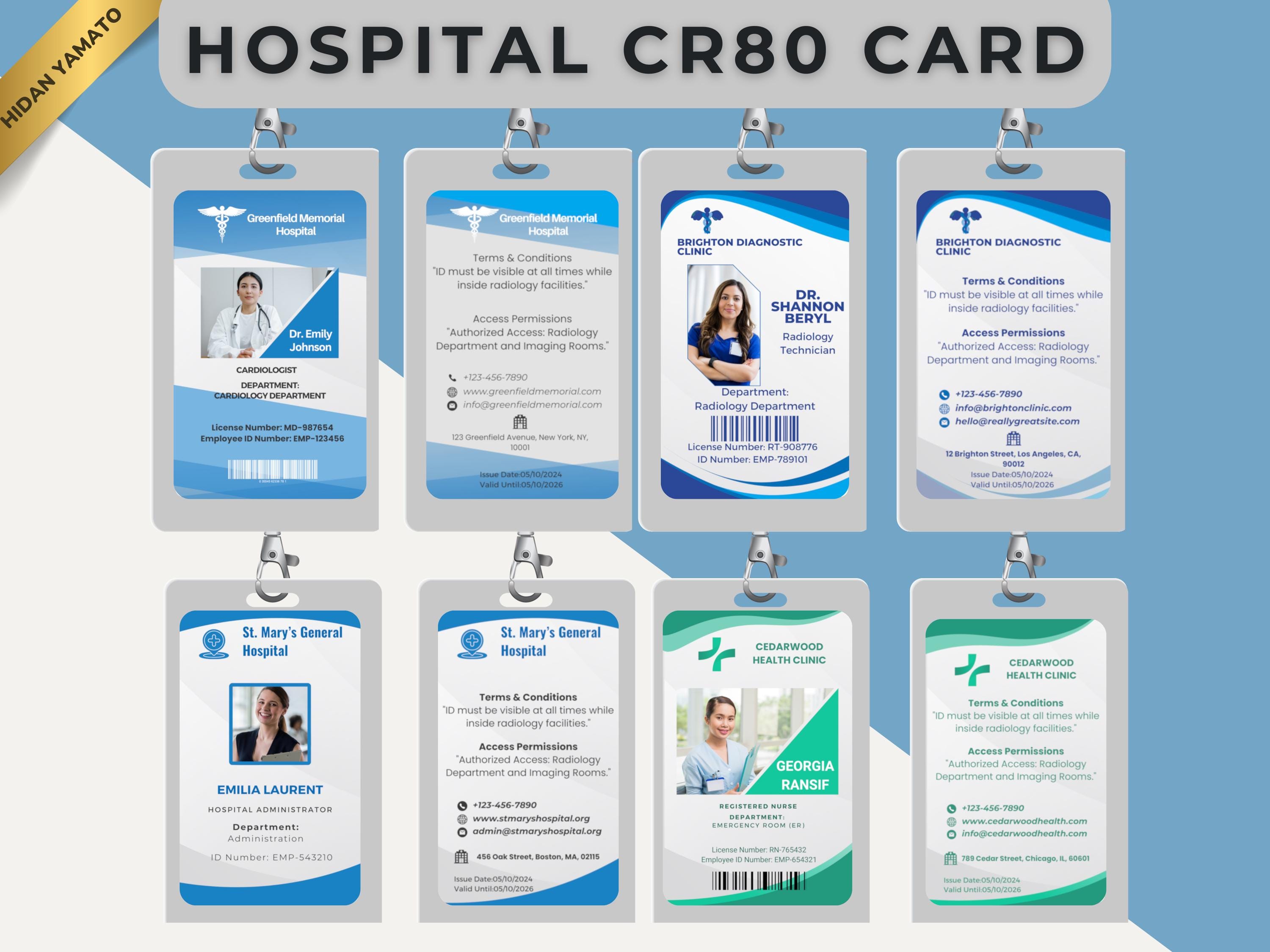
Hospital Id Card Template designs have become a cornerstone of modern healthcare facilities, blending security, professionalism, and brand identity into a single, printable asset. Whether you’re a small clinic looking to streamline staff identification or a sprawling medical center seeking a cohesive visual language, the right template can transform how patients perceive safety and how employees interact daily. In this comprehensive guide, we’ll explore the essential elements of a hospital ID card, walk through the creation process, reveal best‑practice design tips, and provide actionable steps to implement a system that boosts security, enhances communication, and reinforces your institution’s brand.
Why a Professional Hospital ID Card Matters

Beyond the obvious function of name and photo identification, a well‑crafted hospital ID card serves multiple strategic purposes. First, it acts as a deterrent against unauthorized access, helping security teams quickly differentiate staff from visitors. Second, it reinforces trust; patients are more comfortable when they can instantly recognize a nurse, physician, or technician. Third, it provides a platform for essential information such as emergency contact numbers, department codes, and barcodes for electronic access control. Finally, a consistent visual identity across all badges strengthens brand recognition and conveys a sense of unity throughout the organization.
Core Components of an Effective Hospital ID Card Template

Designing a functional and aesthetically pleasing ID card involves balancing visual appeal with practical data fields. Below are the key components every template should include:
Essential Information Fields
- Name: Full legal name, preferably in a legible serif or sans‑serif font.
- Title/Role: Clearly indicates the staff member’s position (e.g., RN, MD, Lab Tech).
- Department: Helps patients locate the right specialist quickly.
- Employee ID Number: Unique numeric or alphanumeric code for internal tracking.
- Photo: High‑resolution headshot with a neutral background for instant recognition.
- Barcode or QR Code: Enables electronic door access, time‑clock logging, and inventory tracking.
- Hospital Logo: Consistent placement reinforces branding.
- Contact Details: Emergency phone number or internal extension for quick assistance.
Design Elements to Consider
- Color Scheme: Use hospital brand colors; consider color‑coding by department for rapid visual sorting.
- Typography: Choose fonts that remain readable at small sizes; avoid decorative scripts.
- Material & Finish: PVC with matte lamination reduces glare, while a glossy finish can highlight colors.
- Security Features: Incorporate holographic overlays, micro‑text, or UV‑reactive inks to deter counterfeiting.
- Layout Consistency: Maintain uniform margins, alignment, and spacing across all cards.
Step‑by‑Step Guide to Creating Your Hospital ID Card Template

Follow this systematic workflow to develop a polished template that meets both aesthetic and security standards.
1. Gather Requirements and Stakeholder Input
Start by interviewing key stakeholders—hospital administrators, security officers, IT managers, and frontline staff. Capture details such as required data fields, preferred color codes for departments, and any regulatory compliance mandates (e.g., HIPAA privacy considerations). Document these requirements in a concise brief that will guide the design phase.
2. Choose the Right Design Software
Professional design tools like Adobe Illustrator, InDesign, or Affinity Designer provide vector‑based precision, essential for scalable graphics and crisp text. For organizations with limited design expertise, template‑focused platforms such as Canva or Microsoft Publisher also offer pre‑built layouts that can be customized to match brand guidelines.
3. Set Up the Document Size and Bleed
Standard hospital ID cards typically measure 3.375 in × 2.125 in (CR80 credit‑card size). In your design software, create a new document with these dimensions plus a 0.125 in bleed on all sides. This ensures that after cutting, no unprinted edges remain visible.
4. Design the Front Side Layout
Begin with a clean grid system—three columns and two rows work well. Place the hospital logo in the top left corner, the employee photo in the upper right, and the name and title centrally aligned. Reserve the bottom area for the barcode, department color strip, and contact information. Use consistent padding to avoid a crowded look.
5. Incorporate Security Features
Integrate a holographic foil layer or a micro‑text line across the card’s background. If your facility uses RFID, allocate space for the embedded chip and indicate its placement with a subtle icon. These features add a layer of authenticity that deters counterfeit attempts.
6. Design the Back Side (Optional)
The reverse side can host emergency protocols, a mini‑map of the facility, or a disclaimer about data privacy. Including a second QR code that links to the employee’s professional profile or the hospital’s internal portal can enhance usability.
7. Review and Iterate
Conduct a design review with stakeholders, focusing on readability, brand alignment, and security compliance. Collect feedback, make necessary adjustments, and repeat the review cycle until consensus is achieved. Pay special attention to contrast ratios; WCAG recommends a minimum 4.5:1 contrast for normal text to ensure legibility under various lighting conditions.
8. Export and Test Print
Export the final design as a high‑resolution PDF (300 dpi) with CMYK color mode. Perform a test print on the intended card stock to verify color accuracy, barcode scannability, and overall durability. Adjust any misalignments before proceeding to bulk production.
Best Practices for Maintaining Consistency Across All Cards

Uniformity is essential for both visual coherence and operational efficiency. Here are proven strategies to keep your ID cards consistent:
Establish a Brand Style Guide
Document color codes (HEX or Pantone), font families, logo usage rules, and layout specifications. Distribute this guide to all designers and printing vendors to eliminate variations.
Create a Master Template File
Maintain a master Illustrator or InDesign file with locked layers for static elements (logo, security overlays) and editable text placeholders for dynamic content (name, title). This ensures every new card starts from the same foundation.
Implement Automated Data Merging
Use data‑merge tools (e.g., InDesign’s Data Merge, Microsoft Word’s Mail Merge) to populate fields from an employee spreadsheet automatically. Automation reduces human error and speeds up the production cycle, especially when onboarding large teams.
Standardize Card Issuance Procedures
Define a clear workflow: verification of employee credentials, photo capture, data entry, card printing, and final quality check. Assign responsibility to specific roles (HR, IT, Security) and document each step in an SOP (Standard Operating Procedure).
Integrating Technology: From Barcode to RFID

Modern hospital ID cards are more than paper—they’re gateways to digital systems. Understanding the technology options helps you choose the right blend of functionality and cost.
Barcode and QR Code Solutions
Barcodes (Code 128) and QR codes are inexpensive to generate and can be printed directly onto the card surface. They link to databases that control door access, log shift times, or retrieve patient records. Ensure the code size meets scanner specifications—typically a minimum of 0.5 in square for reliable reads.
Magnetic Stripe Integration
Magnetic stripes store alphanumeric data and are compatible with legacy access control systems. While less common in newer facilities, they remain useful for hospitals that have existing infrastructure.
RFID and Smart Card Technology
RFID chips enable contactless interactions, allowing staff to tap their badge for secure entry, equipment checkout, or medication dispensing. Though the upfront cost is higher, RFID offers speed, durability, and the ability to embed multiple credentials on a single card.
Choosing the Right Technology Mix
Assess your hospital’s current systems, budget, and future scalability plans. A hybrid approach—barcode for basic identification plus RFID for high‑security zones—often delivers the best ROI.
Cost Considerations and Budgeting Tips
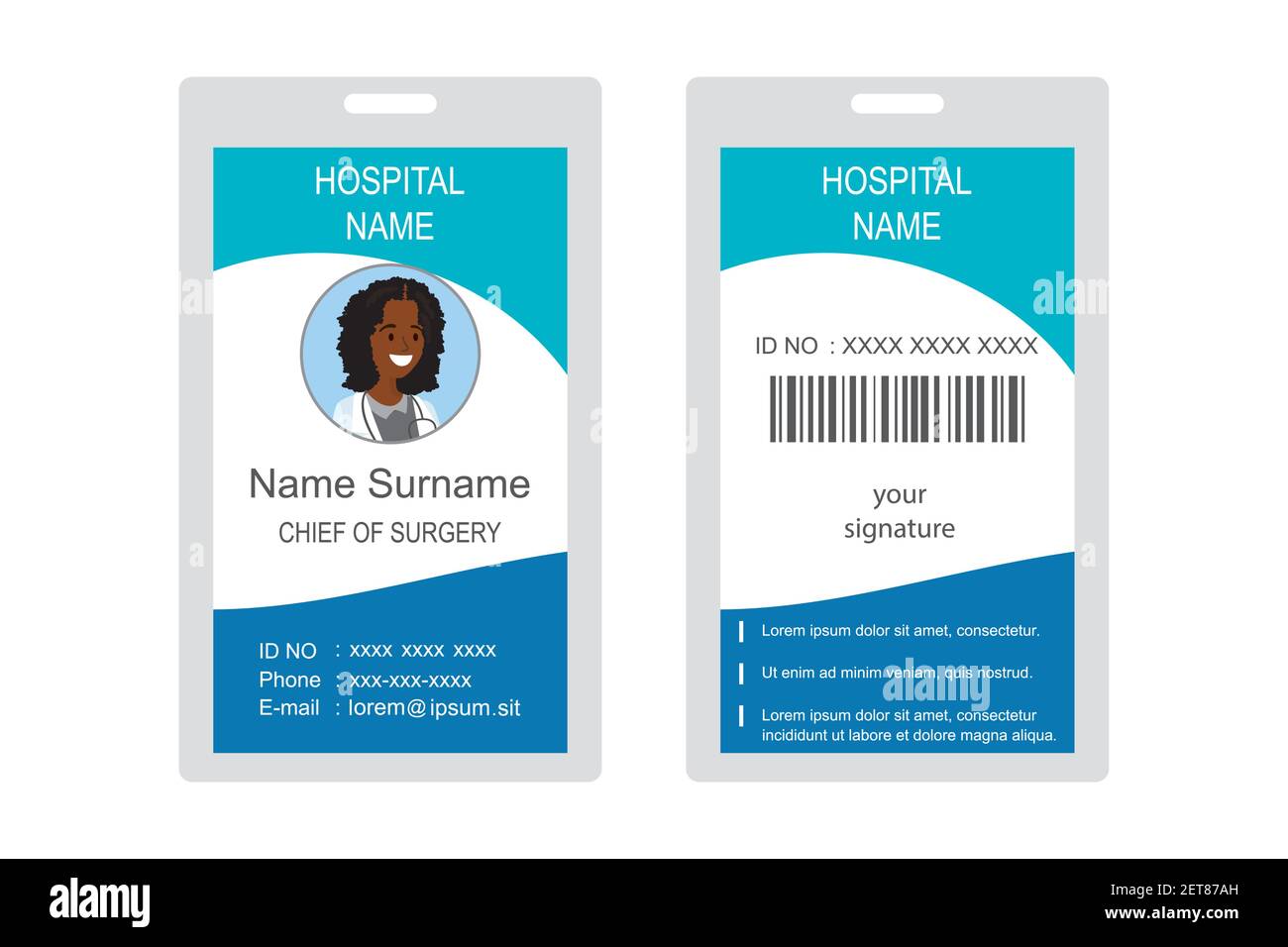
Investing in high‑quality ID cards can appear costly, but strategic planning can stretch your dollars further.
Initial Design and Setup
Allocate funds for professional design services or training internal staff. One‑time costs include software licenses, template creation, and security feature procurement.
Printing and Materials
Bulk orders reduce per‑card cost. Choose a reputable printing vendor that offers volume discounts, especially for PVC cards with lamination. Consider a subscription model where the vendor handles periodic reprints and updates.
Technology Integration
Calculate the total cost of ownership for RFID chips, barcode printers, and access‑control hardware. Factor in maintenance, software licensing, and training for IT personnel.
Lifecycle Management
Plan for card replacement cycles—typically every 2–3 years—to keep security features current and address wear and tear. Budget for a small reserve to accommodate staff turnover and new hires.
Real‑World Examples of Successful Hospital ID Card Deployments
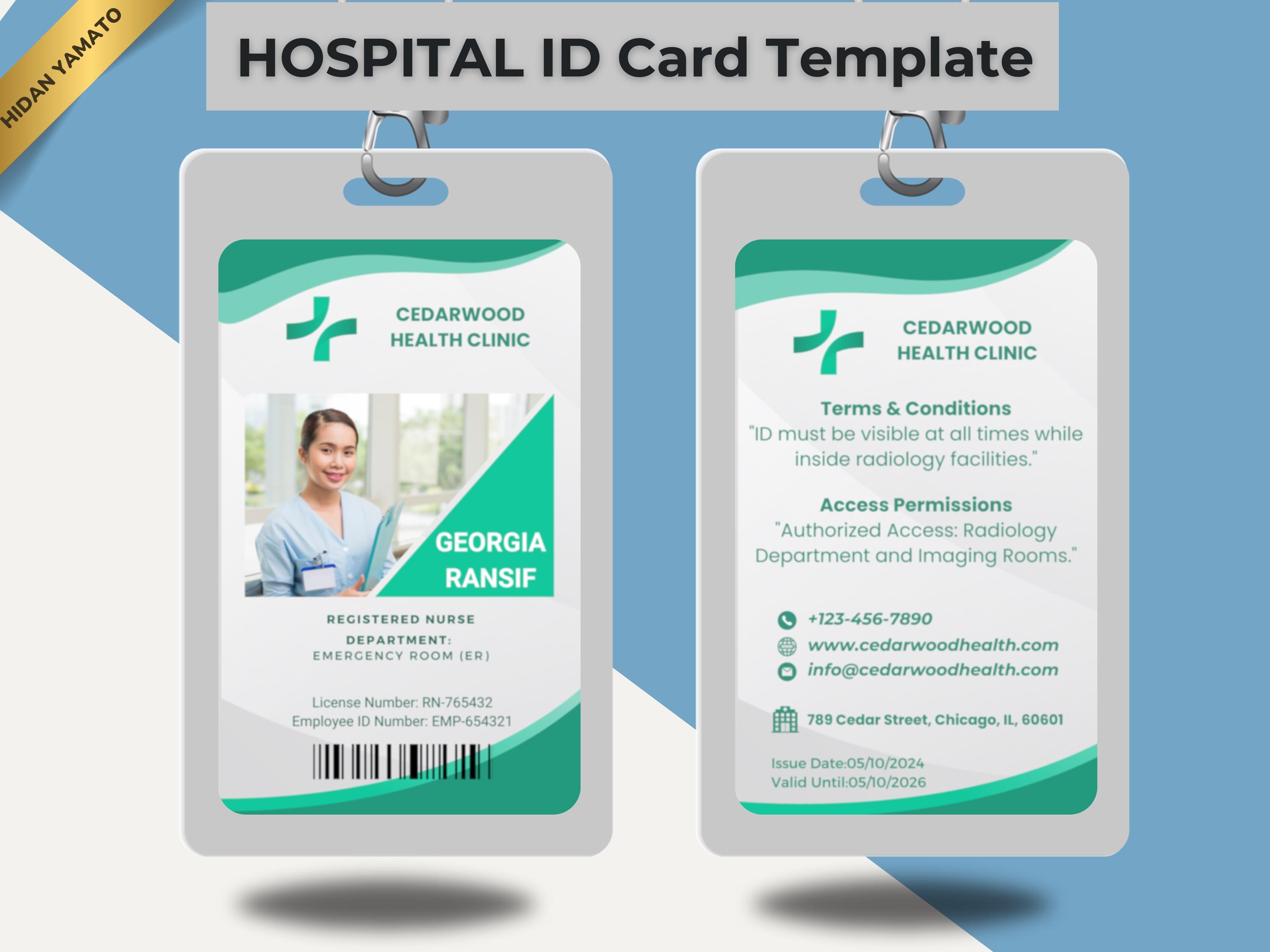
Seeing how other institutions have leveraged ID cards can inspire your own implementation.
Community Hospital Streamlines Access Control
A 150‑bed community hospital adopted a color‑coded badge system: red for emergency staff, blue for administration, and green for support services. By integrating QR codes linked to the building’s access‑control software, they reduced unauthorized entry incidents by 35 % within six months.
Large Academic Medical Center Enhances Patient Trust
An academic medical center introduced a sleek, matte‑finished badge with a holographic hospital logo and RFID chip. The design featured a subtle gradient matching the institution’s brand palette. Patient satisfaction surveys reflected a 12 % increase in confidence when interacting with staff wearing the new IDs.
Rural Clinic Improves Efficiency with Data Merge
A rural health clinic with limited IT resources used Microsoft Word’s Mail Merge to generate ID cards for 45 employees. By creating a master template and pulling data from an Excel roster, they printed all cards in a single afternoon, cutting production time by 80 % compared to manual entry.
Future Trends in Hospital Identification

As technology evolves, hospital ID cards will continue to adapt, offering new capabilities that enhance security and workflow.
Biometric Integration
Embedding fingerprint or facial recognition data on smart cards can provide multi‑factor authentication, ensuring that only the intended wearer can access sensitive areas.
Dynamic E‑Ink Displays
Emerging e‑ink badge technology allows real‑time updates to displayed information—such as shift changes or emergency alerts—without printing new cards.
Mobile Credentialing
Some forward‑thinking hospitals are experimenting with smartphone‑based credentials that pair with NFC readers, reducing the need for physical cards while maintaining high security standards.
Implementation Checklist for Your Hospital ID Card Project
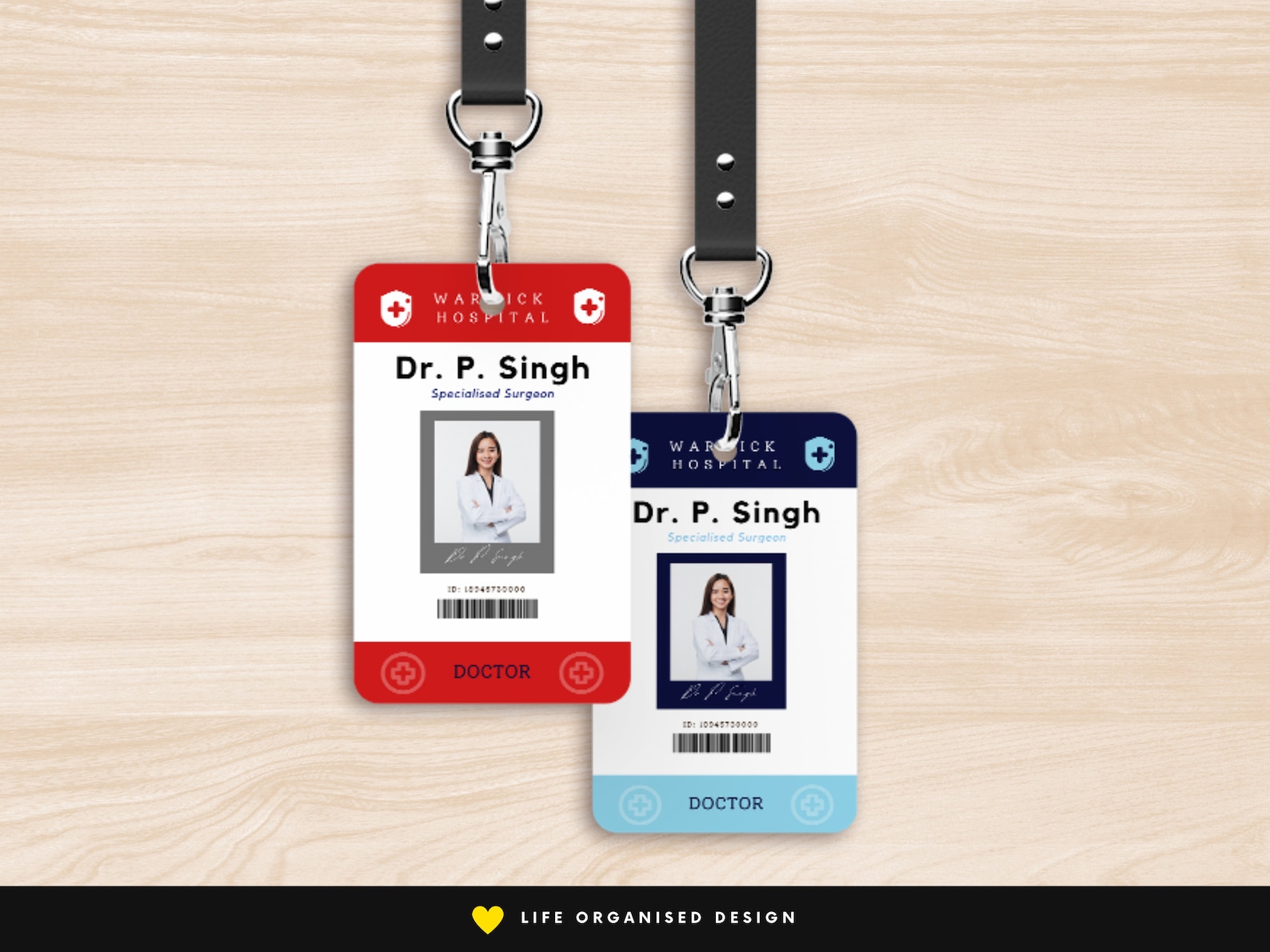
Before you launch, run through this comprehensive checklist to ensure nothing falls through the cracks.
- Define required data fields and security features.
- Obtain brand assets (logo files, color codes, fonts).
- Select design software and create a master template.
- Gather high‑resolution staff photos and verify consent.
- Choose card material, finish, and printing vendor.
- Decide on technology integration (barcode, QR, RFID, biometric).
- Develop a data‑merge workflow and test with a sample batch.
- Conduct a pilot run with a small group of staff for feedback.
- Finalize SOPs for card issuance, renewal, and revocation.
- Train security and front‑desk personnel on badge verification.
- Schedule regular audits to ensure compliance and detect fraud.
- Plan for periodic redesigns to incorporate new branding or security updates.
Conclusion

A thoughtfully designed Hospital Id Card Template is far more than a simple name tag—it’s a multifunctional tool that safeguards your facility, streamlines operations, and reinforces brand identity. By understanding the essential components, following a disciplined creation process, and integrating modern technologies, you can deliver a badge system that meets today’s security demands while remaining adaptable for tomorrow’s innovations. Start with a clear set of requirements, leverage automation to maintain consistency, and continuously evaluate performance against your security and branding goals. With the right approach, your hospital’s ID cards will become a trusted symbol of professionalism that patients and staff alike can rely on.