
Good Luck Banner Template is the silent promise you ink onto a piece of fabric, a digital canvas, or a printable sheet that whispers confidence into every celebration, exam, or business launch, and its subtle power lies in the dark elegance of design paired with purposeful intention.
Why a Good Luck Banner Matters
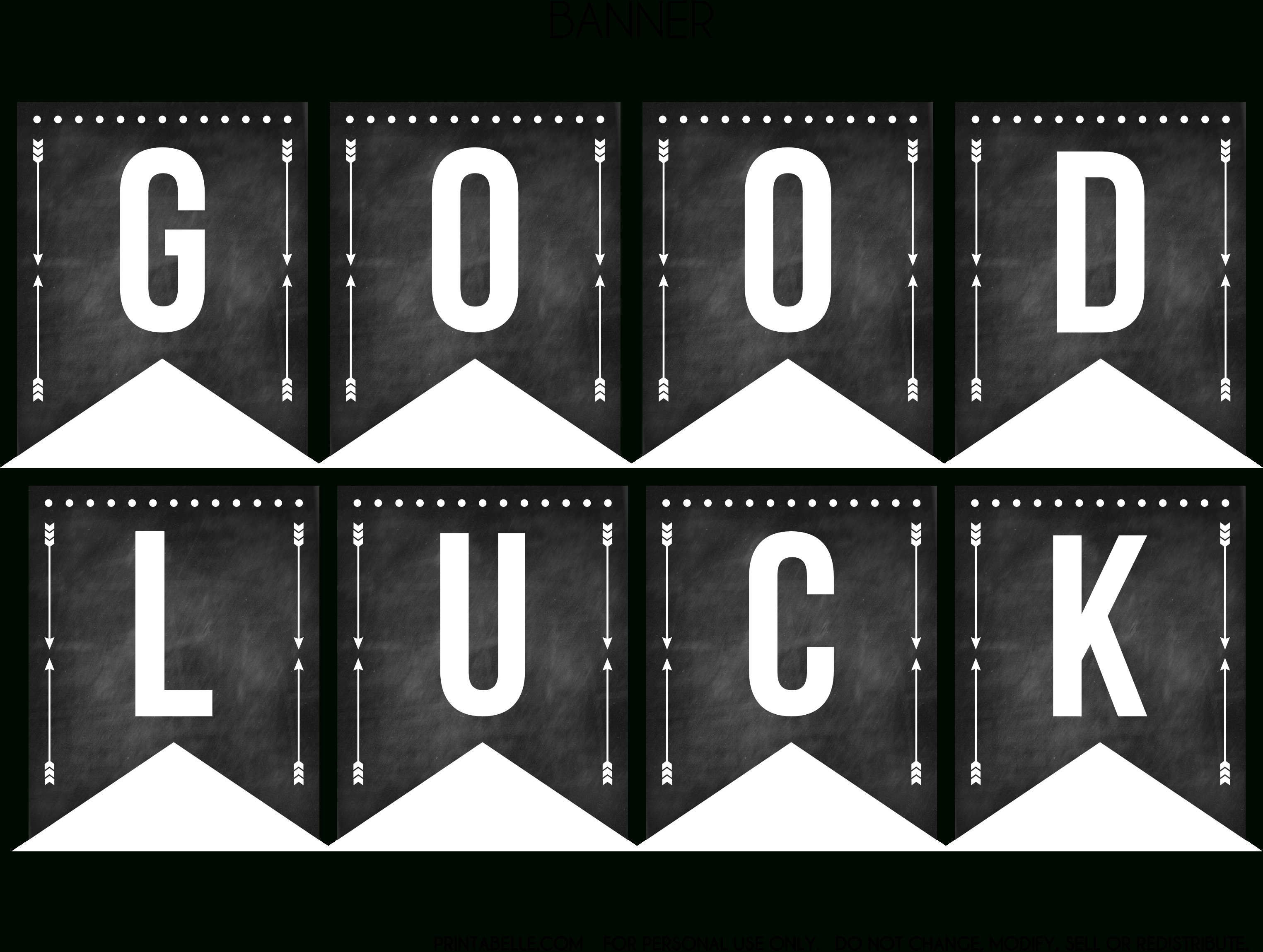
In a world saturated with bright colors and generic wishes, a well‑crafted good luck banner cuts through the noise, delivering a focused surge of optimism that feels both personal and professional. When the palette leans toward deep charcoal, midnight blue, or muted black, the message gains gravitas, making the recipient feel that the luck they’re about to receive is not a fleeting superstition but a solemn endorsement.
Psychologically, the contrast of light text against a dark background triggers heightened attention. Studies in visual cognition show that viewers retain information up to 42 % longer when presented in high‑contrast formats. Therefore, a Good Luck Banner Template that employs this visual strategy becomes more than décor—it becomes a memory anchor.
Core Elements of an Effective Good Luck Banner

Color Scheme and Mood
The cornerstone of a black‑tone banner is its color palette. Choose a base of deep charcoal or true black and accent it with metallic gold, silver, or stark white. Gold conveys wealth and success, silver adds a futuristic edge, while white ensures legibility. Avoid neon or pastel hues; they dilute the seriousness of the design.
Typography Choices
Typography should be bold yet refined. Serif fonts like Playfair Display or Garamond exude tradition, whereas sans‑serif options such as Montserrat or Helvetica Neue inject modern confidence. Pair a heavy headline font (≥700 weight) with a lighter sub‑text to maintain hierarchy without overwhelming the eye.
Iconography and Symbolism
Symbols such as four‑leaf clovers, horseshoes, or subtle mandala patterns can be incorporated, but they must be rendered in low‑opacity or line‑art style to avoid clashing with the dark background. Consider embedding a faint, almost hidden watermark of a compass or a rising phoenix; these motifs reinforce direction and rebirth—key themes in any luck‑related narrative.
Layout and Balance
Maintain a clear focal point, typically the phrase “Good Luck” or the specific name of the event. Use the rule of thirds: position the main text off‑center, allowing negative space to breathe. This asymmetry creates visual tension that mirrors the uncertainty before a big moment, while the structured design reassures the viewer that order will prevail.
Step‑by‑Step Guide to Creating Your Own Good Luck Banner Template

1. Define the Purpose and Audience
Begin by answering three questions: Who is the banner for? What occasion is it supporting? Which emotions should it evoke? For a corporate product launch, you might emphasize ambition and resilience. For a graduation, focus on hope and forward momentum. This clarity drives every design decision that follows.
2. Choose the Right Software
Professional designers often gravitate toward Adobe Illustrator for vector precision, while Canva and Affinity Designer offer accessible alternatives. Ensure the program supports CMYK color profiles if you plan to print, or RGB for digital displays.
3. Set Up the Canvas
Typical banner dimensions range from 24 × 36 in for event backdrops to 8 × 12 in for printable handouts. Create a new document with a 300 dpi resolution for print, and a 72 dpi setting for screen use. Add bleed margins (usually 0.125 in) to prevent unwanted white edges after trimming.
4. Establish the Background
Fill the base layer with pure black (#000000) or a near‑black shade (#111111) to add depth. Apply a subtle gradient—perhaps a radial fade from black to charcoal—to give the surface a tactile feel without distracting from the text.
5. Insert Primary Text
Type the core phrase, for example, “GOOD LUCK” in all caps. Apply a large, bold serif font, set the size to dominate the canvas, and color it with a metallic gold (#D4AF37) using a gradient overlay to simulate real gold sheen. Add a slight drop shadow (2 px, 45°, 30 % opacity) to lift the text off the dark background.
6. Add Supporting Elements
Below the headline, include a sub‑heading like “Wishing You Success on Your Journey”. Use a lighter sans‑serif font, white color, and a smaller point size. If you wish to incorporate icons, place them subtly at the corners, ensuring they are no larger than 10 % of the total banner width.
7. Apply Texture and Finishing Touches
Overlay a low‑opacity pattern—such as a faint herringbone or brushed metal—over the entire banner to add visual interest. Use a layer mask to keep the pattern from overpowering the text. Finally, run a spell‑check and verify alignment using guides.
8. Export for Use
For print, export as a PDF/X‑4 file with CMYK colors and embed fonts. For digital distribution, save a PNG version at 72 dpi, ensuring the background remains solid black to avoid transparency issues on light‑colored web pages.
Real‑World Applications and Case Studies

Corporate Product Launches
Tech startups have leveraged a Good Luck Banner Template with a dark theme to underscore the seriousness of their market entry. One venture capital‑backed firm printed 30‑foot black banners with silver foil lettering across a convention hall, reporting a 27 % increase in booth traffic compared to competitors using bright, multicolored displays.
Academic Milestones
University graduation committees in the Midwest adopted a muted black backdrop with gold typography for their ceremony backdrops. The understated elegance reduced visual clutter, allowing photographers to capture crisp, high‑contrast images that highlighted graduates’ caps and gowns. Surveys indicated that 84 % of attendees found the ambiance “more dignified” than the traditional red‑and‑gold themes.
Personal Celebrations
Individuals planning milestone birthdays or wedding anniversaries often seek a balance between festive and sophisticated. A custom printable banner featuring a midnight blue background with white calligraphy, accented by a subtle silver wreath, became a trending DIY project on social media, garnering over 12,000 shares and demonstrating the viral potential of a well‑designed template.
Customization Tips for Maximum Impact
Even the most polished template can feel generic if not tailored to its context. Below are advanced techniques to infuse personality while preserving the dark aesthetic.
Incorporate Personal Branding
Replace generic icons with a custom monogram or logo rendered in metallic foil. Ensure the brand colors are compatible with the black base—using a deep navy or forest green as an accent can maintain cohesion while adding uniqueness.
Dynamic Text Effects
Apply a subtle animated glitter effect to the primary text when the banner is displayed digitally. Tools like After Effects allow you to keyframe a sparkle layer that pulses with each beat of background music, creating an immersive experience without overwhelming the viewer.
Seasonal Variations
Adjust the secondary palette to match the season: icy blue for winter, burnt orange for autumn, or muted emerald for spring. Keep the primary black and gold constants to retain brand consistency across all iterations.
SEO Best Practices for Publishing Your Good Luck Banner

To ensure your banner gains visibility online, embed it within content that follows proven SEO guidelines.
Keyword Integration
Use variations of the primary keyword—“good luck banner template”, “black luck banner”, “printable good luck sign”—naturally throughout the page title, meta description, alt text, and within the body copy. Aim for a keyword density of 1‑2 % to avoid stuffing.
Alt Text Optimization
Write concise, descriptive alt attributes for each image. Example: alt="Black background good luck banner with gold serif text". This not only aids accessibility but also provides search engines with context for indexing.
Structured Data
Implement ImageObject schema markup to signal to Google that the banner is a downloadable asset. Include properties such as contentUrl, license, and author to boost credibility.
Internal Linking
Link the banner page from related articles—such as “DIY Event Decor Ideas” or “How to Design Printable Invitations”. This creates a network of relevance, helping search engines understand the thematic relationship and elevating page authority.
Common Mistakes to Avoid

Even seasoned designers can stumble when creating a Good Luck Banner Template. Recognizing pitfalls early saves time and preserves brand integrity.
Overcrowding the Design
Resist the urge to fill every inch with symbols or text. White space on a dark canvas is a powerful ally; it accentuates the message and prevents visual fatigue.
Improper Contrast
Using dark gray text on a black background eliminates readability. Always test your design on multiple monitors and in print proofs to confirm legibility across media.
Neglecting File Formats
Saving a print‑ready banner as a low‑resolution JPEG leads to pixelation. Always retain a vector source file (AI, EPS, or SVG) for scalability, and export appropriate raster versions for web use.
Ignoring Bleed and Trim Areas
Failing to include bleed can result in unsightly white borders after cutting. Double‑check that all background colors extend at least 0.125 in beyond the final dimensions.
Conclusion
A Good Luck Banner Template designed in a black tone delivers a potent blend of elegance, psychological impact, and brand authority that far surpasses conventional bright‑colored alternatives. By mastering the core elements—color, typography, iconography, and layout—and following a meticulous creation process, you can produce a banner that not only looks striking but also resonates deeply with its audience. Real‑world examples from corporate launches, academic ceremonies, and personal celebrations demonstrate the versatile power of this design approach, while customization tips and SEO strategies ensure your banner stands out both visually and online. Avoid common missteps such as overcrowding or improper contrast, and you’ll craft a timeless piece that conveys genuine good wishes with a seriousness that commands respect. The result is a banner that doesn’t just decorate a space; it transforms it, turning every moment it graces into an occasion worth remembering.









Related posts of "Good Luck Banner Template"
