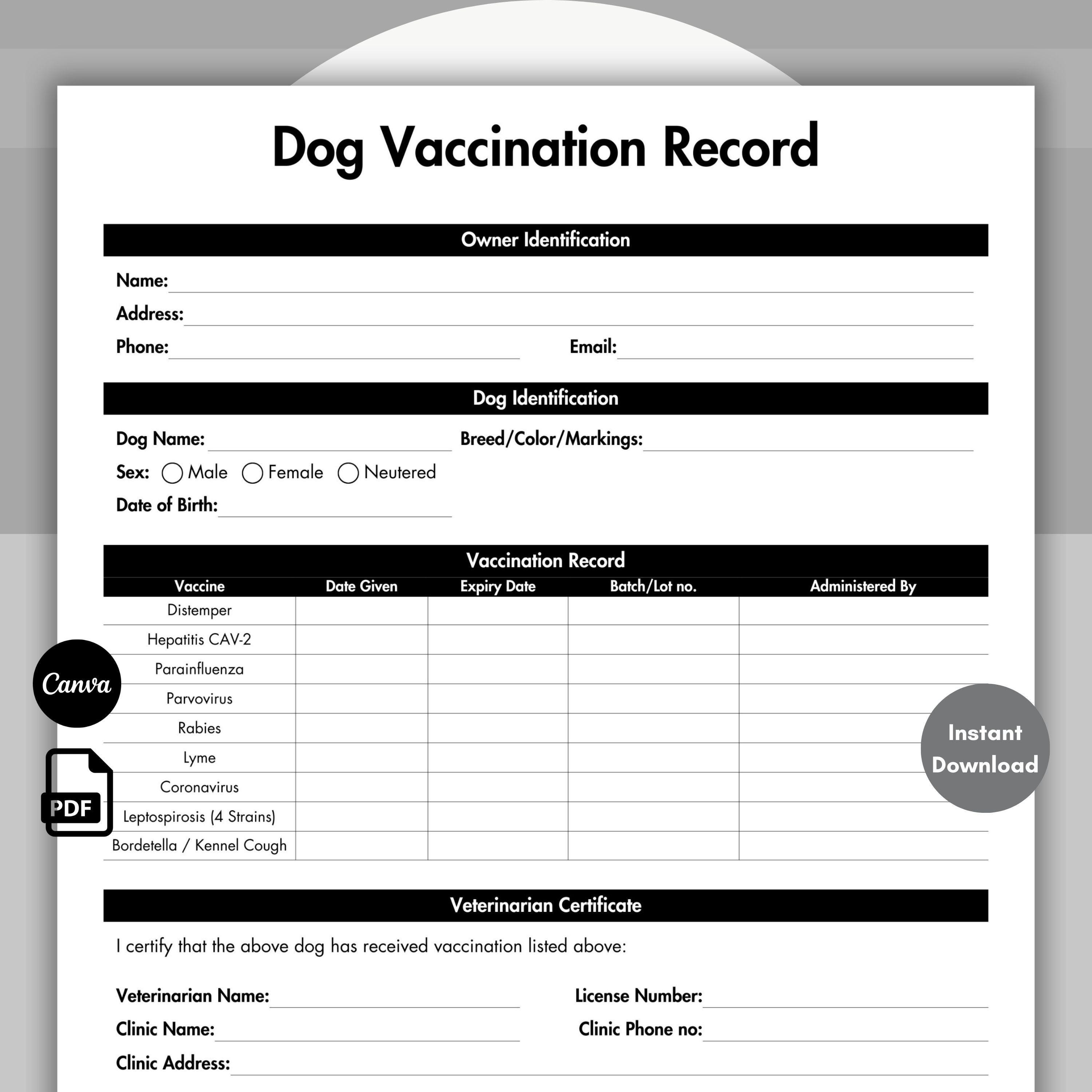
Dog Vaccination Certificate Template serves as the cornerstone of responsible pet ownership and is an essential tool for veterinarians, breeders, shelters, and pet owners alike. By offering a standardized, clear, and professional format, this template not only ensures compliance with veterinary health regulations but also promotes peace of mind for those who care for canine companions.
Why a Dog Vaccination Certificate Matters

A vaccination certificate is more than a paper; it is evidence that a dog has met its preventive health obligations. The importance of this document spans several key areas:
Health Assurance for Your Dog
Vaccinations protect against fatal diseases such as rabies, distemper, parvovirus, and kennel cough. A complete certificate lets you verify that your pet’s immune system is up to date.
Legal and Regulatory Compliance
Many jurisdictions require proof of certain vaccinations for registration, boarding, or travel. Having an accurate certificate avoids fines or denial of entry into facilities.
Facilitates Veterinary Record Keeping
A standardized template keeps essential data—vaccine names, lot numbers, dates—in one place. This reduces errors and streamlines follow‑up appointments.
Supports Adoption and Breeding Programs
Shelters and breeders need to present up‑to‑date health records to potential adopters or buyers, building trust and ensuring the animal’s welfare.
Core Elements of a Perfect Certificate Template

Every well‑designed template contains the following sections. Each component plays a specific role in making the document functional and compliant.
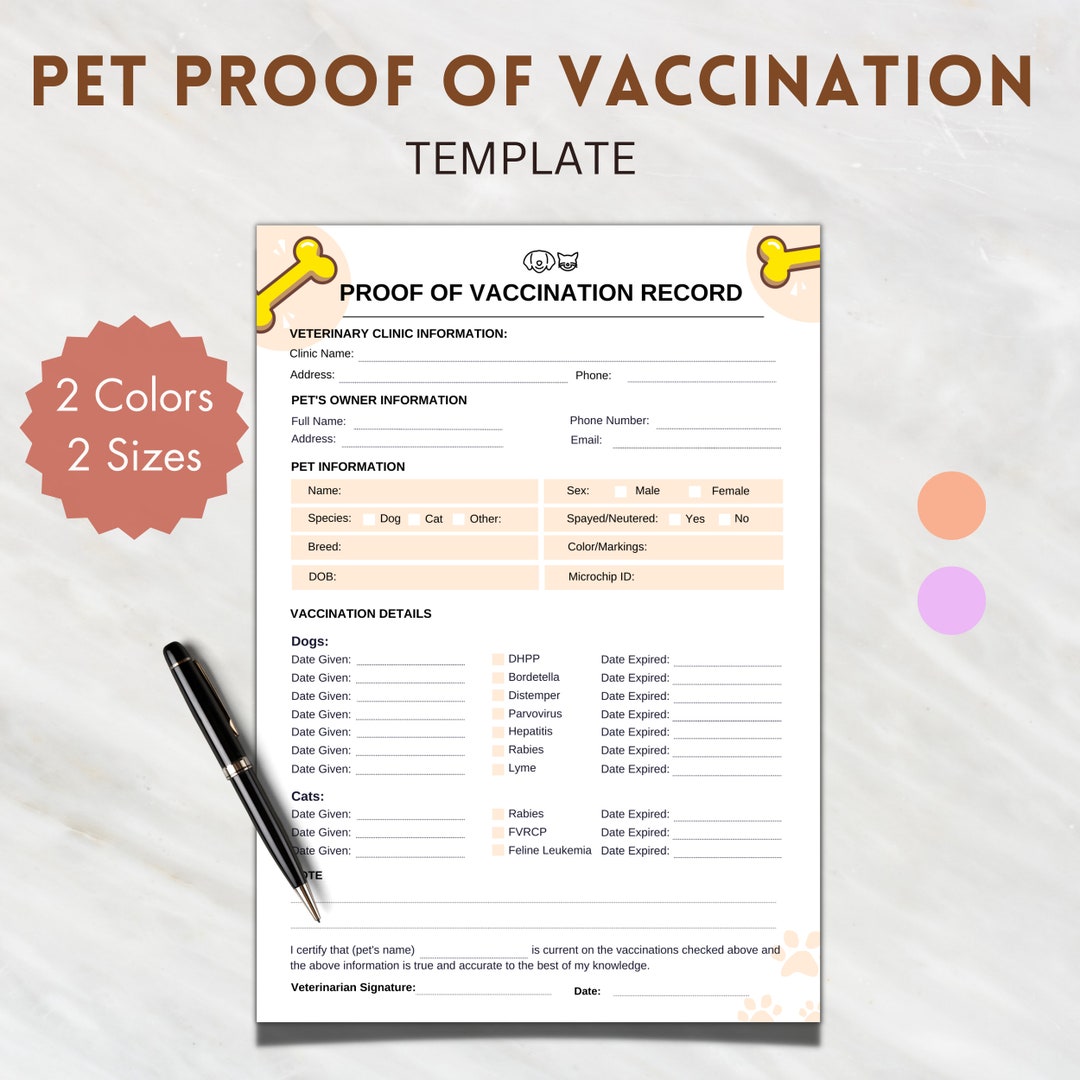
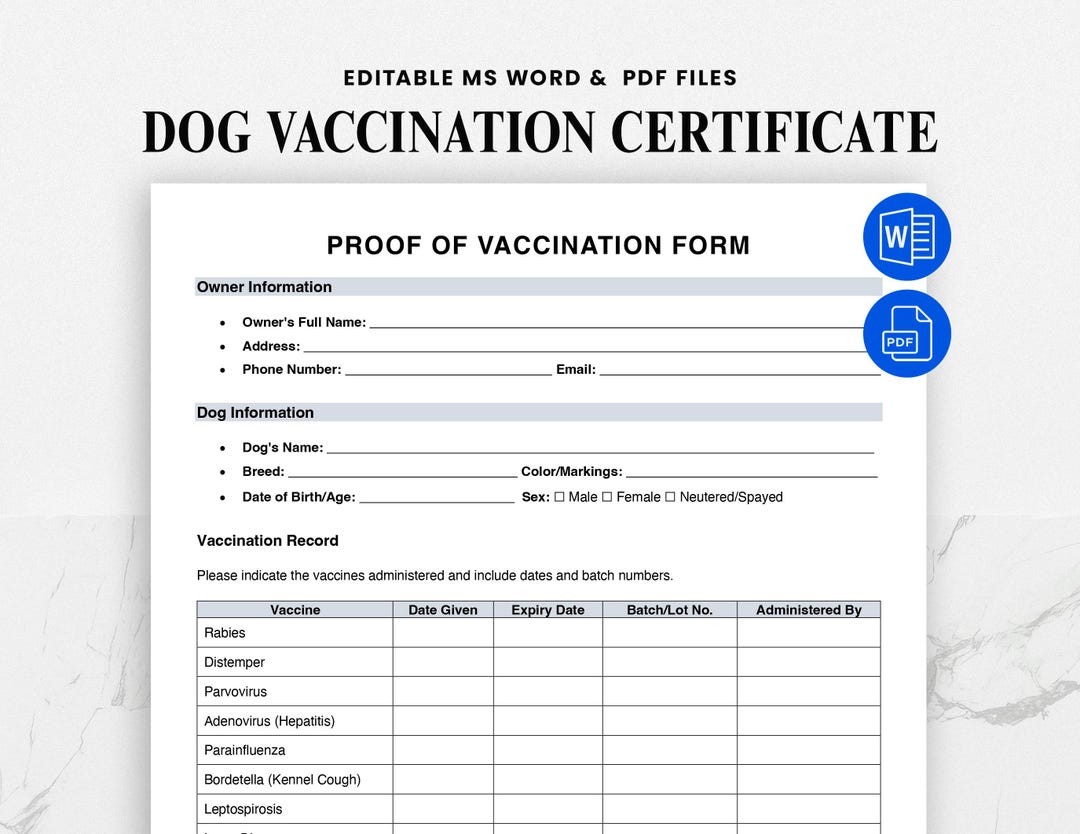
Owner Information
- Name and address of the pet’s primary owner.
- Contact details—phone number and email—for future updates.
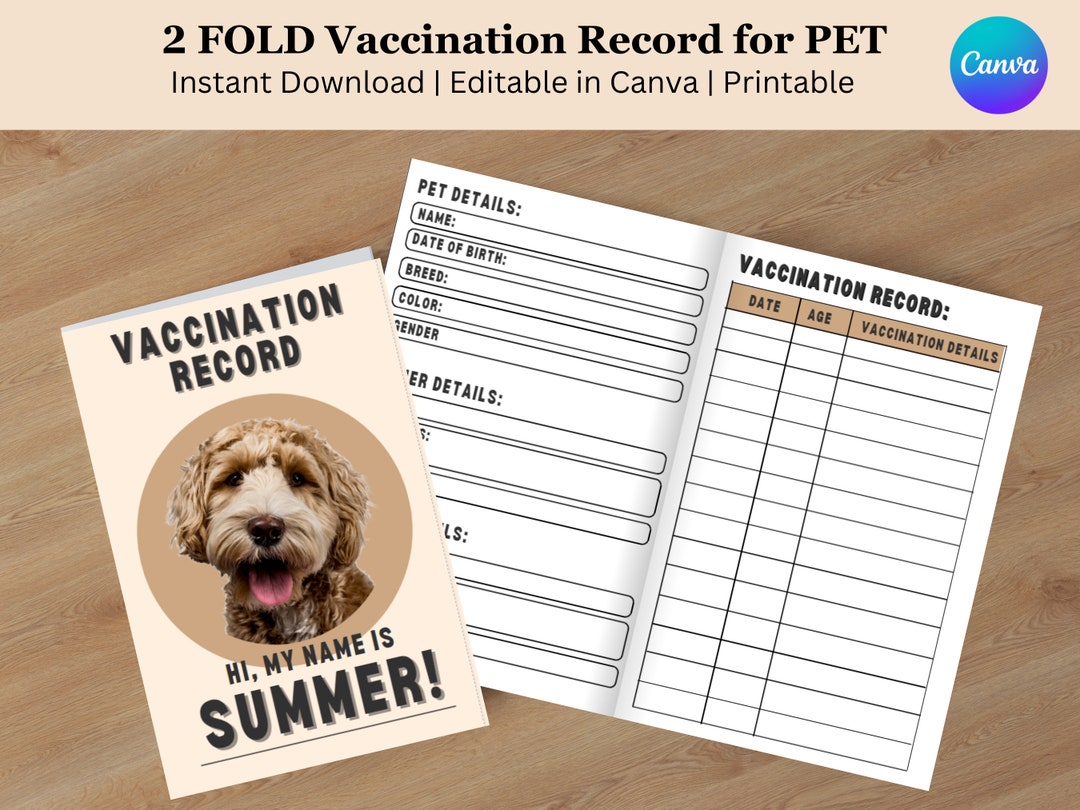
Dog Details
- Full name, breed, age, sex, and microchip number.
- Photograph or unique ID tag reference.
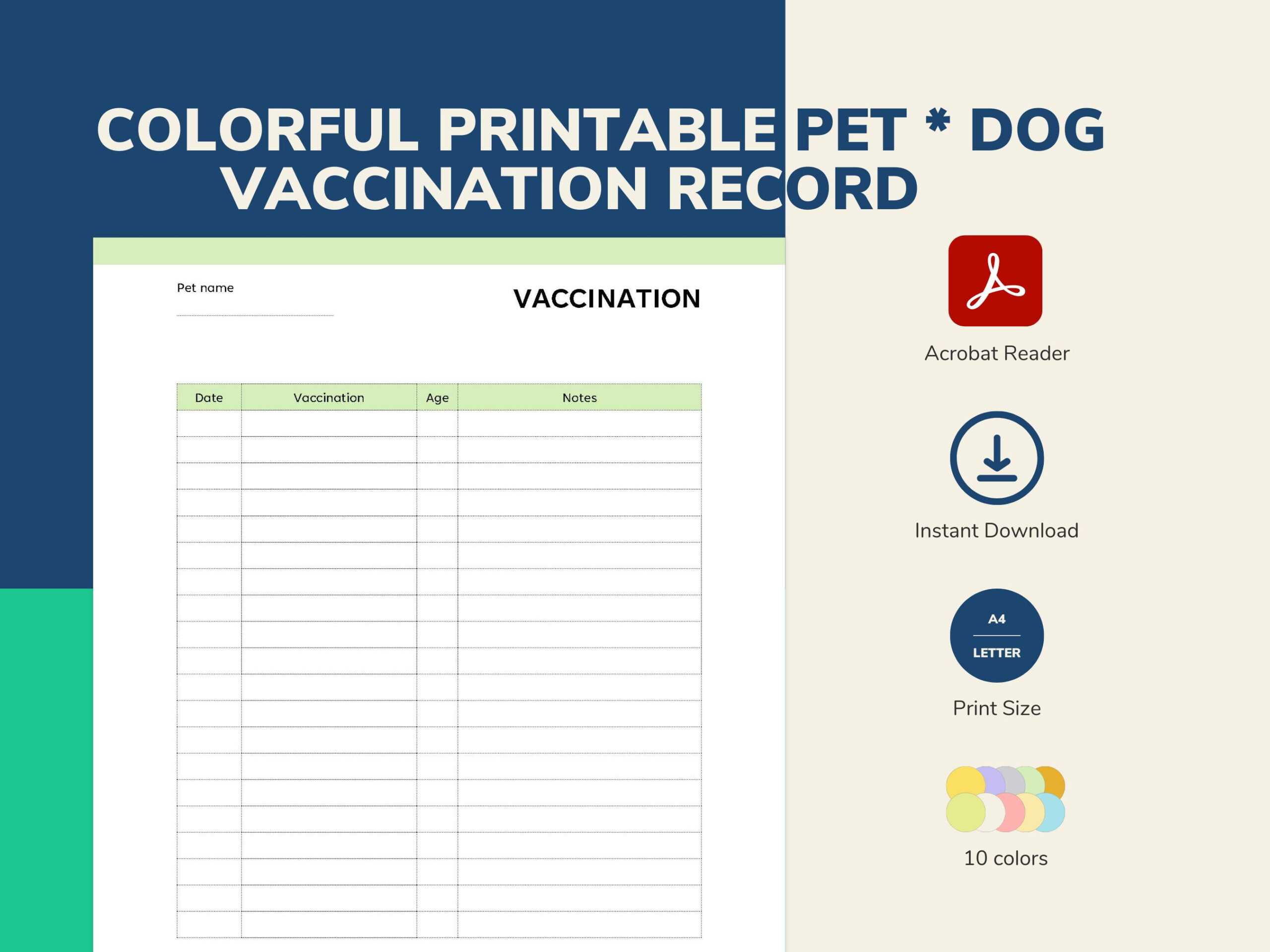
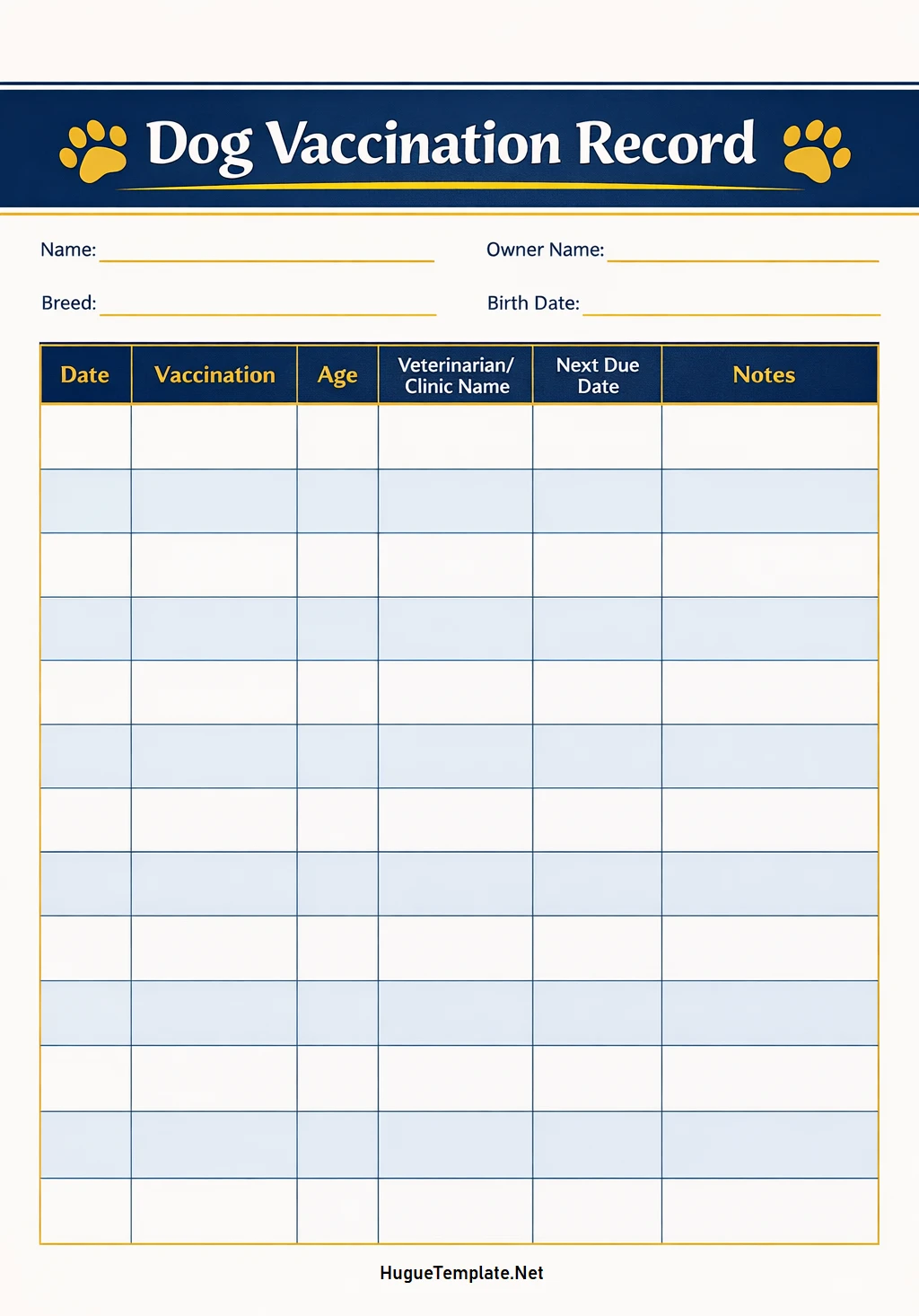
Vaccination History
- List of each vaccine administered.
- Date of administration, lot number, and dosage.
- Recommended future vaccination dates and booster schedules.
Veterinary Credentials
- Name, license number, and practice address of the veterinarian.
- Signature line and digital stamp for authenticity.
Expiration and Revocation Section
Clear visual markers for the last valid date and any revocation clauses help prevent misinterpretation.
Popular Vaccinations Covered in Templates

While every pet’s needs may vary, most templates accommodate a standard set of core vaccines:
Rabies
Essential for preventing a fatal disease and meeting most legal requirements for travel and public safety.
Distemper
A highly contagious viral infection that can cause respiratory, gastrointestinal, and neurological symptoms.
Parvovirus
Known for its severe gastrointestinal effects and high mortality in puppies; vaccination is critical.
Canine Hepatitis
Protects against a blood-borne disease that can lead to liver failure.
Kennel Cough (Canine Influenza)
Vaccination reduces the spread in boarding facilities and shelters.
Parainfluenza
Often included in combination vaccines for respiratory protection.
Leptospirosis
Preventive shots are especially recommended in regions prone to flooding or high water activity.
How to Choose the Right Template for Your Practice

With countless template designs available, selecting the right one requires assessing a few critical factors:
Customization Options
Can you modify the layout, fonts, and color scheme to match your brand identity? A versatile template allows for easy updates without compromising readability.
Paper vs. Digital Format
Consider whether you prefer hard copies for clients or digital files that can be stored and shared electronically.
Compliance with Local Laws
Some regions require specific fields or signatures. Verify that the template aligns with the regulations in your jurisdiction.
Ease of Use
A user-friendly template minimizes data entry errors and saves time during busy clinic hours.
Designing a User‑Friendly Dog Vaccination Certificate

Effective design improves clarity and reduces confusion. Here are proven strategies:
Use a Clean Layout
Organize sections with ample white space, so each category stands out. Avoid cluttered tables that overwhelm the reader.
Readable Typography
Choose legible fonts such as Arial, Helvetica, or Calibri. Headings should be slightly larger (14‑16 px) than body text (10‑12 px).
Highlight Key Dates
Bold or use a contrasting background to draw attention to expiration dates. This helps clients spot upcoming booster needs instantly.
Incorporate Branding Elements
Add your clinic’s logo, color palette, and contact information. A professional look enhances credibility.
Step‑by‑Step Guide to Filling Out a Certificate
Following a systematic approach ensures accuracy and saves time.
1. Gather All Relevant Records
- Previous vaccination logs.
- Microchip registration details.
- Owner’s contact information.
2. Input Owner and Dog Information
- Confirm spelling of the owner’s name and address.
- Verify the dog’s microchip number and breed details.
3. Record Each Vaccination Event
- Note the vaccine name, lot number, and dosage.
- Enter the administration date in a consistent format (MM/DD/YYYY).
- Calculate the next booster date and include it.
4. Add Veterinary Credentials
- Enter license number, practice address, and contact details.
- Obtain a handwritten or electronic signature.
5. Review for Accuracy
- Double‑check dates, lot numbers, and vaccine names.
- Ensure all required fields are completed.
6. Finalize and Deliver
- Print on high‑quality paper or export to PDF.
- Store a digital copy in the pet’s electronic health record.
Common Mistakes to Avoid
Even experienced clinicians can fall into pitfalls that compromise the integrity of a vaccination record. Watch out for:
- Missing or incorrect dates of administration.
- Omitting lot numbers, which can be crucial during recalls.
- Using ambiguous abbreviations that confuse non‑specialists.
- Failing to update expiration dates after each booster.
- Neglecting to obtain a proper signature or stamp.
Digital vs. Paper Certificates

Both formats offer distinct advantages, and choosing the right blend can streamline operations.
Digital Certificates
• Instant sharing via email or cloud platforms.
• Easy integration with electronic health record (EHR) systems.
• Automatic reminders for upcoming boosters using calendar links.
Paper Certificates
• Tangible proof for clients who prefer hard copies.
• Useful in regions with limited internet connectivity.
• Often required by certain kennel or travel authorities.
Legal Standards and Compliance
Regulatory requirements for dog vaccination certificates vary by country and state. Key points include:
- Rabies vaccination must be documented with a valid license and valid date of expiration.
- Microchipping is mandatory in many jurisdictions; it should be recorded on the certificate.
- Data privacy laws (e.g., GDPR, HIPAA) require secure handling of owner information.
- Some regions require a specific field for the veterinarian’s license number and practice registration.
Adding Custom Features to the Template

Enhancing the template can improve user experience and automation.
QR Codes
Embed a QR code that links to the pet’s full health record online. This allows quick verification by shelters or other vets.
Expiry Alerts
When converting to a digital format, integrate an alert system that sends email reminders to owners when a vaccine is nearing expiration.
Dog Tag Integration
Include a reference number that matches the dog tag for instant cross‑checking between documents.
Real World Use Cases

Understanding practical scenarios helps tailor the template to meet diverse needs.
Adoption Agencies
Provide prospective adopters with a comprehensive health sheet that boosts confidence in the animal’s well‑being.
Veterinary Clinics
Use the template as part of routine wellness exams, ensuring no booster is missed during busy seasons.
Dog Boarding Facilities
Require proof of recent vaccinations before allowing a dog onto the premises, protecting all animals in the facility.
International Travel
Passport‑style vaccination certificates are mandatory for pets crossing borders, especially for rabies proof.
Tips for Maintaining an Organized Vaccine Log

Proper organization reduces administrative overhead and prevents loss of critical information.
- Color‑code each vaccine type in your spreadsheet or paper ledger.
- Back up digital records to a secure cloud service with access controls.
- Regularly audit records for missing entries or outdated information.
- Use barcode labels for quick scanning in high‑volume clinics.
- Keep a physical backup in a fire‑proof safe for essential legal documents.
Frequently Asked Questions

What is the minimum information a vaccination certificate should contain?
Owner name, dog’s details, vaccine name, date, lot number, and veterinarian signature.
Can I use a single template for all breeds and sizes?
Yes, as long as the template is flexible enough to accommodate variations in vaccination schedules.
Is a digital certificate legally accepted in all states?
Most states accept digitally signed certificates, but it’s essential to verify local regulations.
How often should I update my template?
Review it annually or whenever new vaccine protocols or legal requirements emerge.
Can I add a QR code to the template?
Absolutely. A QR code enhances accessibility and connects the certificate to an online record.
In conclusion, a well‑crafted Dog Vaccination Certificate Template is a vital tool that safeguards canine health, satisfies legal obligations, and fosters trust among owners, veterinarians, and the broader community. By incorporating clear sections, adhering to regulatory standards, and embracing both digital and paper formats, you can streamline your practice, reduce errors, and ensure that every dog receives the preventative care they deserve. Maintaining an organized, up‑to‑date certificate not only protects your pet’s well‑being but also provides peace of mind for everyone involved in their care journey.


Related posts of "Dog Vaccination Certificate Template"
