
Accounts Receivable Report Template serves as the backbone of cash‑flow management for businesses of all sizes, turning raw invoice data into clear, actionable insights that drive timely collections and financial stability. By standardizing the way receivables are recorded, analyzed, and presented, a well‑crafted template eliminates guesswork, reduces errors, and equips finance teams with the information needed to make strategic decisions. This article explores every facet of an Accounts Receivable Report Template—from essential components and design principles to customization tips, common pitfalls, and real‑world applications—so you can implement a solution that boosts efficiency, improves cash flow, and supports sustainable growth.
Why an Accounts Receivable Report Template Matters

In the fast‑paced environment of modern business, the ability to monitor outstanding invoices in real time is a competitive advantage. An Accounts Receivable Report Template consolidates disparate data sources—such as ERP systems, spreadsheets, and billing platforms—into a single, consistent format. This consistency offers several critical benefits:
- Accelerated Decision‑Making: Executives can quickly assess aging balances, identify high‑risk customers, and allocate collection resources where they are needed most.
- Improved Cash‑Flow Forecasting: Accurate aging reports enable finance teams to predict inbound cash, plan for short‑term liquidity needs, and negotiate better terms with suppliers.
- Regulatory Compliance: A standardized report ensures that financial statements adhere to GAAP or IFRS requirements, simplifying audits and reducing the risk of non‑compliance penalties.
- Enhanced Accountability: Clear visibility into who owes what and when creates a culture of responsibility across sales, customer service, and finance departments.
Without a template, teams often resort to ad‑hoc spreadsheets that vary in structure, leading to misinterpretation, duplicated effort, and delayed collections.
Key Components of an Effective Template

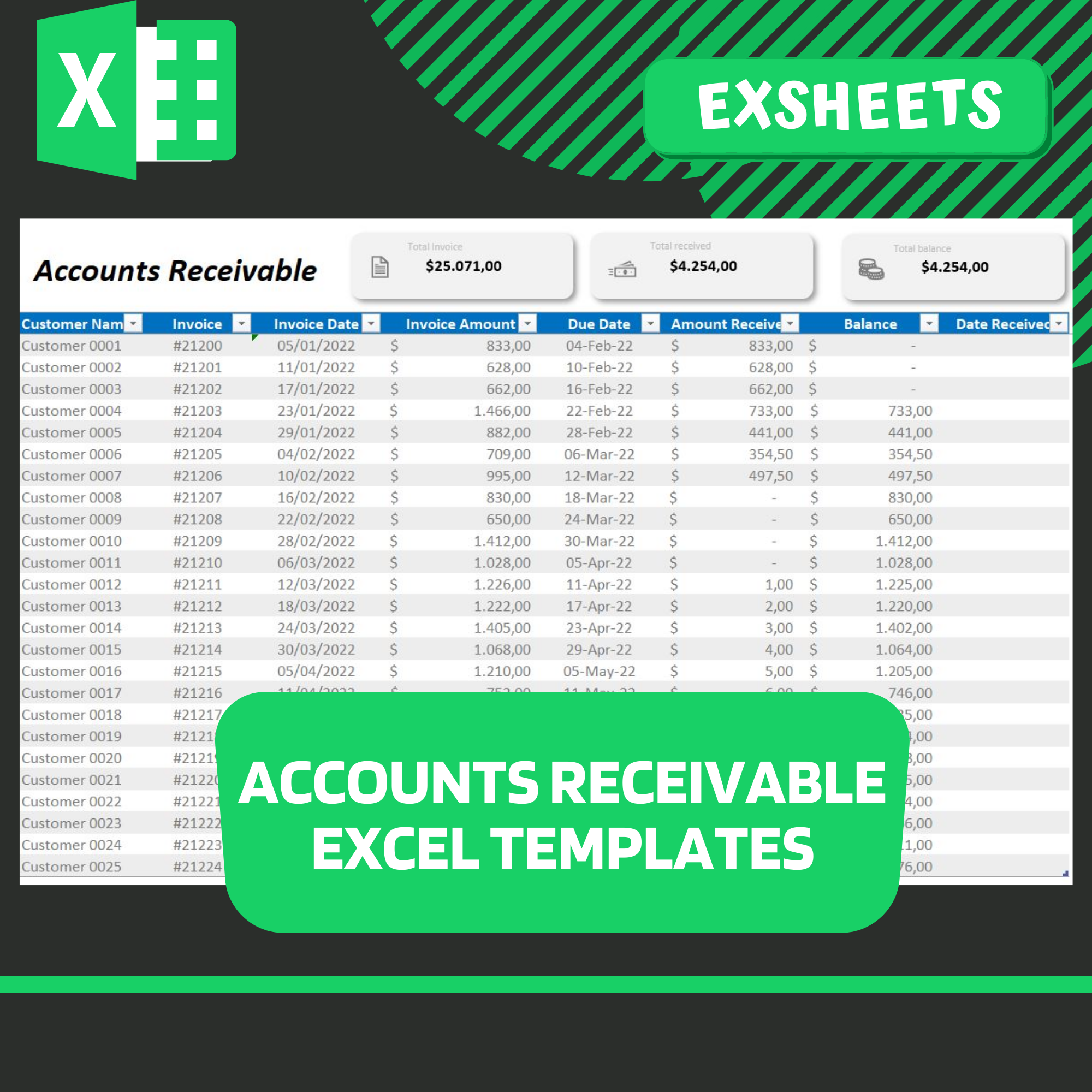
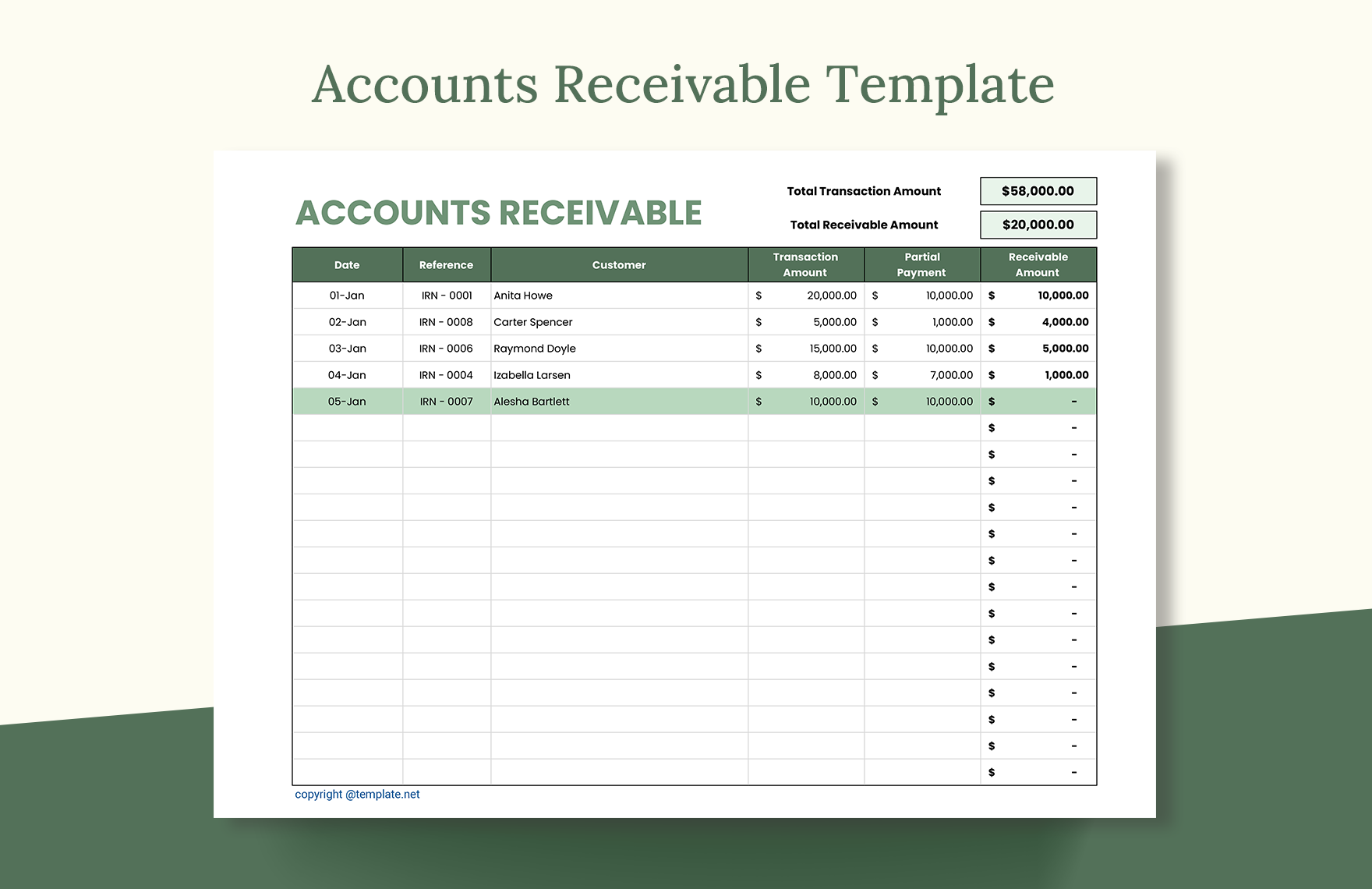
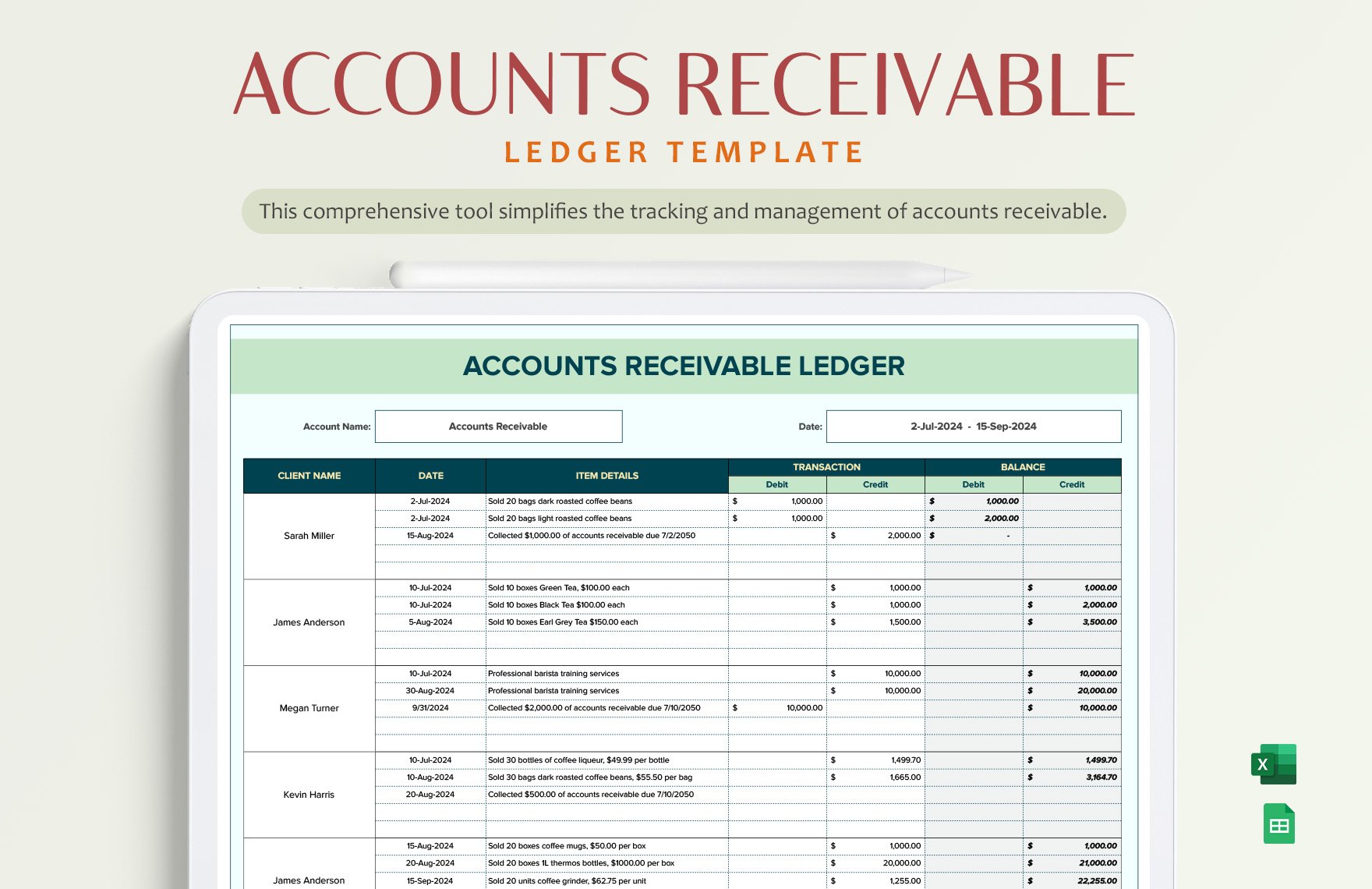
An Accounts Receivable Report Template should contain the data points that provide a holistic view of receivables while remaining easy to read. Below are the core elements that every template should include, grouped by category.
Customer Identification
- Customer Name: Full legal name of the client.
- Customer ID: Unique identifier used in your accounting system.
- Contact Information: Primary email and phone number for follow‑up.
Invoice Details
- Invoice Number: Sequential reference for tracking.
- Invoice Date: Date the invoice was issued.
- Due Date: Contractual payment deadline.
- Invoice Amount: Total billed amount before taxes or discounts.
- Currency: Important for multinational companies.
Payment Status
- Paid Amount: Total amount received to date.
- Outstanding Balance: Remaining amount owed.
- Payment Terms: Net 30, Net 45, etc., indicating standard credit period.
- Aging Category: Grouping of balances into 0‑30, 31‑60, 61‑90, and 90+ days.
Financial Metrics
- Days Sales Outstanding (DSO):** A key KPI that measures average collection period.
- Bad Debt Reserve: Estimated amount set aside for potentially uncollectible invoices.
- Discounts Applied: Early‑payment discounts taken by the customer.
Notes and Actions
- Collection Notes: Summary of communication attempts, promises to pay, or disputes.
- Next Action Date: Planned follow‑up date for the collection team.
- Responsible Owner: Team member assigned to the account.
Design Best Practices for Maximum Readability
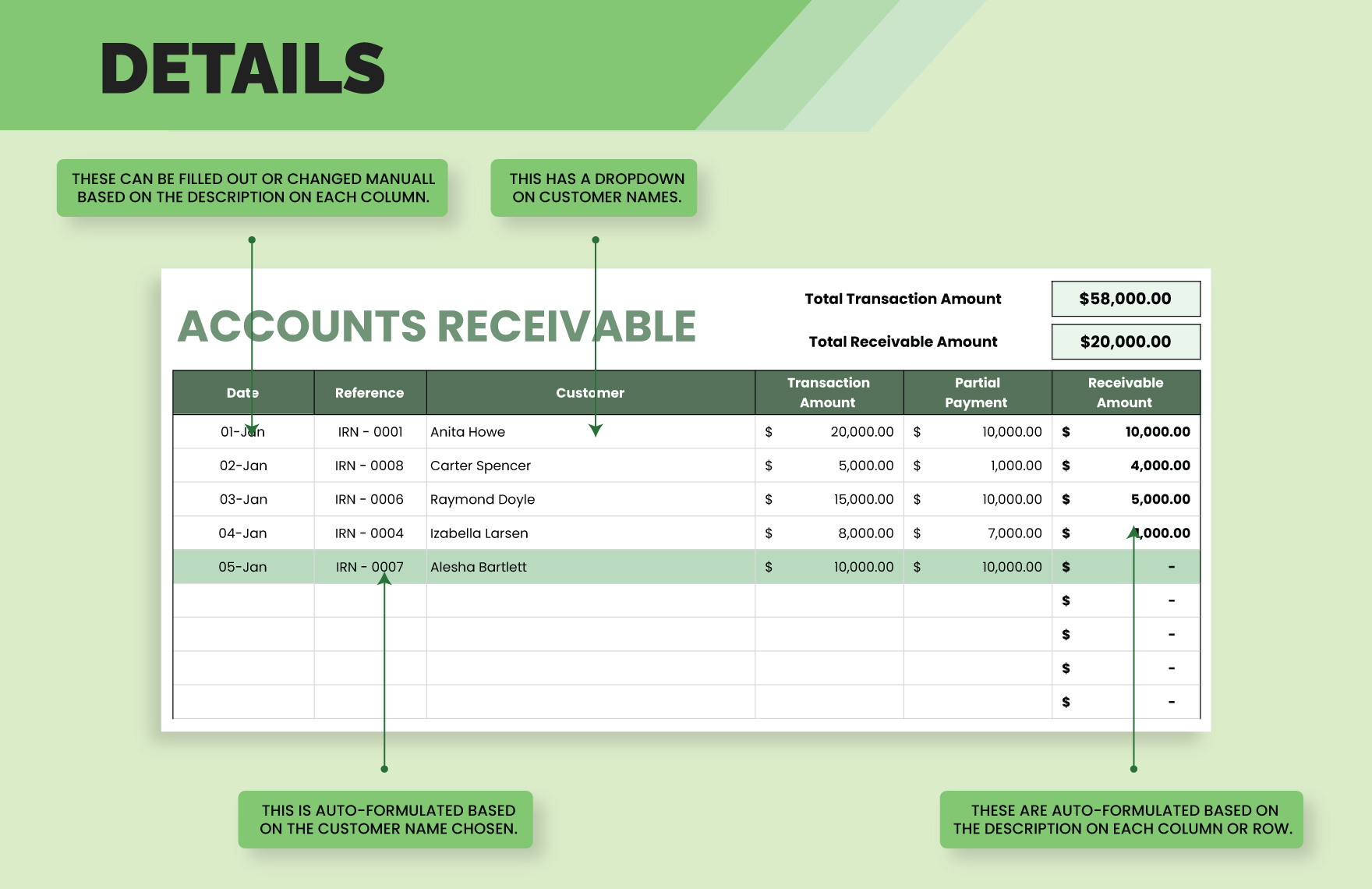
A template that looks like a dense spreadsheet can deter users from engaging with the data. Applying design best practices ensures the report is both aesthetically pleasing and functionally effective.
Use Clear Headings and Subheadings
Separate sections with descriptive headings (e.g., “Aging Summary,” “Top 10 Delinquent Accounts”) so readers can jump directly to the information they need. Consistent heading hierarchy (h2 for main sections, h3 for subsections) improves navigation and SEO relevance.
Employ Conditional Formatting
Color‑code aging categories—green for current, yellow for 31‑60 days, orange for 61‑90 days, and red for over 90 days. This visual cue allows quick identification of problem accounts without scanning numbers.
Leverage Tables with Fixed Columns
Design tables with column widths that accommodate the longest data entries. Freeze header rows in Excel or use “thead” elements in HTML to keep column titles visible as users scroll.
Include Summaries and Charts
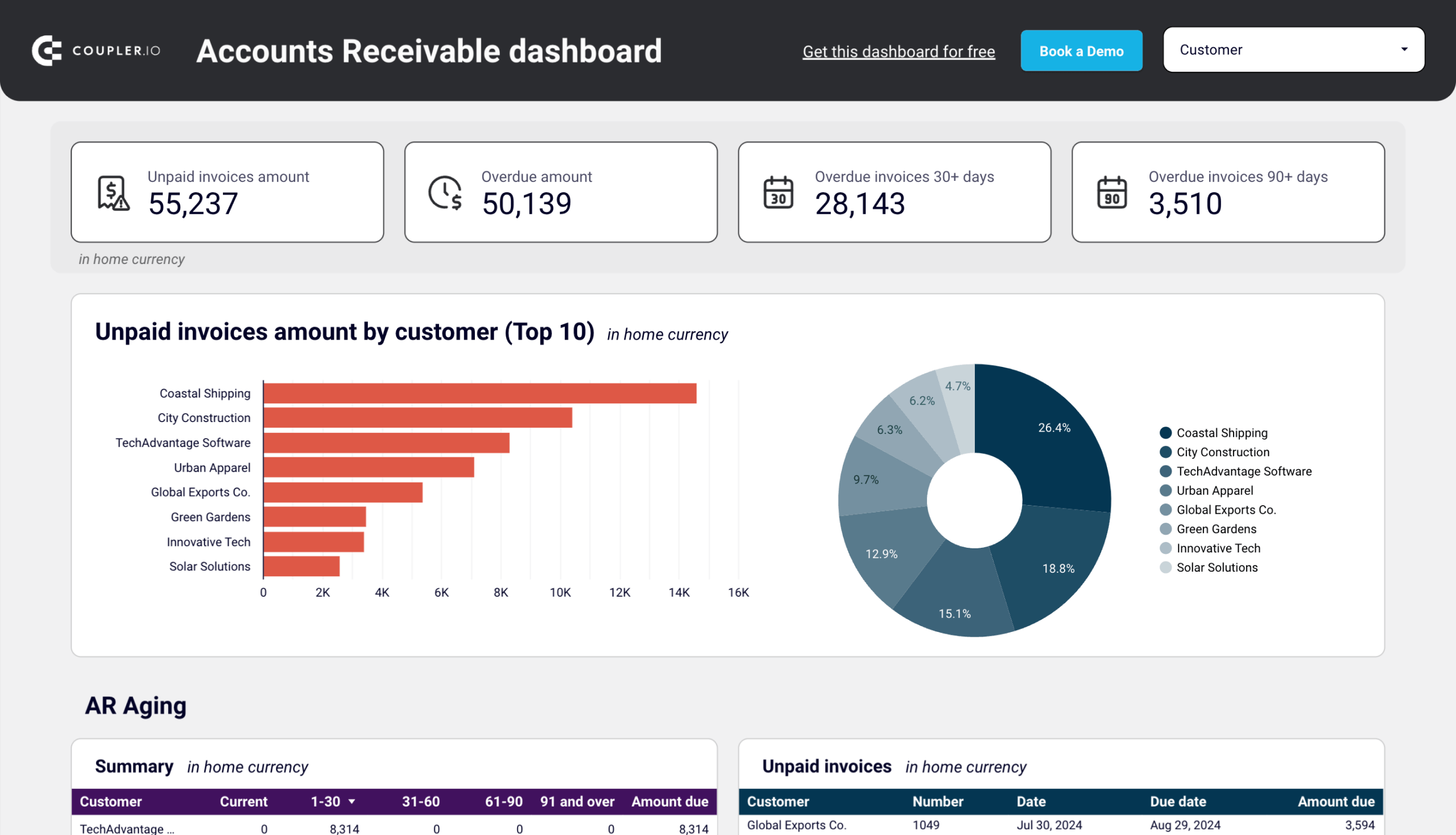
At the top of the report, add a concise summary box that shows total outstanding, average DSO, and percentage of overdue balances. Complement the numbers with a bar chart or pie chart to visualize the distribution of aging categories.
Maintain Consistent Number Formatting
Apply the same currency format, decimal places, and thousand separators throughout the report. Consistency reduces cognitive load and prevents misinterpretation of figures.
How to Customize the Template for Your Business
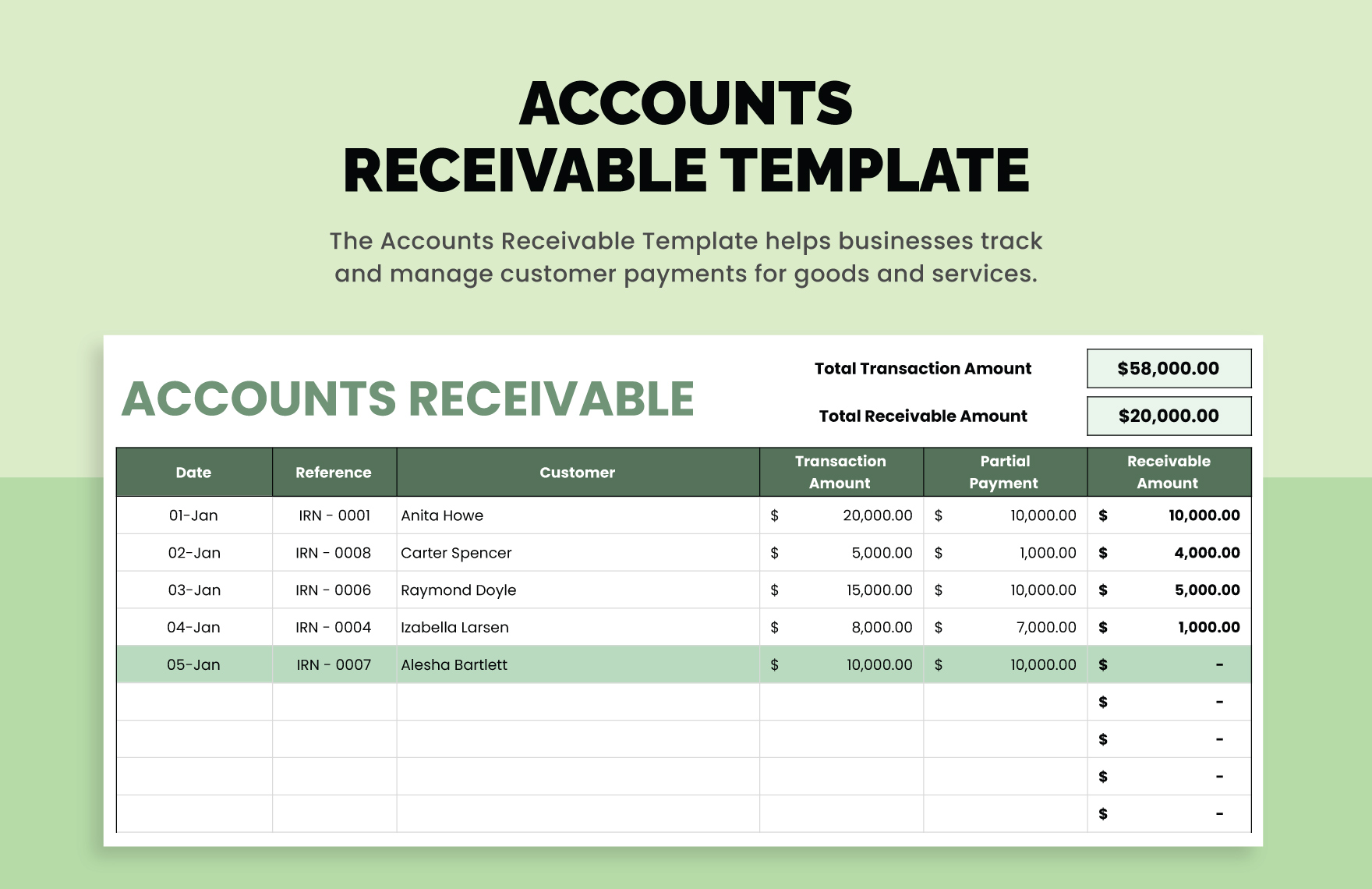
No two businesses have identical credit policies or reporting needs. Customization ensures the template aligns with your organization’s processes, industry standards, and strategic goals.
Adapt to Industry‑Specific Metrics
Manufacturers may track “Units Shipped vs. Invoiced,” while service firms might focus on “Billable Hours.” Add columns that capture these nuances to provide a more comprehensive view of receivables.
Incorporate Company Branding
Include your logo, corporate colors, and standard fonts to reinforce brand identity. Branded reports also convey professionalism when shared with senior leadership or external auditors.
Adjust Aging Buckets
If your typical payment terms are Net 45, consider aging groups of 0‑45, 46‑75, 76‑105, and 106+ days rather than the default 30‑day intervals. Aligning buckets with your credit policy improves relevance.
Integrate with Existing Systems
Use data import tools or APIs to pull real‑time invoice data from your ERP, accounting software, or CRM. Automated data feeds reduce manual entry errors and keep the report up‑to‑date.
Set Up Automated Alerts
Configure conditional rules that trigger email notifications when an invoice ages beyond a certain threshold. Embedding these alerts within the template workflow streamlines collection efforts.
Step‑by‑Step Guide to Creating Your Own Template

Follow this systematic process to build a robust Accounts Receivable Report Template that meets your organization’s requirements.
Step 1: Define Objectives and Stakeholders
Identify the primary purpose of the report—whether it is to support daily collections, inform quarterly financial reviews, or satisfy audit requirements. List all stakeholders (CFO, credit manager, sales director) and gather their input on required metrics.
Step 2: Gather Source Data
Collect sample data from your accounting system, including invoices, payments, and customer master files. Ensure you have fields that match the key components outlined earlier.
Step 3: Choose the Platform
Decide whether the template will reside in Excel, Google Sheets, Power BI, or a specialized accounting module. Each platform offers unique advantages: Excel for flexibility, Power BI for interactive dashboards, and ERP modules for seamless integration.
Step 4: Build the Layout
Start with a clean worksheet. Create a header row with descriptive column titles. Freeze this row to keep headings visible. Add a separate “Summary” section at the top that aggregates totals and KPIs using formulas such as =SUM() and =AVERAGE().
Step 5: Populate Formulas and Calculations
- Aging Calculation: Use
=TODAY() - DueDateto compute days past due, then categorize with=IF()statements. - DSO: Apply
=SUM(OutstandingBalances) / (TotalCreditSales/365)to derive days sales outstanding. - Bad Debt Reserve: Estimate a percentage (e.g., 2%) of overdue balances and calculate with
=OutstandingBalance*0.02.
Step 6: Apply Formatting and Visuals
Implement conditional formatting rules for aging categories. Insert a pivot table to generate a dynamic “Top Delinquent Accounts” list. Add a bar chart that visualizes the aging distribution.
Step 7: Test and Refine
Run the template with a month’s worth of real data. Verify that totals match the general ledger, that aging categories are accurate, and that alerts fire correctly. Solicit feedback from stakeholders and iterate on layout, formulas, and visual cues.
Step 8: Document Usage Guidelines
Create a one‑page cheat sheet that explains how to refresh data, interpret key metrics, and update the template when new fields are added. This documentation ensures consistency across users and reduces onboarding time for new team members.
Common Mistakes to Avoid

Even seasoned finance professionals can fall into traps that undermine the effectiveness of an Accounts Receivable Report Template. Being aware of these pitfalls helps you maintain a high‑quality reporting process.
Overcomplicating the Layout
Including too many optional columns or excessive graphics can obscure the core insights. Stick to essential data and use supplemental sheets for detailed drill‑downs.
Neglecting Data Validation
Without validation rules, users may enter incorrect dates, duplicate invoice numbers, or mismatched currency codes. Implement dropdown lists, date pickers, and error alerts to maintain data integrity.
Failing to Update Aging Buckets
As credit terms evolve, aging categories should be revisited. Using outdated buckets leads to misaligned risk assessments and ineffective collection strategies.
Relying Solely on Manual Refreshes
Manual data imports increase the risk of stale information. Whenever possible, automate data pulls from your accounting system to keep the report current.
Ignoring Stakeholder Feedback
A template that does not address the needs of sales, legal, or senior management will be underutilized. Conduct periodic reviews to ensure the report remains relevant.
Benefits of Using a Template Over Ad‑Hoc Spreadsheets
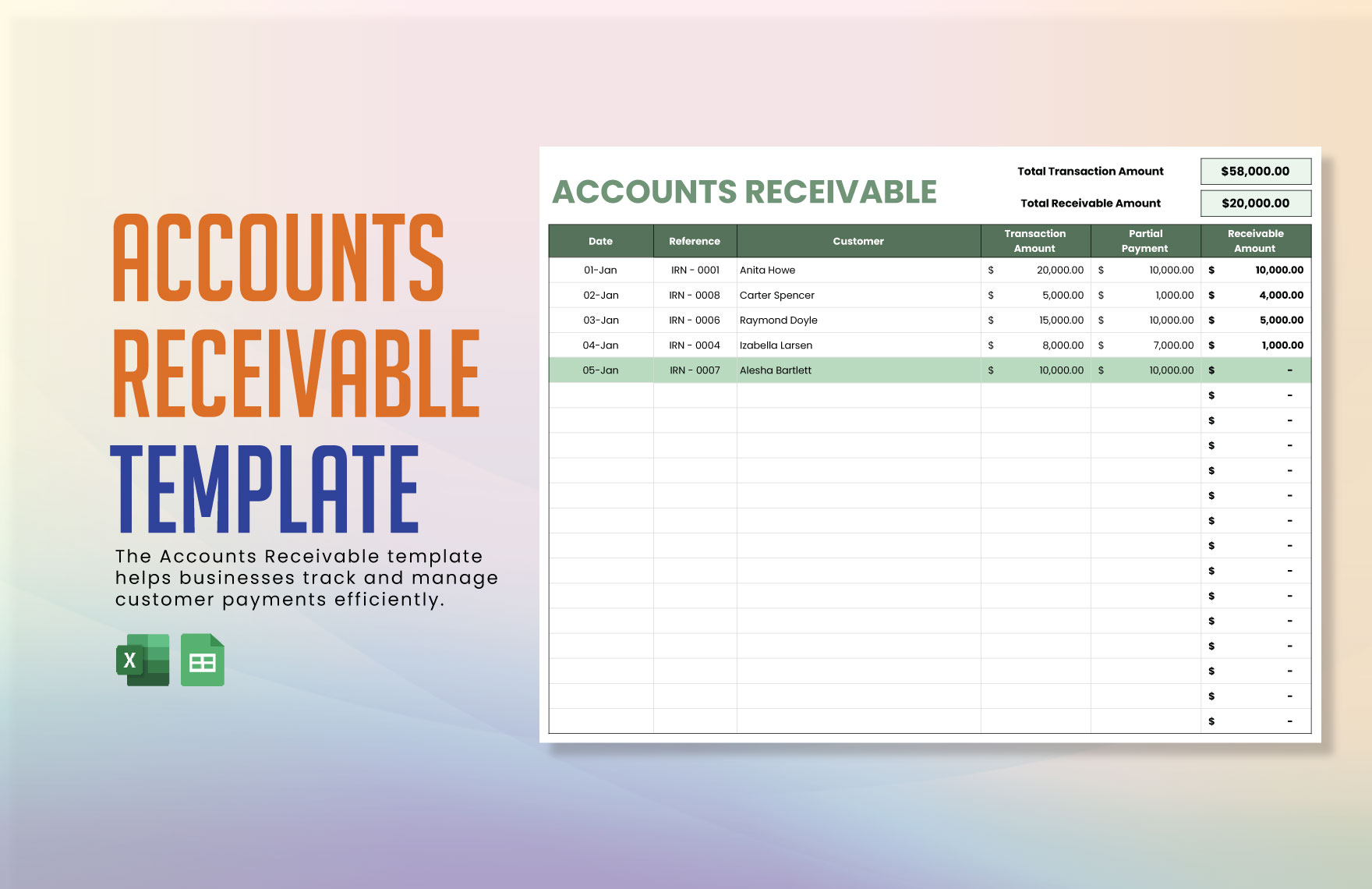
Transitioning from scattered spreadsheets to a standardized Accounts Receivable Report Template delivers measurable improvements across the organization.
- Consistency: Uniform column headings, formulas, and formatting reduce confusion and errors.
- Time Savings: Pre‑built calculations eliminate repetitive manual work, freeing staff to focus on strategic collection activities.
- Scalability: A template can accommodate growth in transaction volume without redesign.
- Enhanced Analytics: Structured data enables advanced analysis, such as trend forecasting and segmentation by customer risk.
- Improved Audibility: Clear documentation and traceable calculations simplify internal and external audits.
Tools and Software Options for Building the Template

Choosing the right tool depends on your organization’s size, budget, and existing technology stack.
Spreadsheet Solutions
- Microsoft Excel: Offers robust formula capabilities, pivot tables, and conditional formatting. Ideal for mid‑size firms with existing Microsoft 365 subscriptions.
- Google Sheets: Enables real‑time collaboration across teams and easy sharing via cloud links. Suitable for distributed workforces.
Business Intelligence Platforms
- Power BI: Provides interactive dashboards, drill‑through capabilities, and seamless integration with Azure and Dynamics 365.
- Tableau: Known for advanced visualizations and the ability to blend data from multiple sources.
Accounting and ERP Systems
- NetSuite: Includes built‑in receivables aging reports that can be customized with SuiteAnalytics.
- Sage Intacct: Offers flexible reporting modules and API access for custom template creation.
Specialized Credit Management Tools
- HighRadius: Automates AR processes, provides AI‑driven insights, and includes pre‑designed report templates.
- Billtrust: Focuses on invoicing automation and includes customizable reporting dashboards.
Real‑World Example: Implementing a Template at a Mid‑Size Manufacturing Firm
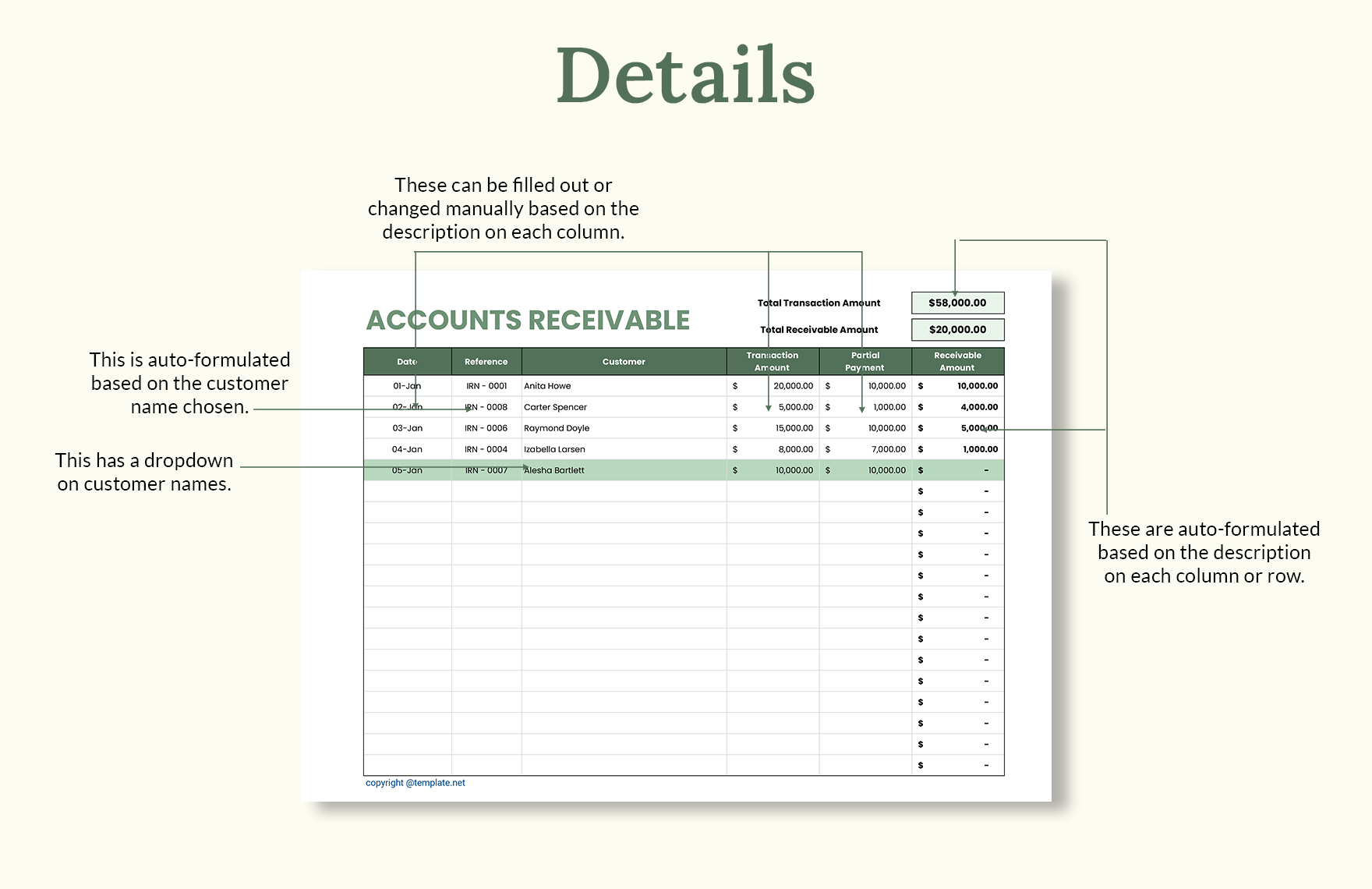
A mid‑size manufacturer with $50 million in annual sales faced chronic cash‑flow gaps due to delayed customer payments. The finance team used an ad‑hoc spreadsheet that required manual data entry from the ERP system, leading to errors and a two‑week lag in reporting.
To address the issue, the CFO commissioned a standardized Accounts Receivable Report Template in Microsoft Excel, linked directly to the ERP via ODBC. The template featured the following elements:
- A “Summary” dashboard showing total outstanding, DSO, and a red‑flag list of invoices over 90 days.
- Conditional formatting that highlighted overdue balances in red.
- Automated email alerts triggered when an invoice entered the 60‑day bucket.
- A “Top 10 Customers” pivot table that helped the sales team prioritize follow‑up.
After implementation, the company reduced its average DSO from 58 days to 44 days within three months, freeing approximately $1.2 million in working capital. The template also shortened the month‑end close process by two days, as the finance team no longer needed to reconcile multiple spreadsheets.
Conclusion

An Accounts Receivable Report Template is more than a simple spreadsheet; it is a strategic instrument that transforms raw invoice data into clear, actionable intelligence. By incorporating essential components, adhering to design best practices, and customizing the layout to reflect your unique credit policies, you can create a report that drives faster collections, improves cash‑flow forecasting, and supports compliance. Avoid common mistakes such as overcomplication and manual data refreshes, and leverage appropriate tools—whether Excel, Power BI, or an integrated ERP module—to maximize efficiency. When executed correctly, a well‑designed template not only streamlines the finance function but also empowers the entire organization to make informed, proactive decisions that safeguard financial health and fuel growth.





Related posts of "Accounts Receivable Report Template"
